5.2.2 Liebert APM Plus Touchscreen Control Panel Components
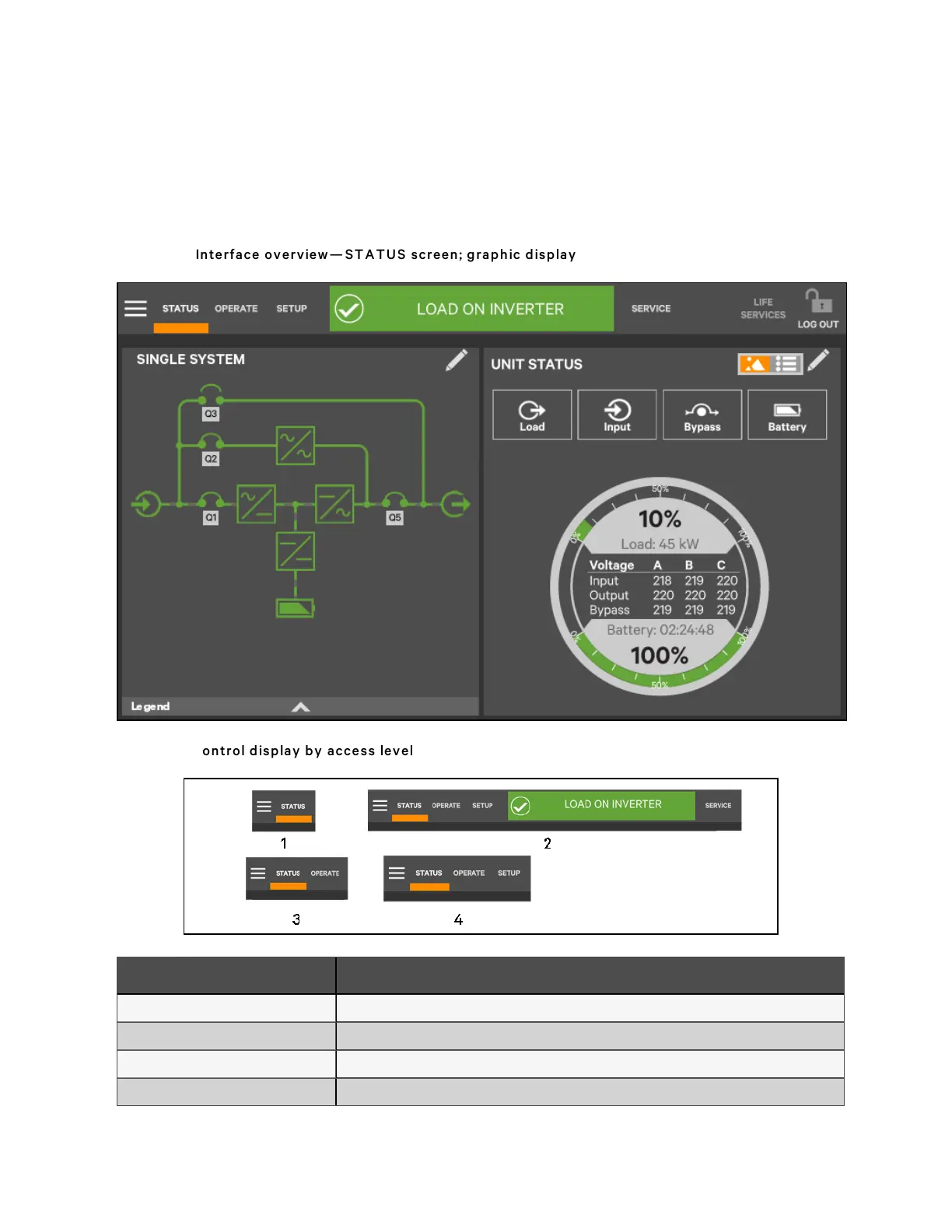
The main areas of the Liebert® APM Plus Touchscreen Control Panel are shown in Figure 5.2 below. The display arrangement
and the information displayed can be changed. At log-in for all access levels, the Liebert APM Plus Touchscreen Control Panel
opens to the STATUS screen in graphic display. The STATUS screen will show the animated mimic and system status
readings at each log-in level. The appearance will differ only in the function menus displayed (see Figure 5.3 below).
Figure 5.2 Interface overview — ST A T U S screen; graphic disp lay
Figure 5.3 Con trol display b y access level
N o. Descriptio n
1 Observe level (or no log-in)
2 Service level
3 Operator level
4 Administrator level
5 Operator Control and Display Panel
50
Vertiv™ Liebert® APM Plus User Manual













 To Next Page