5.4 Viewing UPS Status
The Liebert® APM Plus Touchscreen Control Panel interface reports UPS status in multiple ways. The graphic views and text
views will show the same readings.
Alarms and certain events will trigger audible alarms and the LED on the bezel, the light bar and the status header will change
color. (Audible alarms will not sound unless enabled.) The scrolling information bar at the top of the interface summarizes
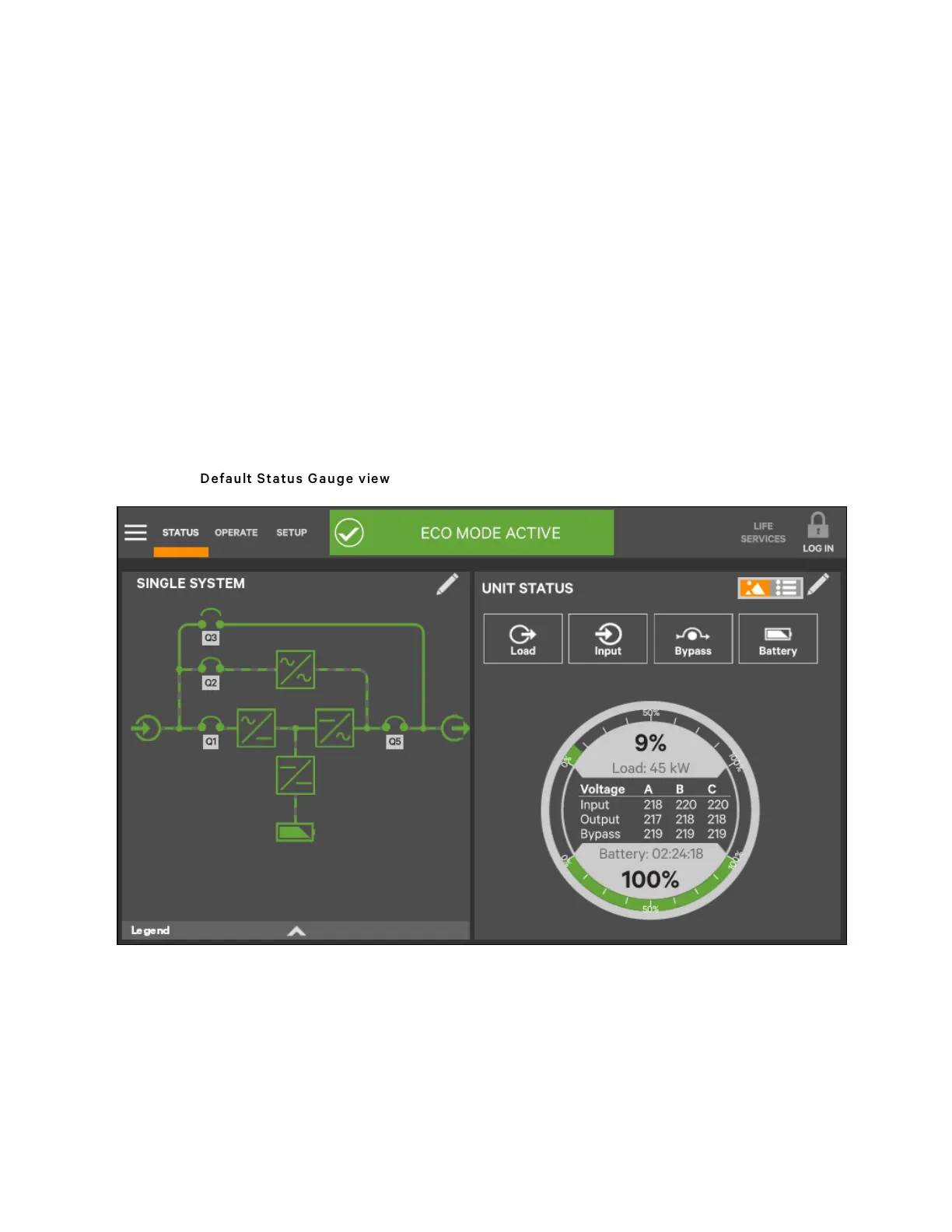
information about the UPS status. The Status Gauge on the UNIT STATUS panel gives additional details about the UPS
status.
5.4.1 Viewing UPS Data with the Status Gauge
The Status Gauge offers a quick summary of the UPS’s status. The information shown depends on the type of UPS and its
configuration and upon the choices made in the gauge’s setup. The data can be chosen by someone with Administrator or
Service access.
The additional data will not replace the information shown in the center of the Status Gauge. Touching the center of the
Status Gauge multiple times on will cycle through the data.
Figure 5.22 Default Statu s G auge view
5 Operator Control and Display Panel
71
Vertiv™ Liebert® APM Plus User Manual













 To Next Page