Videojet DataFlex 6530 Operator Manual - Rev AA 4-13
Startup
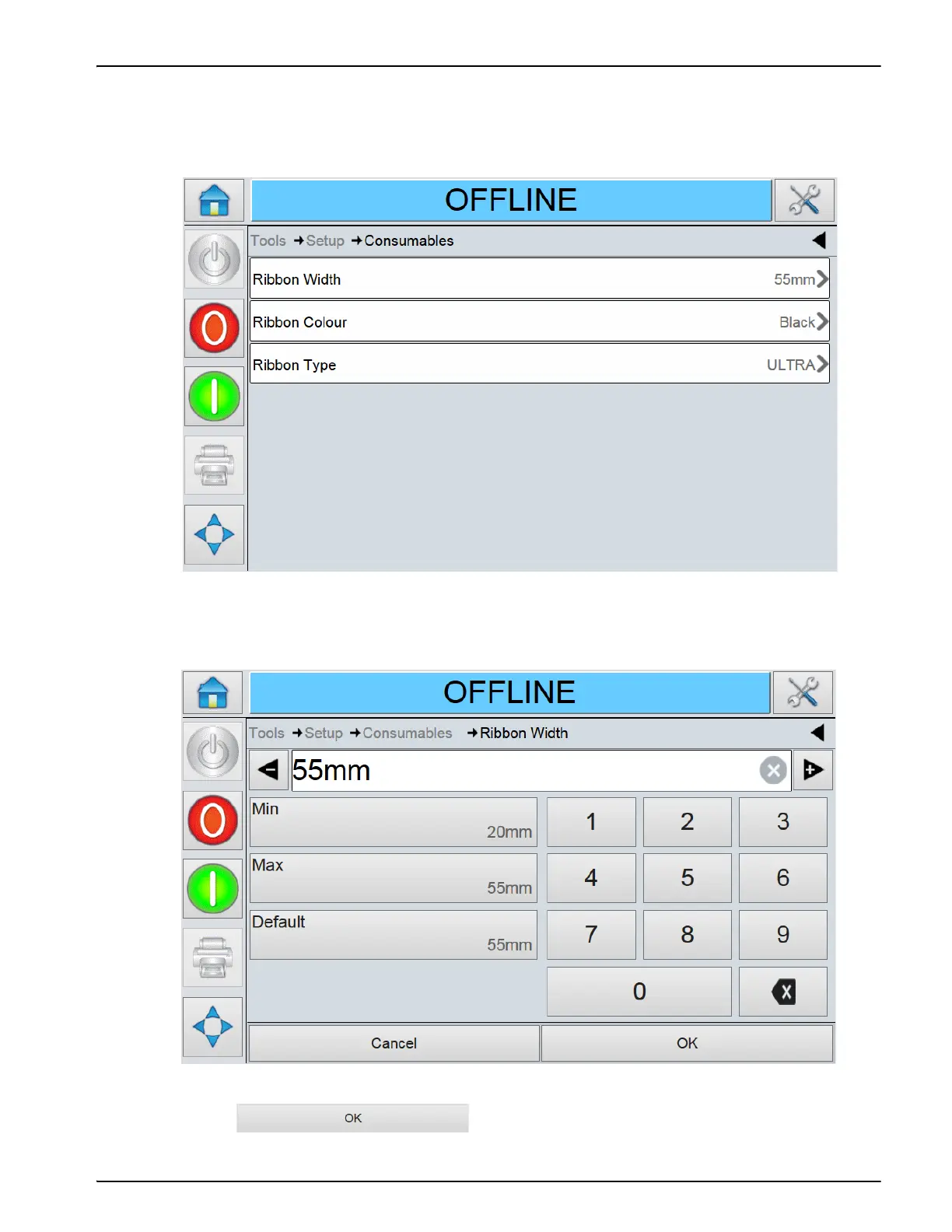
When a ribbon of different width is to be inserted, the new values should be entered in
CLARiTY. To do this, proceed as follows:
1. Navigate to Tools > Setup > Consumables > Ribbon Width (see Figure 4-16).
2. Enter a new value using the keypad as shown in the Figure 4-17.
3. Touch to save the settings.
Figure 4-16: Printer Ribbon Parameters
Figure 4-17: Printer Ribbon Width



 To Next Page