5-12 Videojet DataFlex 6530 Operator Manual - Rev AA
CLARiTY Operating System
Using the Inputs Screen
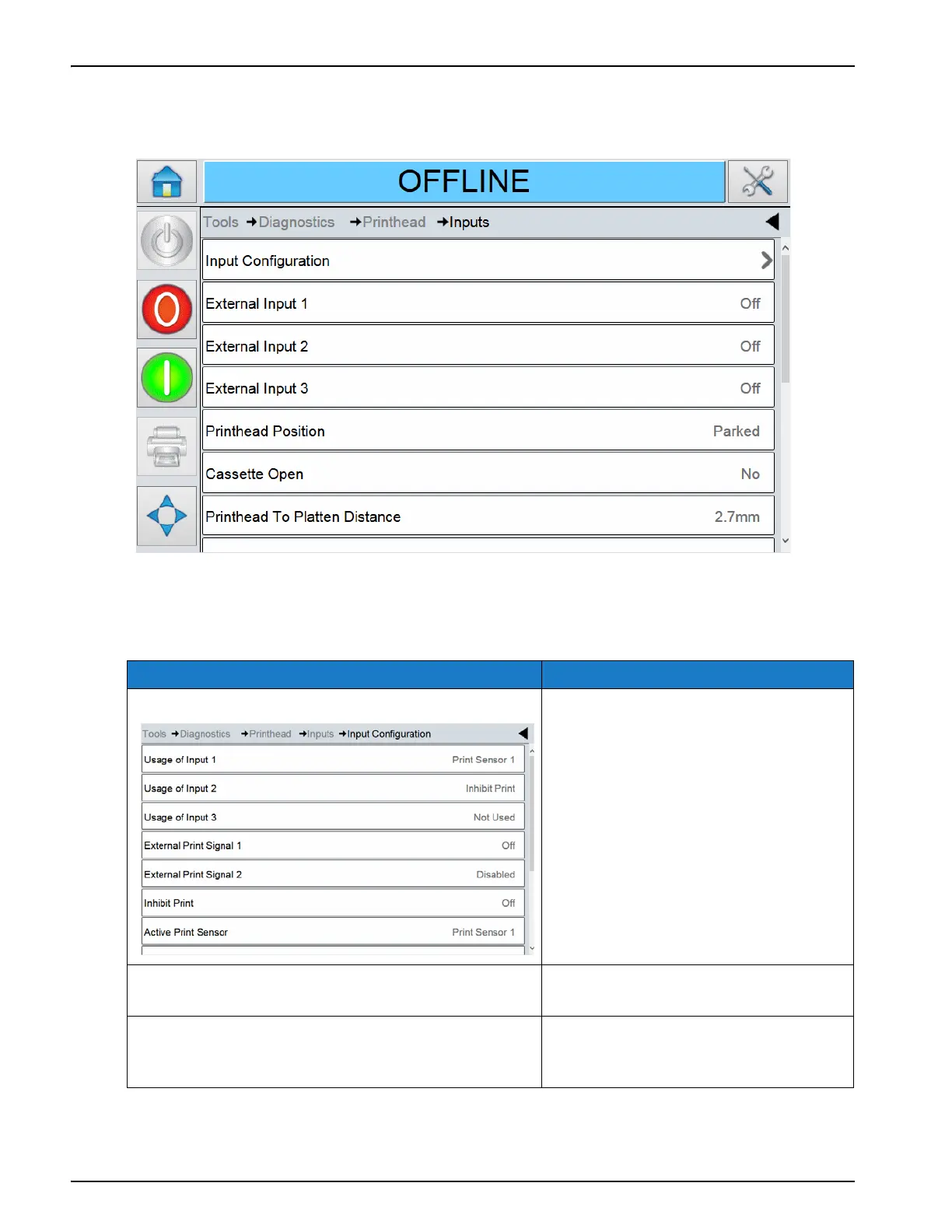
Touch Inputs on the Printhead screen to access the input parameters (Figure 5-8).
The Inputs screen provides access to the following parameters:
Option Description
Input configuration Displays the current configuration of
each input.
External Inputs 1, 2, 3 The real-time status of each of the
three inputs.
Printhead Position The position of the printhead. The
printhead home sensor detects
whether the head is parked or not.
Table 5-9: Inputs Screen Description
Figure 5-8: Inputs Screen



 To Next Page