5-24 Videojet DataFlex 6530 Operator Manual - Rev AA
CLARiTY Operating System
In addition, if CLARiTY Configuration Manager is communicating with the printer, the
encoder profile may be uploaded to a PC for analysis.
To upload encoder profile to a PC, proceed as follows:
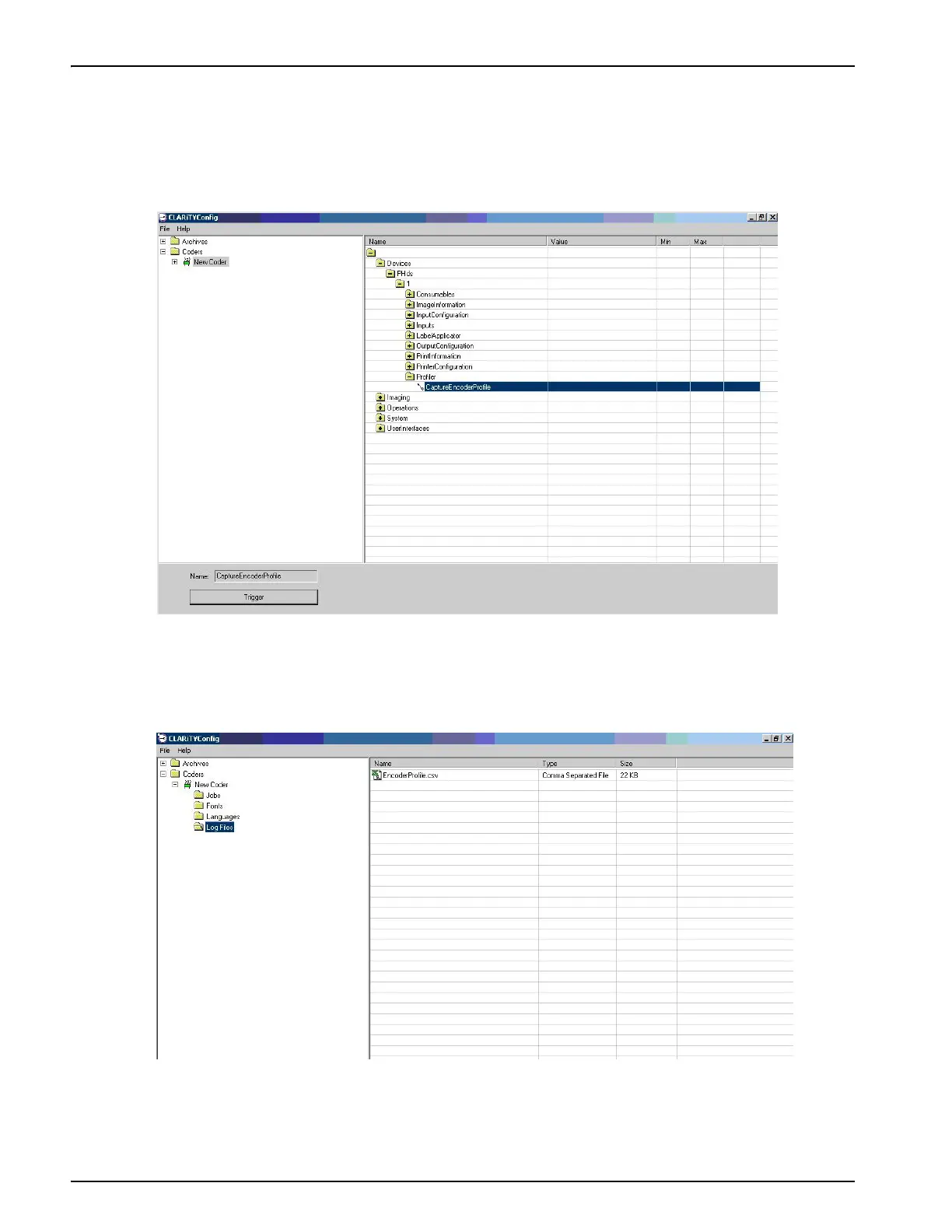
1. Click on the new coder icon and navigate through devices and select Capture Encoder Profile
from the list as shown in Figure 5-19.
2. Click on Trigger button, the profile is captured in a file which is in comma separated value
format (csv).
3. To access this file, select Log Files folder from new coder as shown in Figure 5-20.
This file can be loaded into spreadsheet programs such as Microsoft Excel and using a Chart
Wizard, a graph similar to that shown on the screen of CLARiTY can be viewed.
Figure 5-19: Encoder Profiles - CLARiTY Configuration Settings
Figure 5-20: Encoder Profiles - Log Files



 To Next Page