Videojet DataFlex 6530 Operator Manual - Rev AA 7-3
Maintenance
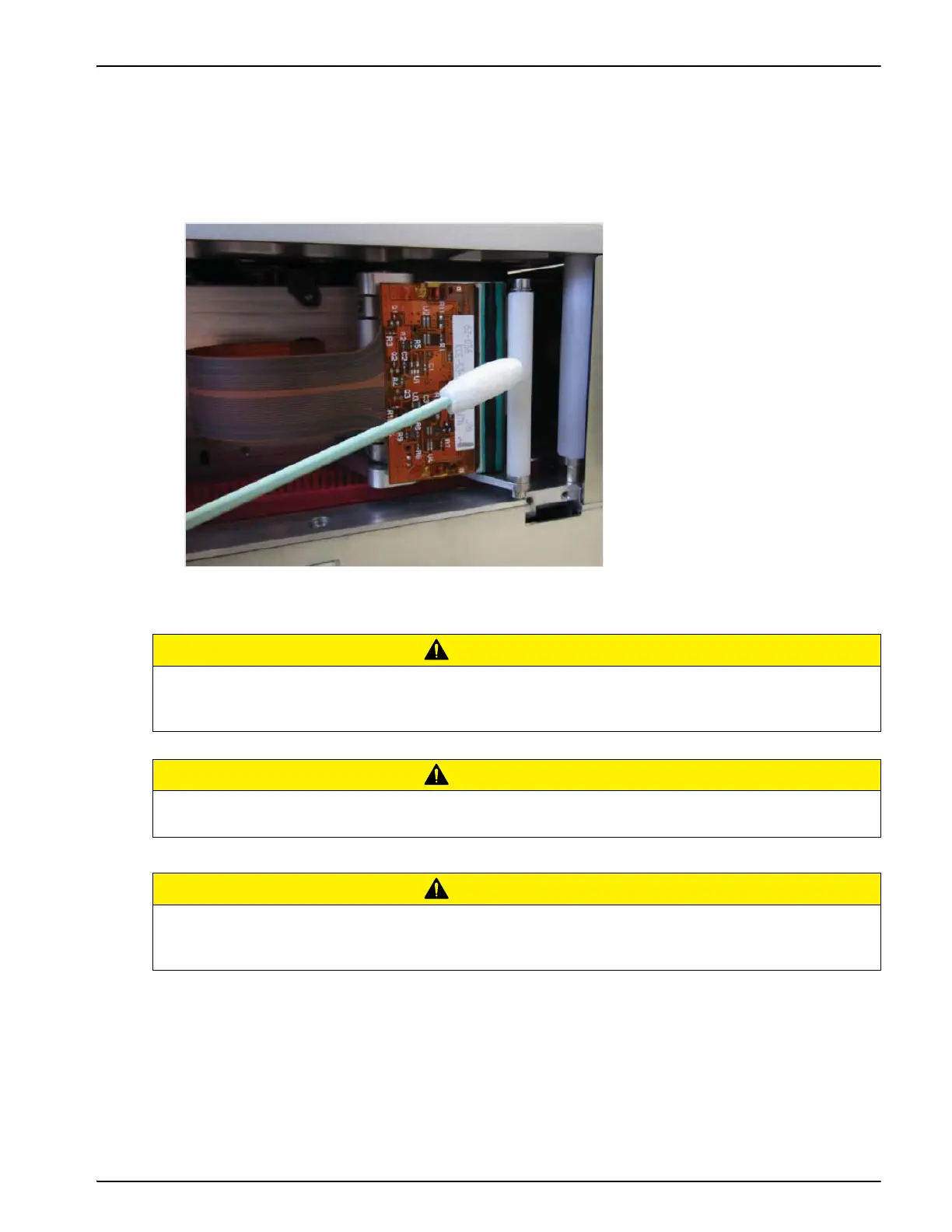
4. Clean the printhead pixel line from top to bottom (Figure 7-1), the white cassette rollers and
the peel roller gently, using the cleaning swabs or wipes provided with the printer. The
cleaning kit will contain Videojet approved pre-soaked cleaning wipes or swabs.
Note: Allow one minute for the excess fluid to evaporate. Failure to allow this interval can result in
damage to the printhead by thermal shock.
CAUTION
EQUIPMENT DAMAGE.
Use Videojet approved cleaning kits to clean the printhead and lightbox. Do not use high
pressure air or cotton.
CAUTION
EQUIPMENT DAMAGE.
Do not touch the printhead with sharp objects.
CAUTION
EQUIPMENT DAMAGE.
Do not apply excessive force to the printhead and lightbox while cleaning, as this can cause
damage and can void the warranty.
Figure 7-1: Printhead Cleaning



 To Next Page