105
Using nViewer with Android
How to download the Android-dedicated application
From your smart phone, access the Play Store.
Enter "nViewer" in the search bar to find it before downloading. Install the application on your Smart Phone.
The nViewer supports the 1/4 split screen mode.
•
The nViewer Lite is a free application, and does not provide search, log view, PTZ control and system configuration functions.
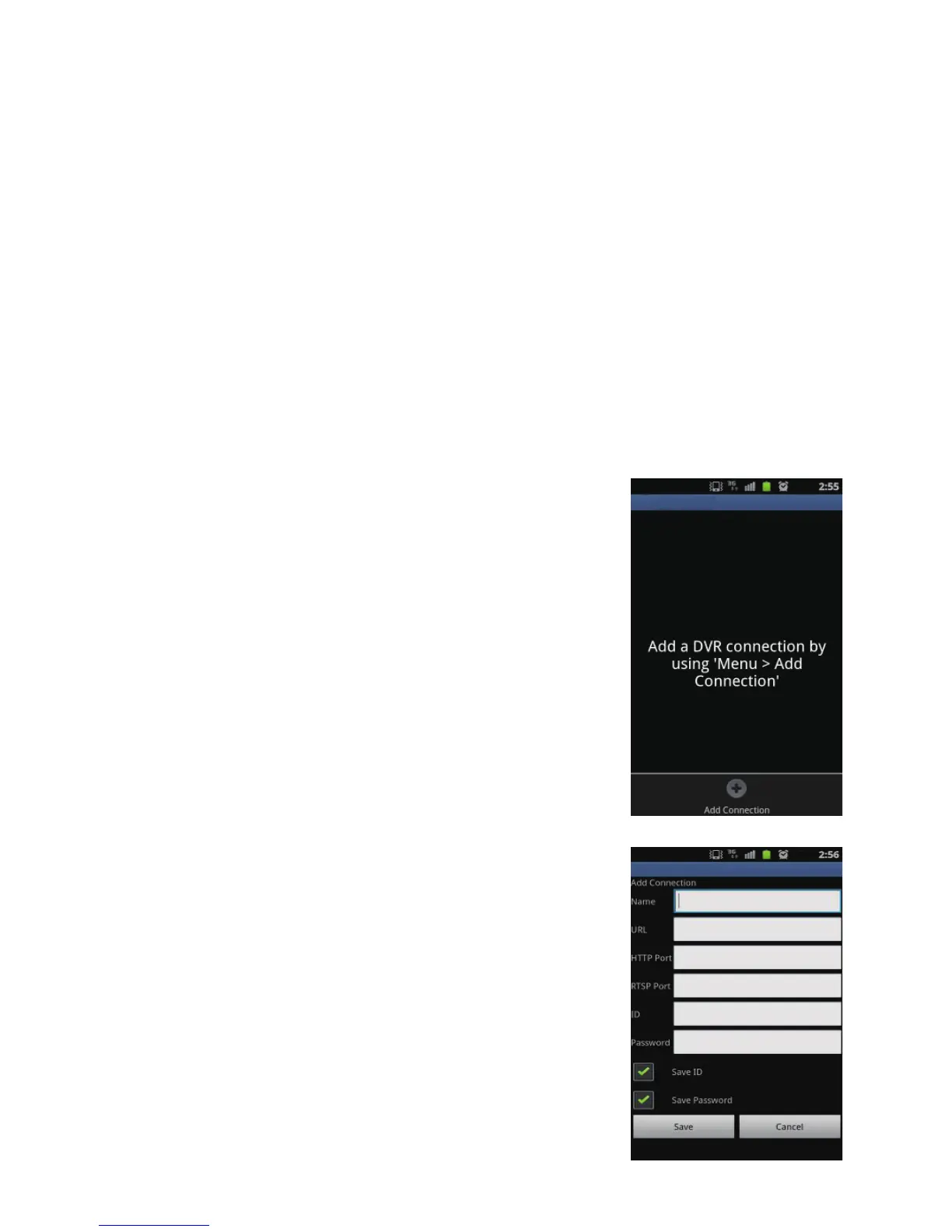
To connect to DVR with nViewer
1.
Select and run the nViewer.
2.
Use the Add button to select and add a site to the list.
3.
Enter a name for your DVR.
4.
Provide the IP address, HTTP port number and RTSP port number, and click
<Save>.
5.
Provide the access ID of the DVR as well as the password.
6.
Select whether or not to save the ID and PW.
7.
Click <Save>.



 To Next Page