80
Search
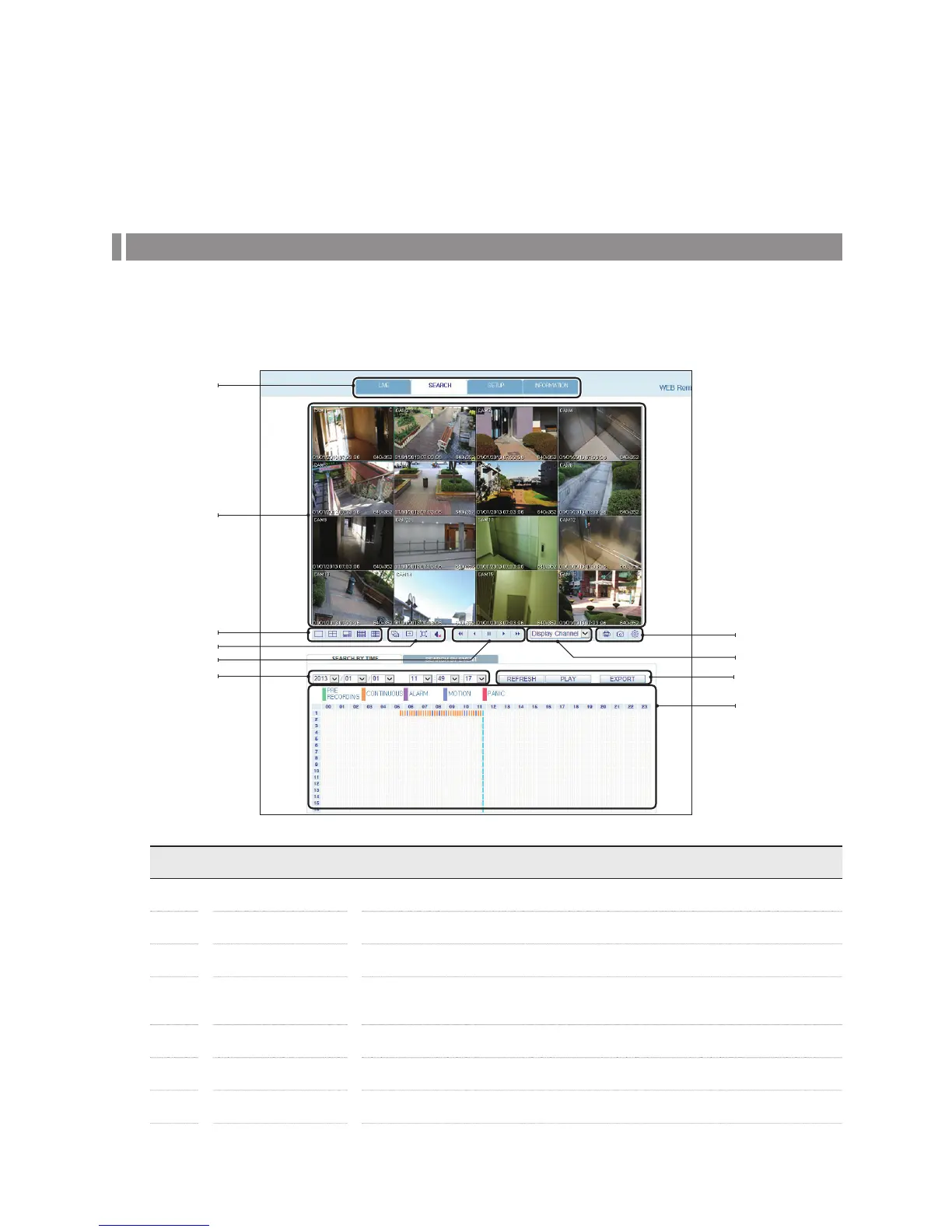
Click <SEARCH> to display the Search Viewer for the DVR.
Search Viewer at a Glance
No. Item Description
a
View selection tab You can switch to the live, playback and setup screen and check the provided information.
b
Playback Screen Play the recording data.
c
Split Mode Select and switch to a desired split-screen mode.
d
Sequence
Set the sequence mode, switch to the next camera or select the full screen mode.
You can turn on/off the audio.
e
Play button bar You can control the playback screen.
f
Time Selection Specify the start time of playback.
g
Time Line Indicates the status of the recorded data.
e
d
i
j
c
b
a
f
g
h



 To Next Page