42
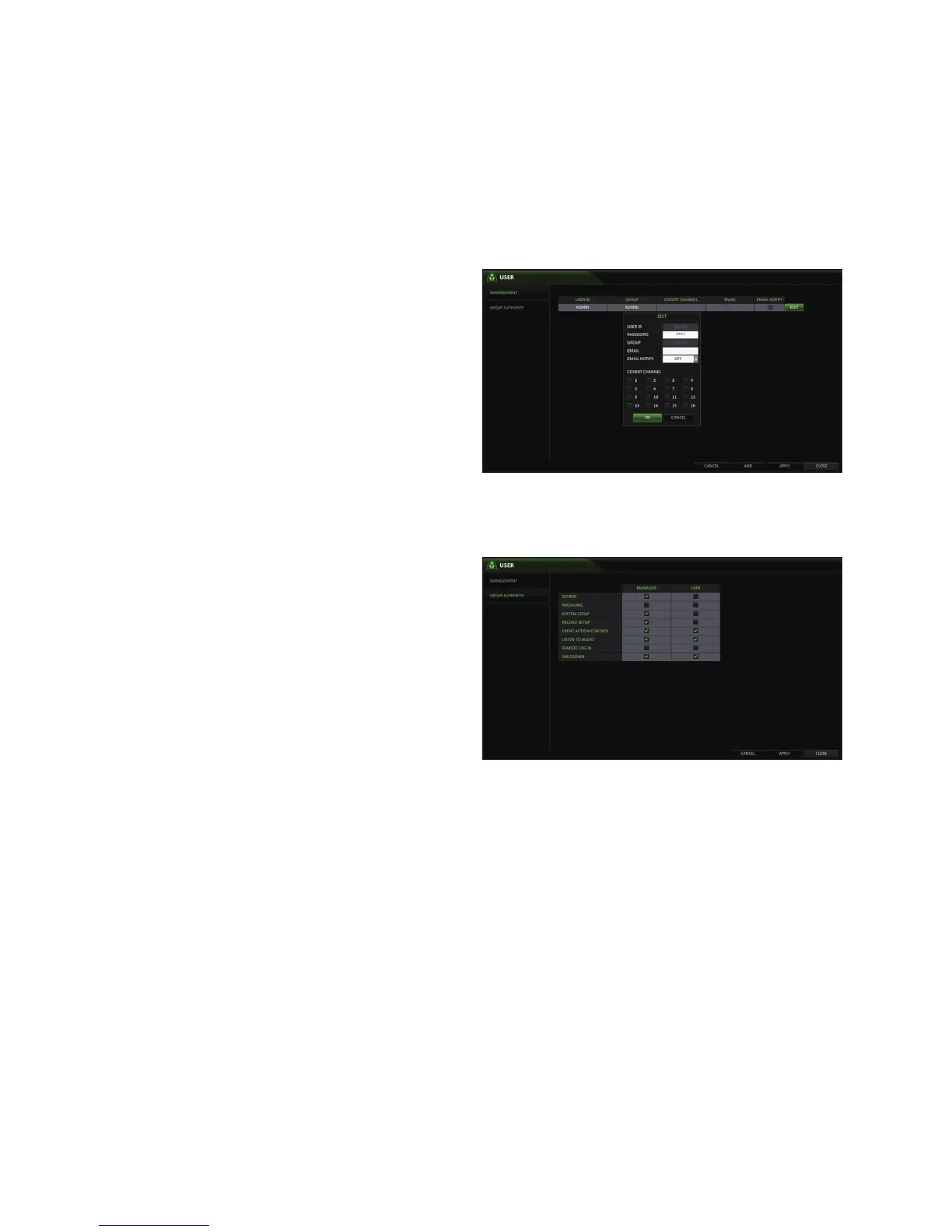
To edit the user account information
1.
From the list of users, select a user account to edit
and click <EDIT> next to it.
2.
From the Edit window, make necessary changes and
click <OK>.
3.
To delete the user account, click <DELETE>.
The <ADMIN> account can not be changed or edited.
Group Authority
You can grant different user groups different permissions.
1.
From <SYSTEM SETUP> - <USER>, select <GROUP
AUTHORITY>.
2.
Use the [▲▼◀ ▶/ENTER] buttons or use the mouse
to set the permissions for both <MANAGER>and
<USER> groups.
SEARCH
ARCHIVING
SYSTEM SETUP
RECORD SETUP
EVENT ACTION CONTROL
LISTEN TO AUDIO
REMOTE LOG IN
SHUTDOWN
The <ADMIN> account is the master account, and has ALL permissions.
3.
To apply the change, click <APPLY> in the bottom of the screen.
4.
When done, press the [EXIT] button on the remote control or click <CLOSE> in the lower screen. The confirmation
message appears and you will return to the previous menu.



 To Next Page