49
System Information
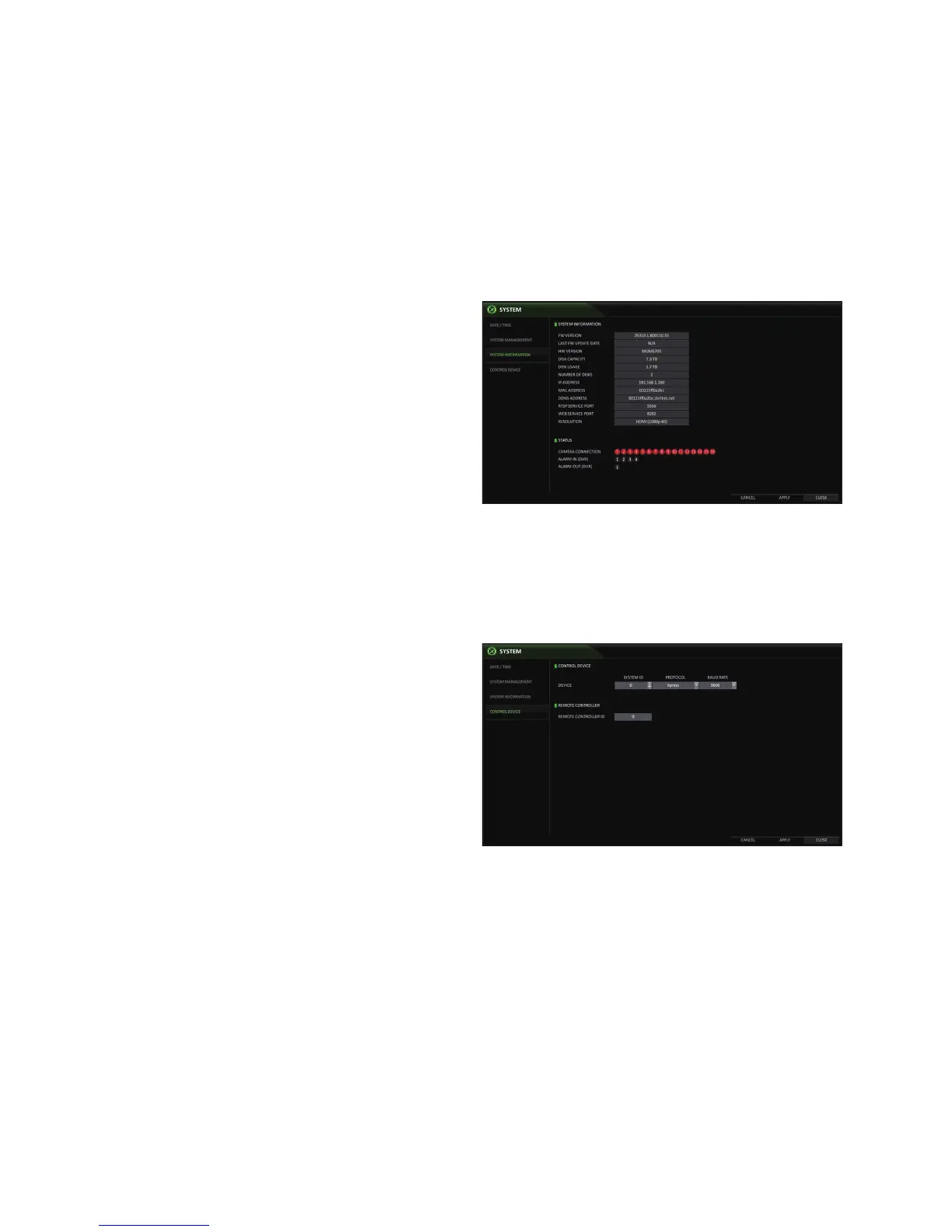
You can check the current system version and system-related settings.
1.
From <SYSTEM SETUP> - <SYSTEM>, select
<SYSTEM INFORMATION>.
2.
Check the status of the current system.
3.
When done, press the [EXIT] button on the remote
control or click <CLOSE> in the lower screen to return
to the previous menu.
Control Device
Configure the settings of the keyboard and the remote control.
This function is provided for controlling individual DVRs separately using a control device or remote control, in case the site has multiple
DVRs of the same model.
1.
From <SYSTEM SETUP> - <SYSTEM>, select
<CONTROL DEVICE>.
2.
Use the [▲▼◀ ▶/ENTER] buttons on the remote control
or use the mouse to set the connection options for the
control device.
SYSTEM ID : Set the ID of the DVR so that the
keyboard controller can identify.
PROTOCOL : Set up the protocol of the keyboard
controller.
BAUD RATE : Specify the RS485 communication
speed.
REMOTE CONTROLLER ID : Set the ID of the remote control.
3.
To apply the change, click <APPLY> in the bottom of the screen.
4.
When done, press the [EXIT] button on the remote control or click <CLOSE> in the lower screen. The confirmation
message appears and you will return to the previous menu.



 To Next Page