54
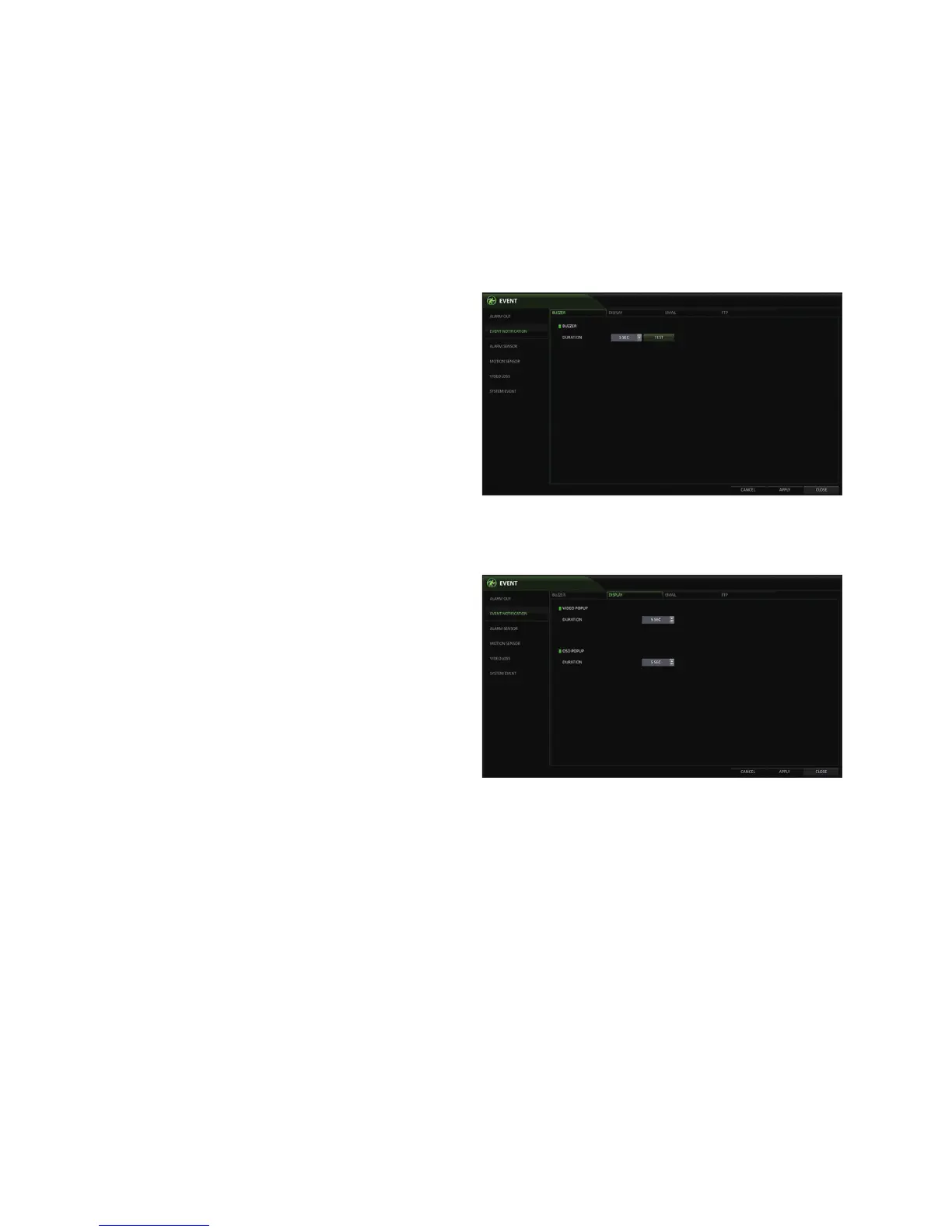
Buzzer output
You can notify the user of an event using the buzzer.
DURATION
-
TRANSPARENT : Keep the buzzer out for as
long as the event occurs.
-
UNTIL KEY : Keep the buzzer out until a mouse
or remote control button is pressed.
-
5 ~ 300 SEC : Keep the buzzer out for a specified
time.
Display
If an event occurs, you can configure the video popup or a popup message to notify the user.
VIDEO POPUP : Display the video channel that is
synchronized with the event on a single split screen.
Set the DURATION of the single split screen.
-
TRANSPARENT : Keep the video popup
displayed as long as the event occurs.
-
UNTIL KEY : Keep the video popup displayed until
a mouse or remote control button is pressed.
-
5 ~ 300 SEC : Keep the video popup displayed
for a specified time.
If multiple events occur at the same time, or if
multiple event-related video channels exist, the
video popup will be displayed in the maximum
split screen mode rather than the single split
screen mode.
OSD POPUP : This will notify the user of an event with a popup message if an OSD popup event occurs.
You can adjust the duration of the popup message.
-
UNTIL KEY : Keep the OSD popup displayed until a mouse or remote control button is pressed.
-
5 ~ 300 SEC : Keep the OSD popup displayed for a specified time.



 To Next Page