86
User
User Management
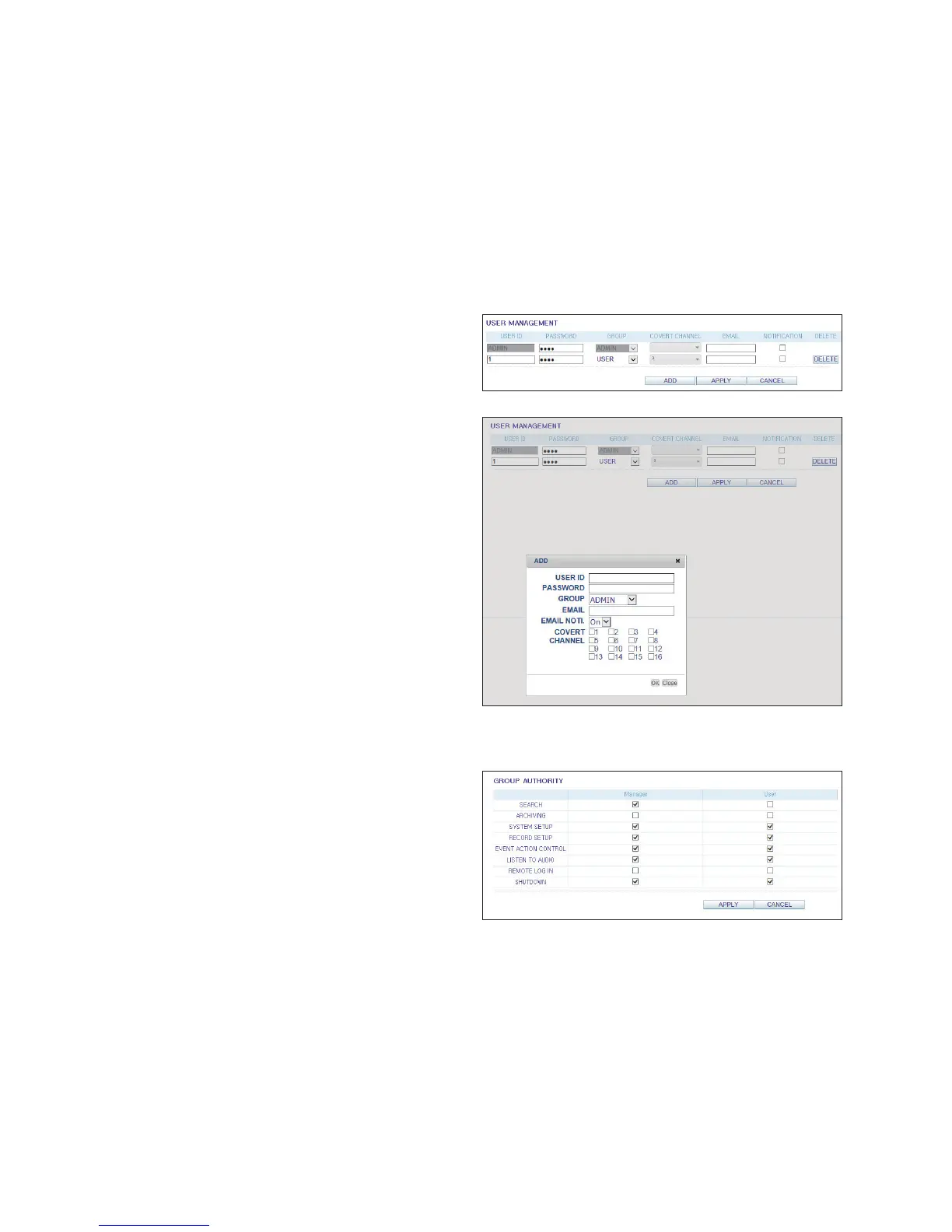
You can add a user account and change the password.
For details about each displayed item, refer to "User
Setting" (page 41)
To add a user, click <ADD> and provide the user
information.
If you want to delete the user click <DELETE> next to it.
When done, click <APPLY> to apply the change.
Group Permission Setting
You can grant different user groups different permissions
to a specific menu.
Mark the checkboxes of the menu items accessible by the
user group.
When done, click <APPLY> to apply the changes.
For more information about the accessible menu items,
refer to "Group Authority" (page 42)



 To Next Page