51
Disk Operations
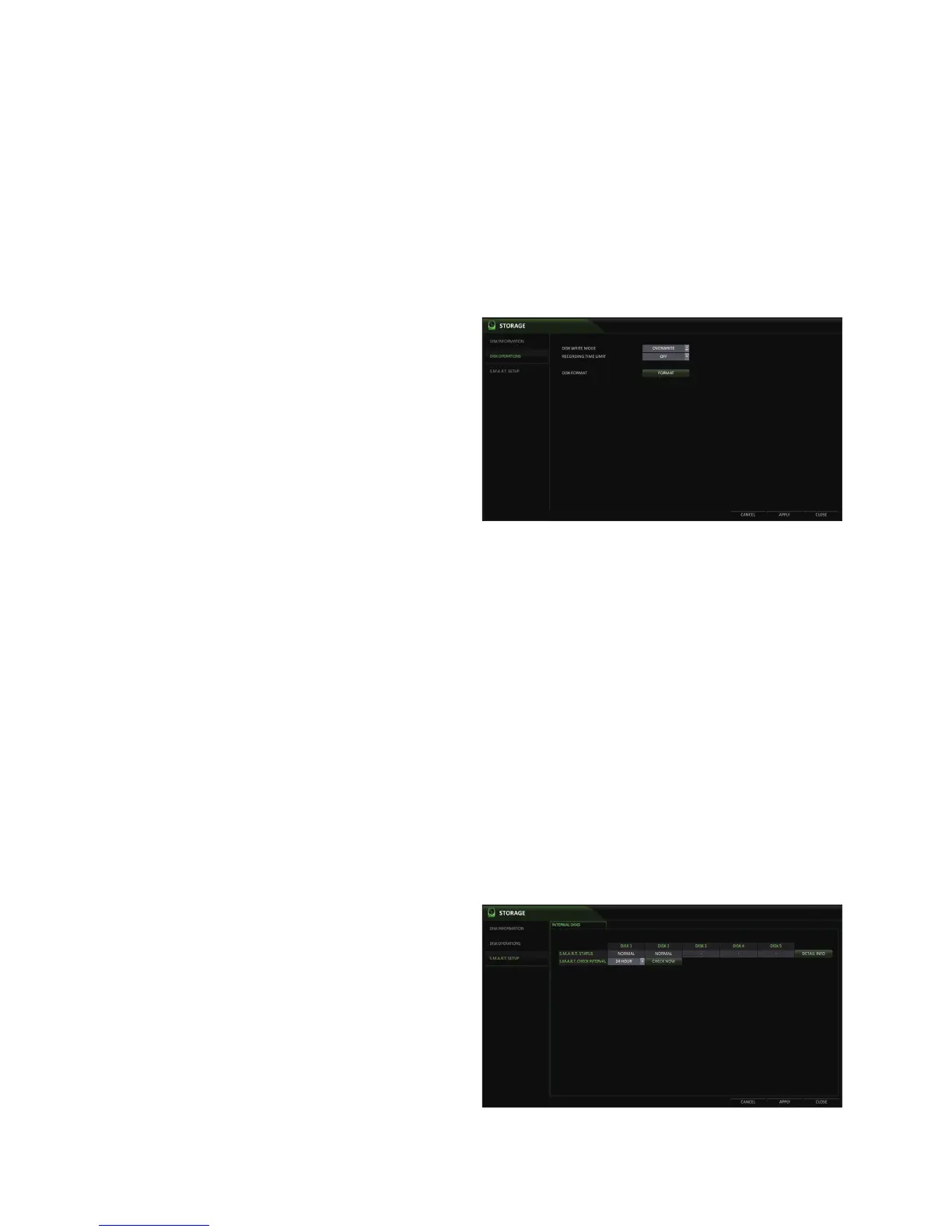
You can configure the DVR to delete the HDD data automatically and set the overwrite options. You can also format the
HDD.
1.
From <SYSTEM SETUP> - <STORAGE>, select <DISK
OPERATIONS>.
2.
Use the [▲▼◀ ▶/ENTER] buttons on the remote control
or use the mouse to set the operation conditions of
the disk.
DISK WRITE MODE
-
If it is set to <OVERWRITE>, the oldest existing
data will be overwritten by the newest recording
data. This occurrs once the HDD is full.
-
If the option is set to <ONCE> and the HDD is
full, the DVR will stop recording and beep, or
trigger a pre-defined output alarm.
RECORDING TIME LIMIT : The recording data will be deleted after the specified time of reservation. If it is set to
<OFF>, this function will be disabled.
Ex) Record Time Limit : 1 day. Even if there is sufficient free space in the HDD, it records / keeps recording data for 1 day only.
DISK FORMAT : format the hard disk.
•
Formatting the HDD will delete all video data and logs.
3.
To apply the change, click <APPLY> in the bottom of the screen.
4.
When done, press the [EXIT] button on the remote control or click <CLOSE> in the lower screen. The confirmation
message appears and you will return to the previous menu.
S.M.A.R.T settings
You can check the S.M.A.R.T information of the disk and specify the check frequency.
What is S.M.A.R.T?
S.M.A.R.T (Self-Monitoring, Analysis and Report Technology) is a monitoring system used to detect and report a HDD that is likely to
cause a problem in the future.
1.
From <SYSTEM SETUP> - <STORAGE>, select <S.M.A.R.T. SETUP>.
2.
Use the [▲▼◀ ▶/ENTER] buttons on the remote control
or use the mouse to check the S.M.A.R.T operation
and specify the check interval.
S.M.A.R.T STATUS : Read the S.M.A.R.T
information of the disk and check to display the
disk status.
Click <DETAIL INFO> to view the details.



 To Next Page