57
5.
System Event
You can configure the DVR to send a notifiction if a system event occurrs (i.e. an event related to the disk, recording,
network or system).
1.
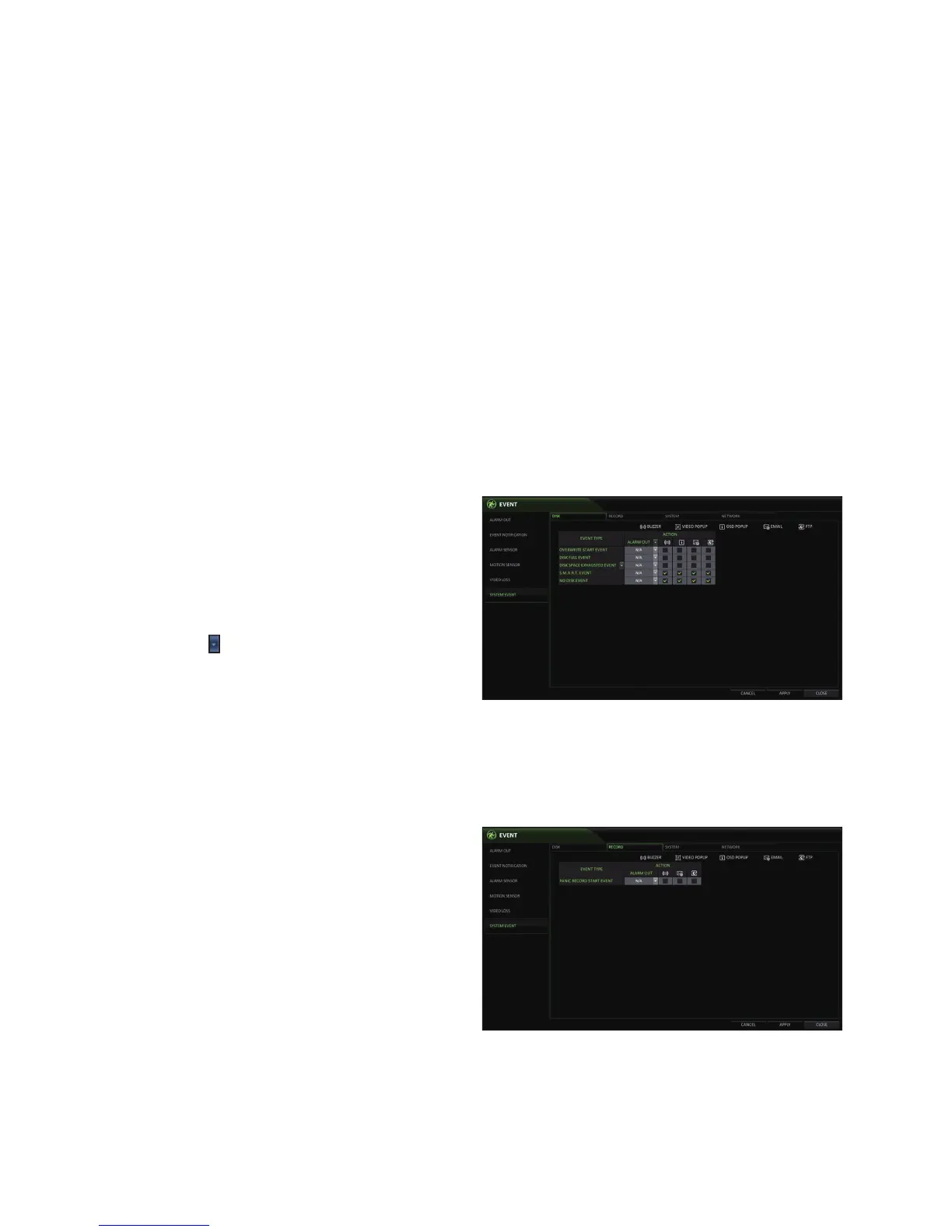
From <SYSTEM SETUP> - <EVENT>, select <SYSTEM EVENT>.
2.
Use the [▲▼◀ ▶] buttons on the remote control or use the mouse to specify the reaction to each event.
3.
To apply the change, click <APPLY> in the bottom of the screen.
4.
When done, press the [EXIT] button on the remote control or click <CLOSE> in the lower screen. The confirmation
message appears and you will return to the previous menu.
Disk
OVERWRITE START EVENT : if you set the disk
write mode to <OVERWRITE>, this event occurs
when the disk is full and the overwriting begins.
DISK FULL EVENT : if you set the disk write mode
to <ONCE>, this event occurs when the disk is full
(100%).
DISK SPACE EXHAUSTED EVENT : Event that is
triggered if the disk is almost full.
Click to specify the threshold percentage of
usage to trigger the event.
S.M.A.R.T EVENT : Occurs if the disk encounters a
S.M.A.R.T error.
NO DISK EVENT : Occurs due to a disk failure or cable problem.
•
To detect the disk error, it is recommended not to change the settings of the S.M.A.R.T event, no disk event and buzzer output.
Record
PANIC RECORD START EVENT : Specify the action to perform when the panic recording begins.



 To Next Page