52
-
NORMAL : The disk is in a normal state.
-
CHECK : The disk has an error; check the disk and/or the connection cables.
If you leave the problem unresolved, it may affect the recording; it is recommended that you replace the disk
immediately.
-
ERROR : The disk has failed, and should be replaced immediately. Contact the retailer or service technician.
S.M.A.R.T CHECK INTERVAL : Specify the S.M.A.R.T check interval.
Click <CHECK NOW> to start checking.
3.
To apply the change, click <APPLY> in the bottom of the screen.
4.
When done, press the [EXIT] button on the remote control or click <CLOSE> in the lower screen. The confirmation
message appears and you will return to the previous menu.
Event Setup
Define various events, and specify the conditions to notify the user.
Alarm Out
Specify the alarm output conditions with the work schedule.
Alarm Out
1.
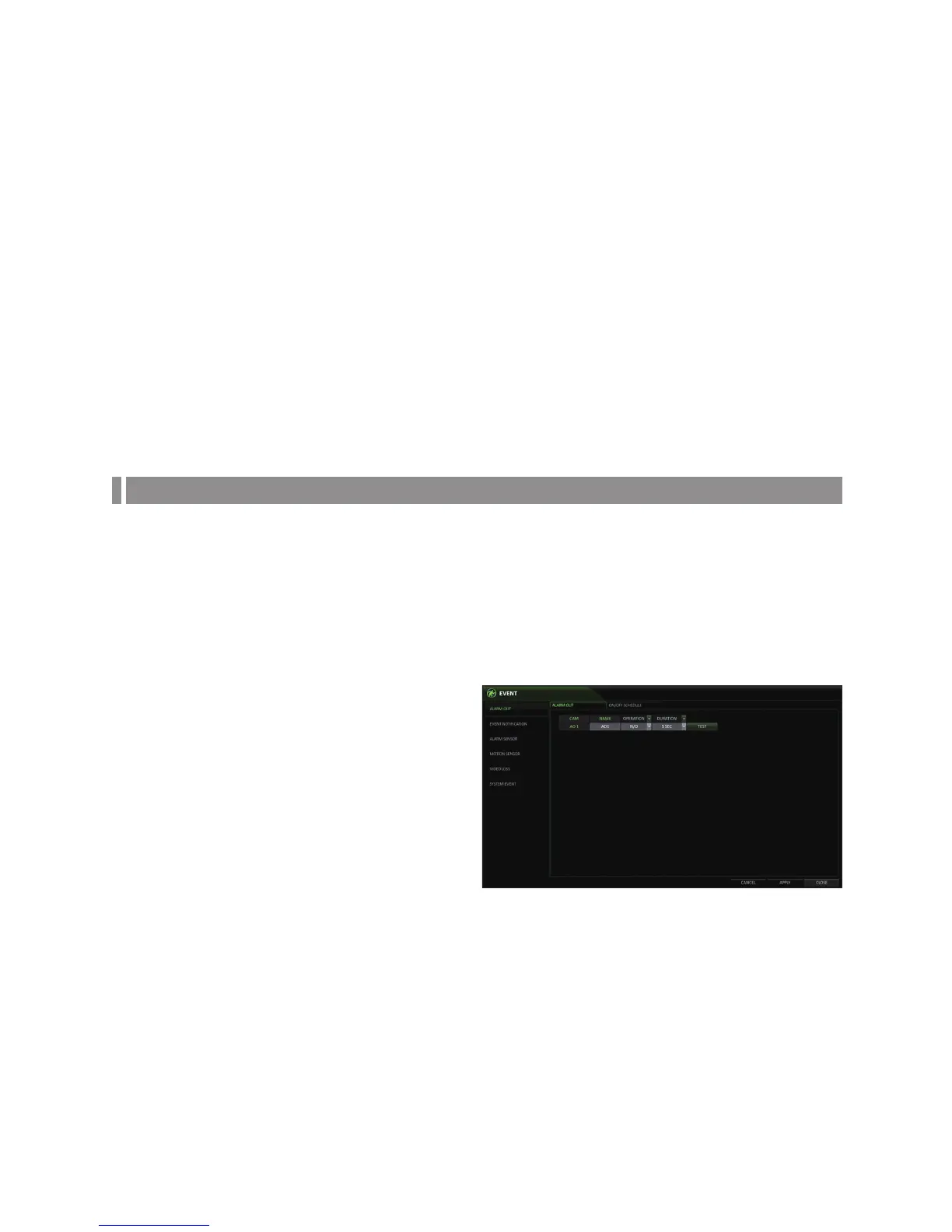
From <SYSTEM SETUP> - <EVENT>, select <ALARM OUT>.
2.
Use the [▲▼◀ ▶/ENTER] buttons on the remote control
or use the mouse to select <ALARM OUT> and
configure the related settings.
NAME : You can rename the alarm.
OPERATION : Set the alarm output mode.
-
N/O (Normal Open) : It normally stays Open.
However, if an event occurs, it will switch to
Closed.
-
N/C (Normal Closed) : It normally stays Closed.
However, if an event occurs, it will switch to
Open.
DURATION : Specify the duration of the alarm output.
-
TRANSPARENT : Keep the alarm out for as long as the event occurs.
-
UNTIL KEY : Keep the alarm out until a mouse or remote control button is pressed.
-
5 ~ 300 SEC : Keep the alarm out for a specified time.
TEST : Forcibly output the alarm testing purposes.
3.
To apply the change, click <APPLY> in the bottom of the screen.
4.
When done, press the [EXIT] button on the remote control or click <CLOSE> in the lower screen. The confirmation
message appears and you will return to the previous menu.



 To Next Page