71
Archiving
To start the Archive menu
Archive
You can archive the searched data or reserve it.
1.
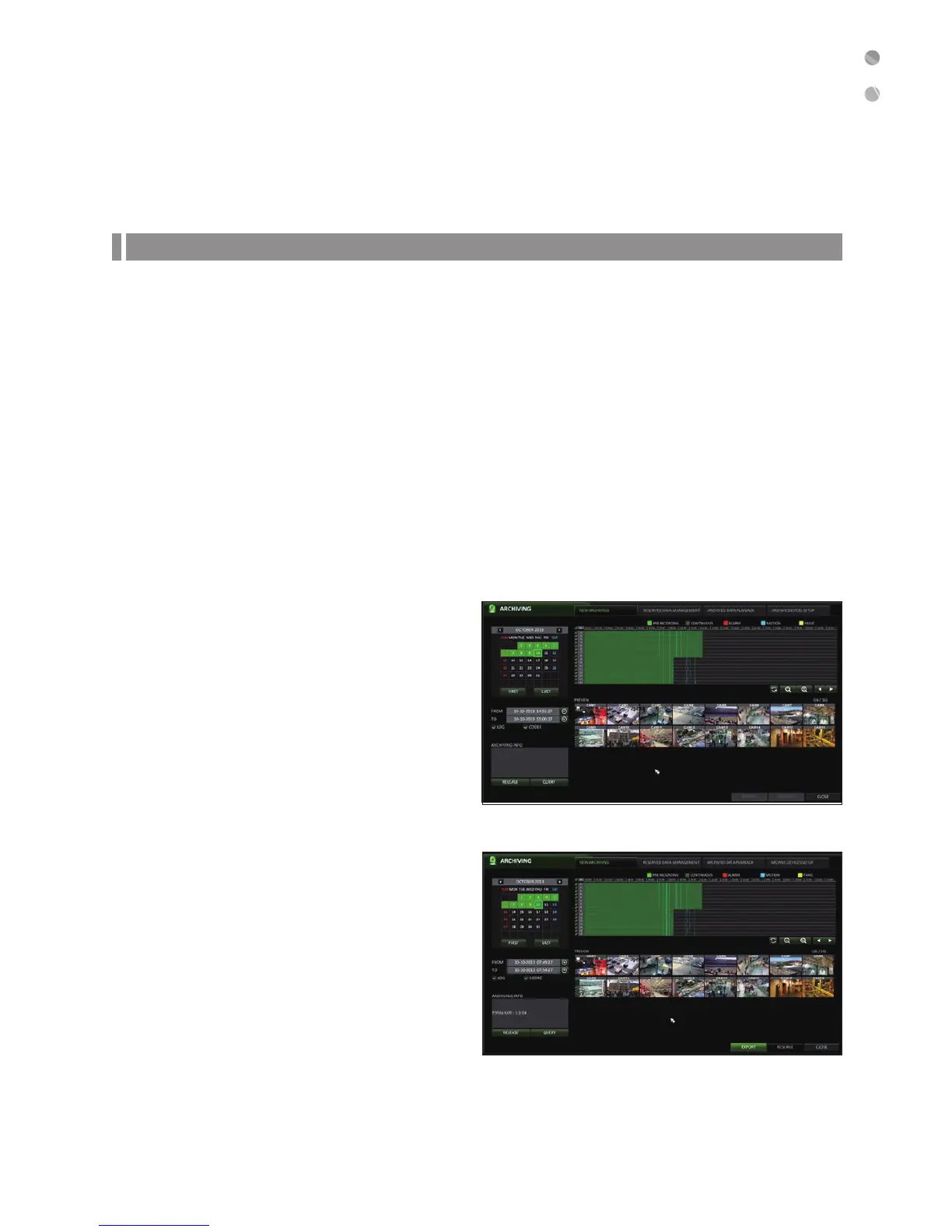
From the <ARCHIVING> menu, select <NEW ARCHIVING>.
2.
Select a date for the archive from the calendar in the left.
Days containing recording data will be marked in a colored box.
-
FIRST : The first date of recording is automatically selected.
-
LAST : The last date of recording is automatically selected.
3.
Check the <FROM> and <TO> times.
You can also drag the timeline to specify the start and end time.
4.
Mark the <LOG> and <CODEC> checkboxes to include these with the archived media. NOTE: To view the video on a
PC, you will need the CODEC.
5.
Click <QUERY>.
The results will be listed in <ARCHIVING INFO>.
The maximum backup capacity for one time is 20GB.
If the archiving request exceeds 20GB, the end time will be
adjusted to within 20GB.
6.
To export to a storage device, insert USB to the DVR
and click <EXPORT>.
7.
If you just want to reserve the data, click <RESERVE>.
When the <TAG NAME> dialog appears, enter the
name and click <OK>.
Click <RESERVE> to save it to the HDD.
Using <RESERVE> will compromise the recording
days available.
8.
To exit the Archive menu, click <CLOSE>.



 To Next Page