56
Motion Sensor
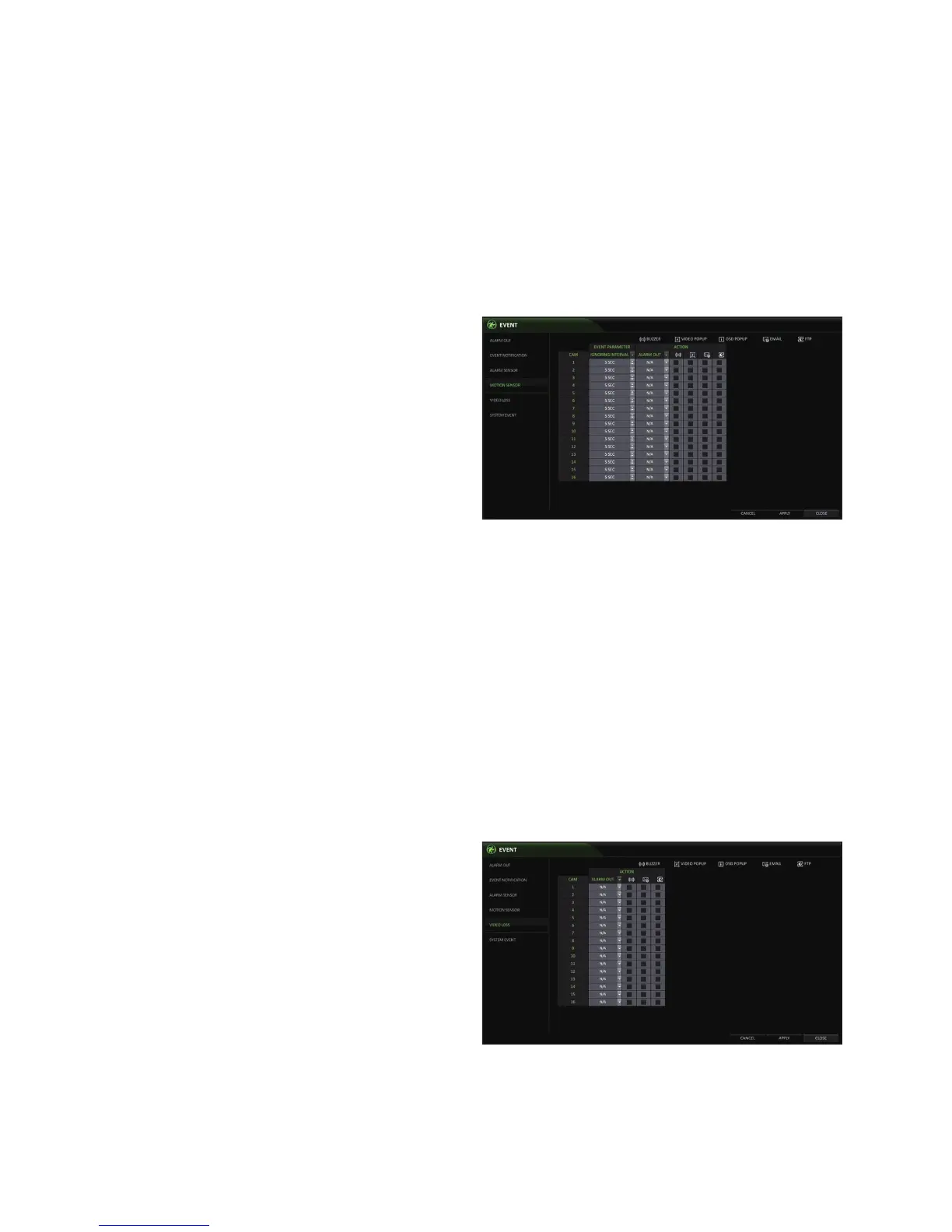
You can set an action to execute when motion is detected.
To configure the motion sensor of each camera, see <CAMERA SETUP>.
1.
From <SYSTEM SETUP> - <EVENT>, select <MOTION
SENSOR>.
2.
Use the [▲▼◀ ▶] buttons on the remote control or
use the mouse to specify the ignoring interval and
operation.
IGNORING INTERVAL : Specify the minimum
interval of the motion event occurrence.
For example, even if you have set the minimum
frequency to 5 seconds and another motion event
occurs less than 5 seconds after the last motion
event occurred, the new event will be ignored.
Motion recording will be triggered immediately after the
motion occurred regardless of the above settings.
ALARM OUTPUT : Enables the alarm output if motion is detected by the motion sensor.
BUZZER : Enables the buzzer if motion is detected by the motion sensor.
VIDEO POPUP : Enables the video popup if motion is detected by the motion sensor.
EMAIL : Select to send an email if motion is detected by the motion sensor.
3.
To apply the change, click <APPLY> in the bottom of the screen.
4.
When done, press the [EXIT] button on the remote control or click <CLOSE> in the lower screen. The confirmation
message appears and you will return to the previous menu.
Video Loss
You can specify a reaction to the case where no video is received from the camera.
1.
From <SYSTEM SETUP> - <EVENT>, select <EVENT LOSS>.
2.
Use the [▲▼◀ ▶] buttons on the remote control or use
the mouse to specify the reaction to a video loss
ALARM OUT : Enables the alarm output if video
loss occurs.
BUZZER : Enables the buzzer if video loss occurs.
EMAIL : Select to send an email if video loss
occurs.
3.
To apply the change, click <APPLY> in the bottom of
the screen.
4.
When done, press the [EXIT] button on the remote
control or click <CLOSE> in the lower screen. The confirmation message appears and you will return to the previous
menu.



 To Next Page