26
Using the status bar in the live mode
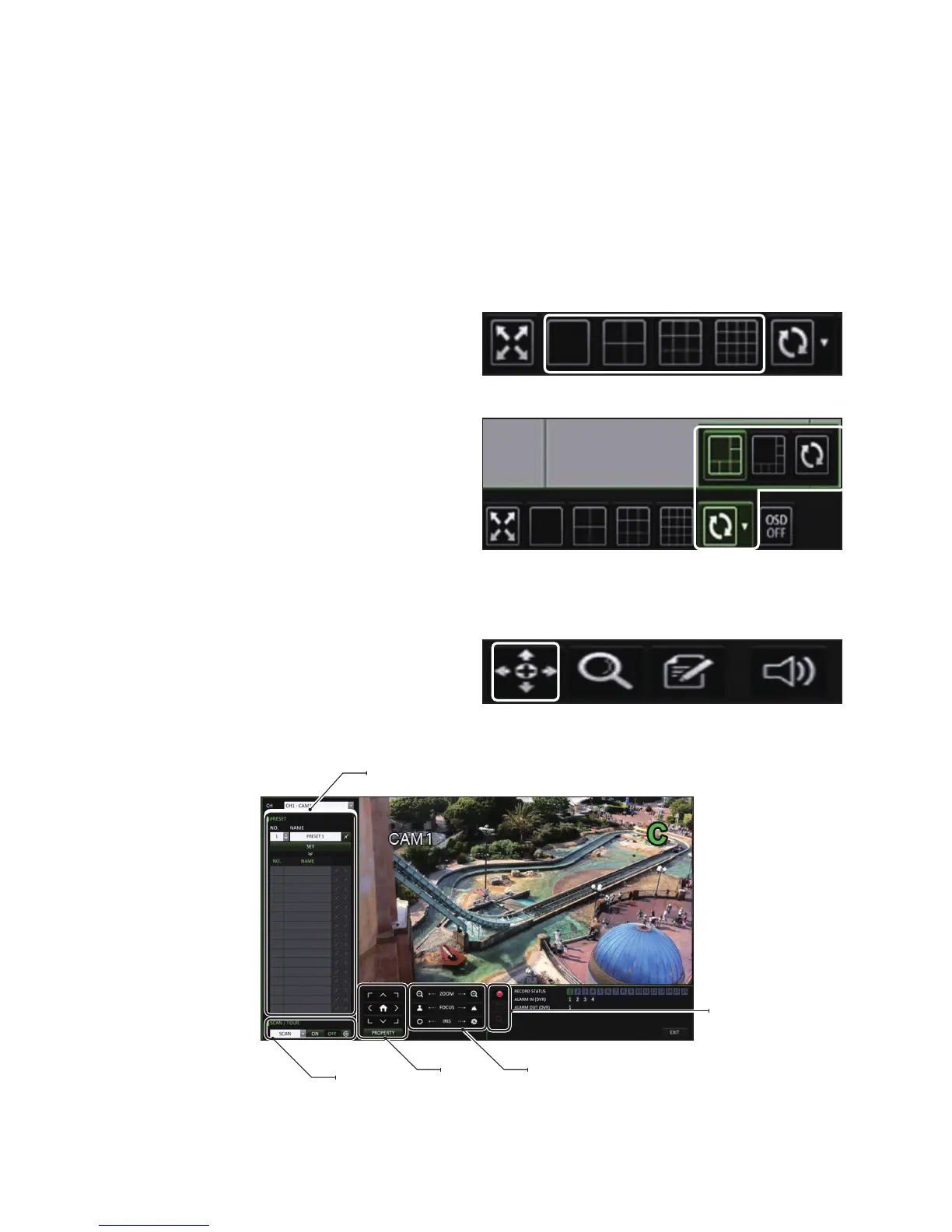
Selecting a Split Mode
Click a desired split mode from 1, 4, 9 and 16 split screen. Or press the [DISPLAY] button on the remote control until a
desired split mode is displayed.
Auto Sequence
Click the Sequence button in the status bar, or press the [SEQ]
button on the remote control. You can configure the sequence
settings in <SEQUENCE>.
For details, refer to “Sequence”. (page 36)
Controlling a PTZ
To control a PTZ camera, select the channel, then click PTZ
button on the status bar, or press the [PTZ] button of the remote
control to.
In PTZ mode, use the directional buttons to control the PTZ. Use [ZOOM], [FOCUS], [IRIS], [PRESET], and [SCAN/TOUR] to
make adjustments to PTZ.
Select Preset
Zoom/Focus/Iris Adjustment
Record/Screen Control/
Zoom
Move
SCAN/TOUR
Settings



 To Next Page