44
DDNS
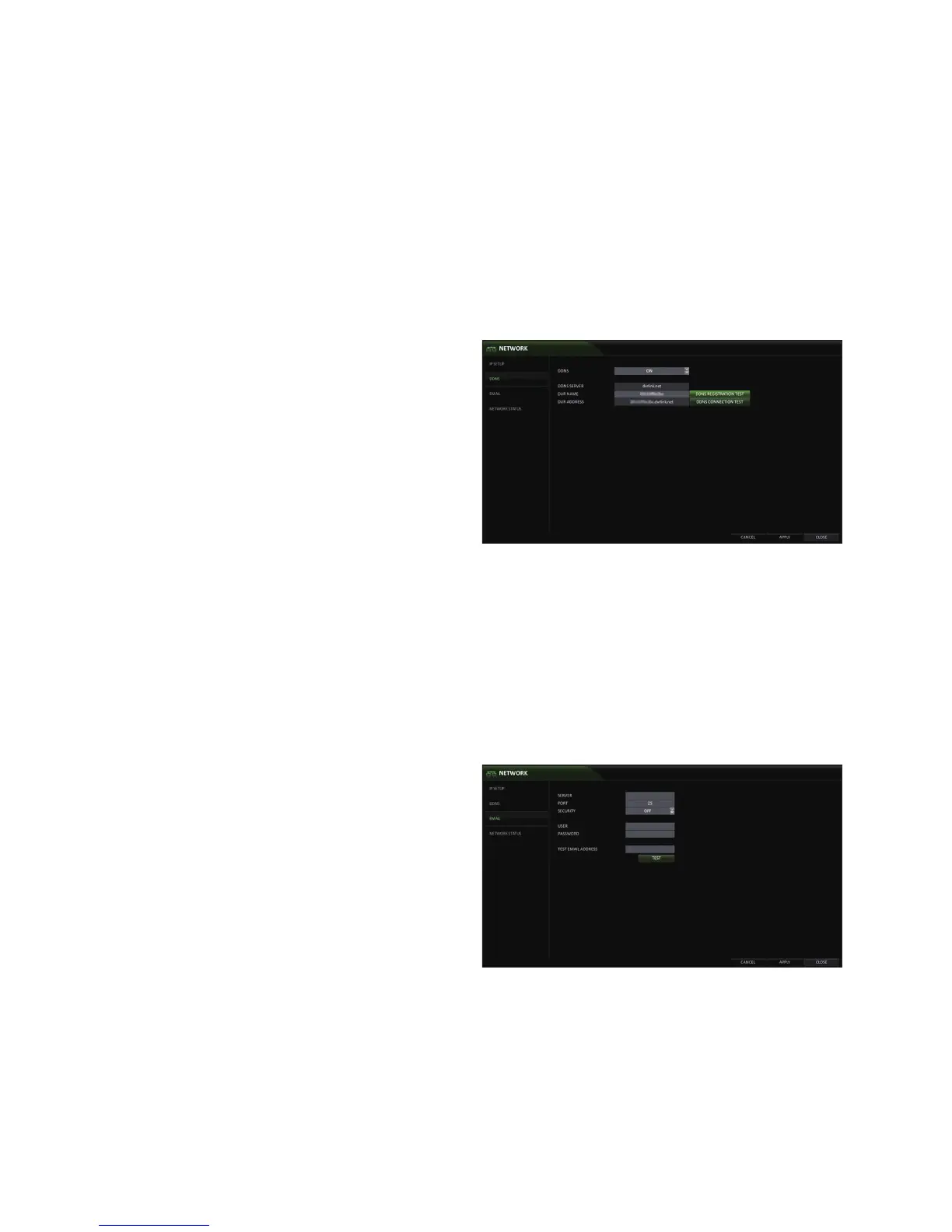
You can configure the DDNS settings for remote access.
DDNS is an IP redirection service in a dynamic IP environment that redirects (maps) the new IP address to a registered domain name
each time the IP address is changed. Simply, it allows users to remotely access the DVR with a static name instead of an IP address.
1.
From <SYSTEM SETUP> - <NETWORK>, select
<DDNS>.
2.
Use the [▲▼◀ ▶/ENTER] buttons on the remote control
or use the mouse to specify the use of DDNS and
select a server.
DDNS : Enable/disable DDNS .
DDNS SERVER : Select a server to connect to.
DVR NAME : Enter the DDNS name you would like
to use.
DDNS REGISTRATION TEST : Check if the <DVR
NAME> is available. If there is a duplicate name
in the server, the registration will fail. If this is the
case, rename the <DVR NAME> and press <DDNS
REGISTRATION TEST> to re-check.
DVR ADDRESS : After a <DVR NAME> has been added successfully, the <DVR ADDRESS> will be added
automatically.
DDNS CONNECTION TEST : Test connection of DVR to DDNS server.
3.
To apply the change, click <APPLY> in the bottom of the screen.
4.
When done, press the [EXIT] button on the remote control or click <CLOSE> in the lower screen. The confirmation
message appears and you will return to the previous menu.
Email
Configure and test an email address to use for sending emails to users if an event occurs.
1.
From <SYSTEM SETUP> - <NETWORK>, select
<EMAIL>.
2.
Use the [▲▼◀ ▶/ENTER] buttons on the remote control
or use the mouse to specify the use of email and
select a server.
SERVER : The SMTP outbound email server.
PORT : Enter the mail server port.
SECURITY : If it is set to <ON>, the email will be
transferred in secure mode.
If it is set to <OFF>, the email will be transferred to
a server that does not support SSL.
USER : Provide the email account (ID) of the
sender.
PASSWORD : Provide the email account password.
TEST EMAIL ADDRESS : Enter an email address to send a test to.
TEST : Send a test email.
3.
To apply the change, click <APPLY> in the bottom of the screen.
4.
When done, press the [EXIT] button on the remote control or click <CLOSE> in the lower screen. The confirmation
message appears and you will return to the previous menu.



 To Next Page