75
1.
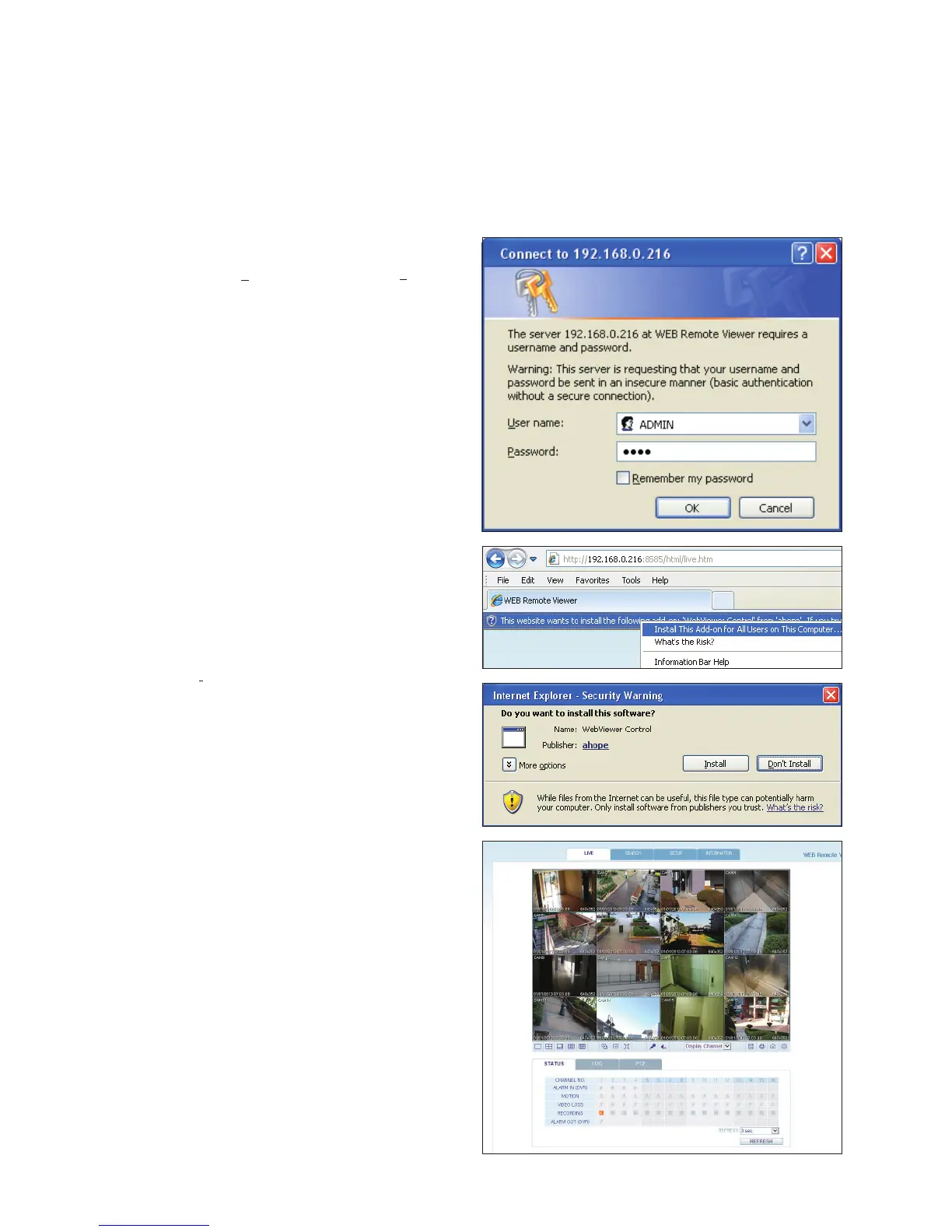
Provide the User Name and Password.
The default User name : ADMIN; the default Password is
1234.
2.
Click the upper warning bar to install the ActiveX.
If you fail to download the ActiveX control, go to Tools
Internet Options Security Custom Level Download
unsigned ActiveX control, and change its setting from
“Disable (recommended)” to “Enable”, and then click OK.
3.
Click <Install>.
4.
When the installation is complete, you will see the live
screen.



 To Next Page