VIVOTEK
100 - User's Manual
Event
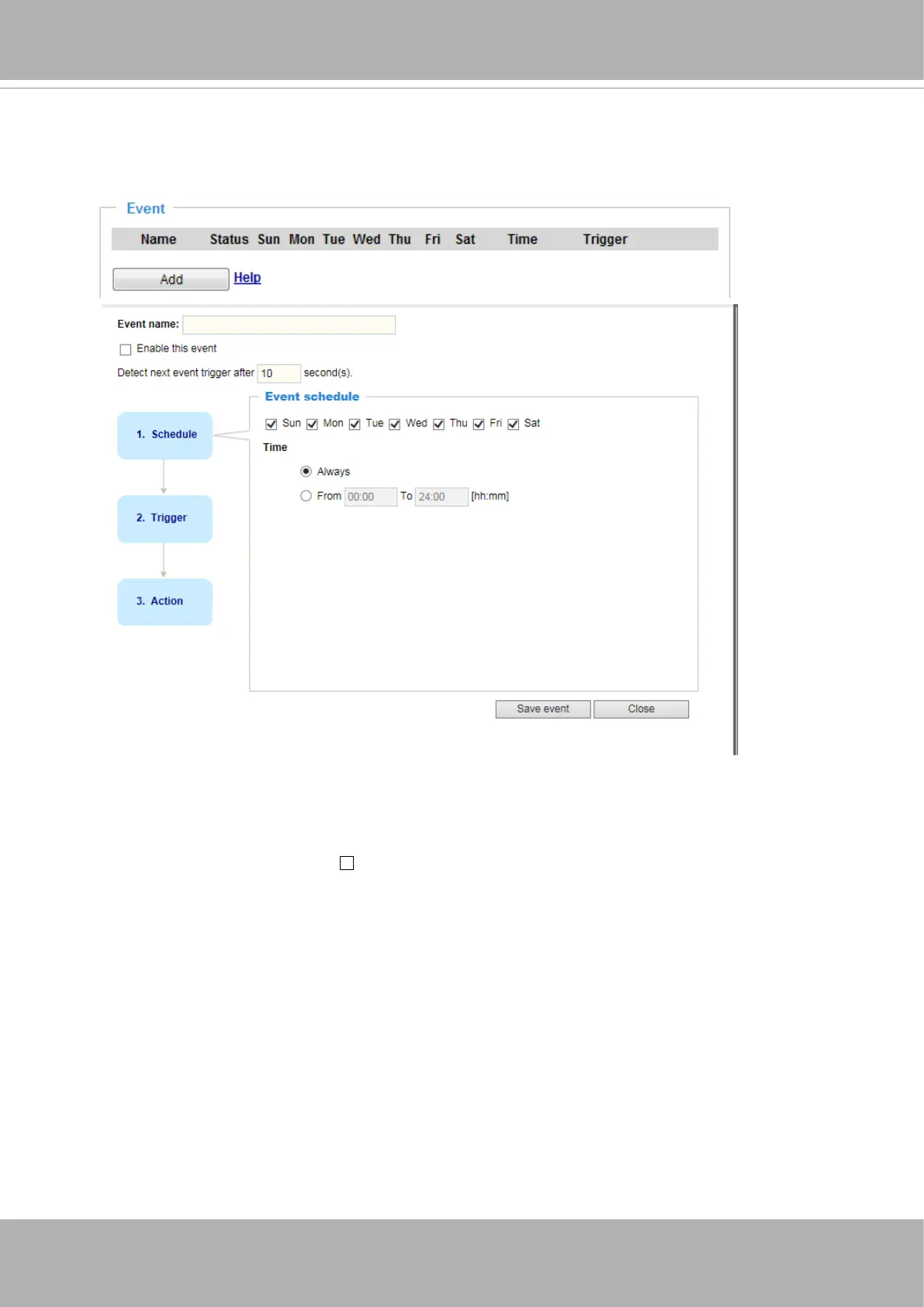
An event is an action initiated by a user-dened trigger source. In the
Event
column, click
Add
to
open the event settings window.
■ Event name: Enter a name for the event setting.
■ Enable this event: Select this option to enable the event setting.
■ Detect next event trigger after seconds: Enter the duration in seconds to pause event trigger
after the current event is triggered.













 To Next Page