VIVOTEK
128 - User's Manual
Main Page
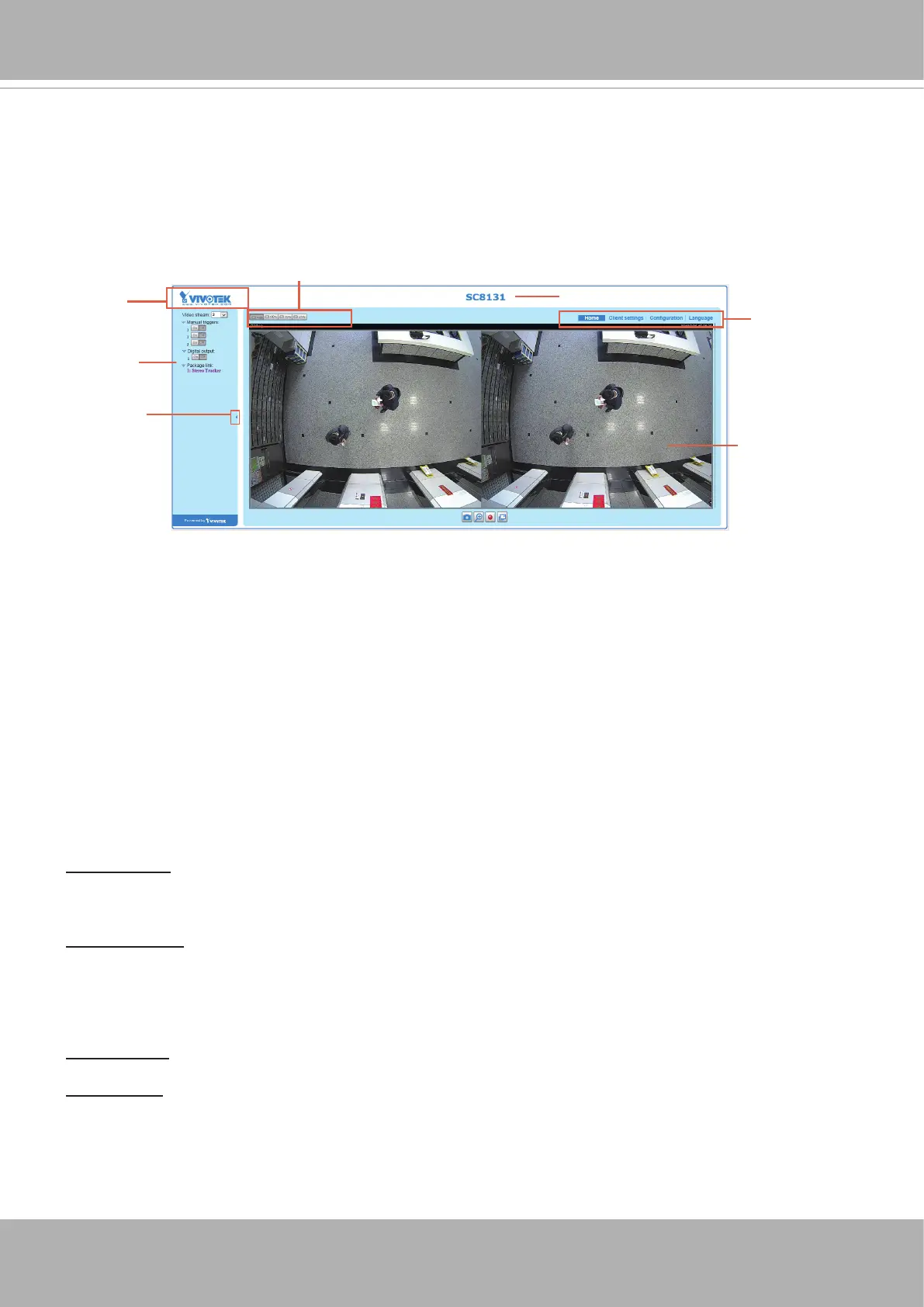
This chapter explains the layout of the main page. It is composed of the following sections:
VIVOTEK INC. Logo, Host Name, Camera Control Area, Configuration Area, Menu, and Live
Video Window.
VIVOTEK INC. Logo
Click this logo to visit the VIVOTEK website.
Host Name
The host name can be customized to t your needs. For more information, please refer to System on page
139.
Camera Control Area
Video Stream: This Network Camera supports multiple streams (stream 1 ~ 3) simultaneously. You can
select any of them for live viewing. For more information about multiple streams, please refer to page
157 for detailed information.
Manual Trigger: Click to enable/disable an event trigger manually. Please configure an event setting
on Application page before enable this function. A total of 3 event settings can be congured. For more
information about event setting, please refer to page 99. If you want to hide this item on the homepage,
please go to
Conguration> System > Homepage Layout > General settings > Customized button
to deselect “show manual trigger button”.
Digital Output: Click to turn the digital output device on or off.
Package link: Click to open the Stereo Tracker monitoring and conguration utility.
VIVOTEK INC.
Logo
Camera Control
Area
Configuration
Area
Host Name
Resize Buttons
Hide Button
Live View Window
Refer to page 51 for the conguration details about the embedded
Stereo Tracking
and
Counting
functionality.













 To Next Page