VIVOTEK
User's Manual - 83
3-4. Event Rules
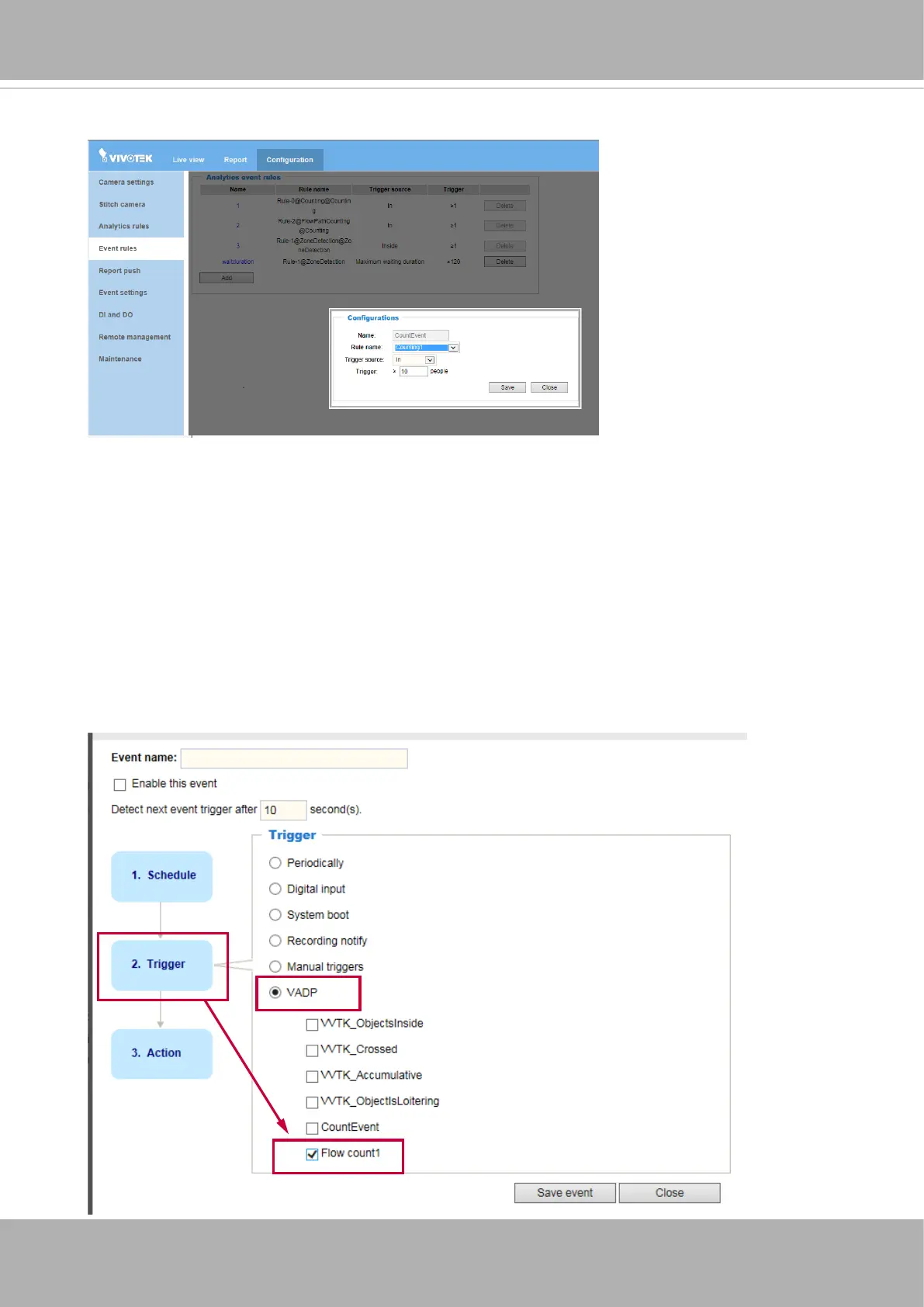
With the counting rules set up, you can configure a specific rule to be delivering a
triggering condition to a receiver. For example, an event can be delivered when the number
of counts exceeds a preset number. You will then know the status, say, when the number
of remaining people in a building is larger than a preset number.
When congured, the
Analytics Event Rule
can be found in the Event Settings as one of
the event triggers. You can then let camera send an event message along with a system
log, a snapshot, or a video clip to a pre-congured receiver via an FTP, HTTP, or Email
service.
You can go to the the
Congurations
>
Event Settings
>
Server
or
Media
setting page
to congure an event server.













 To Next Page