VIVOTEK
68 - User's Manual
O
O
I
I
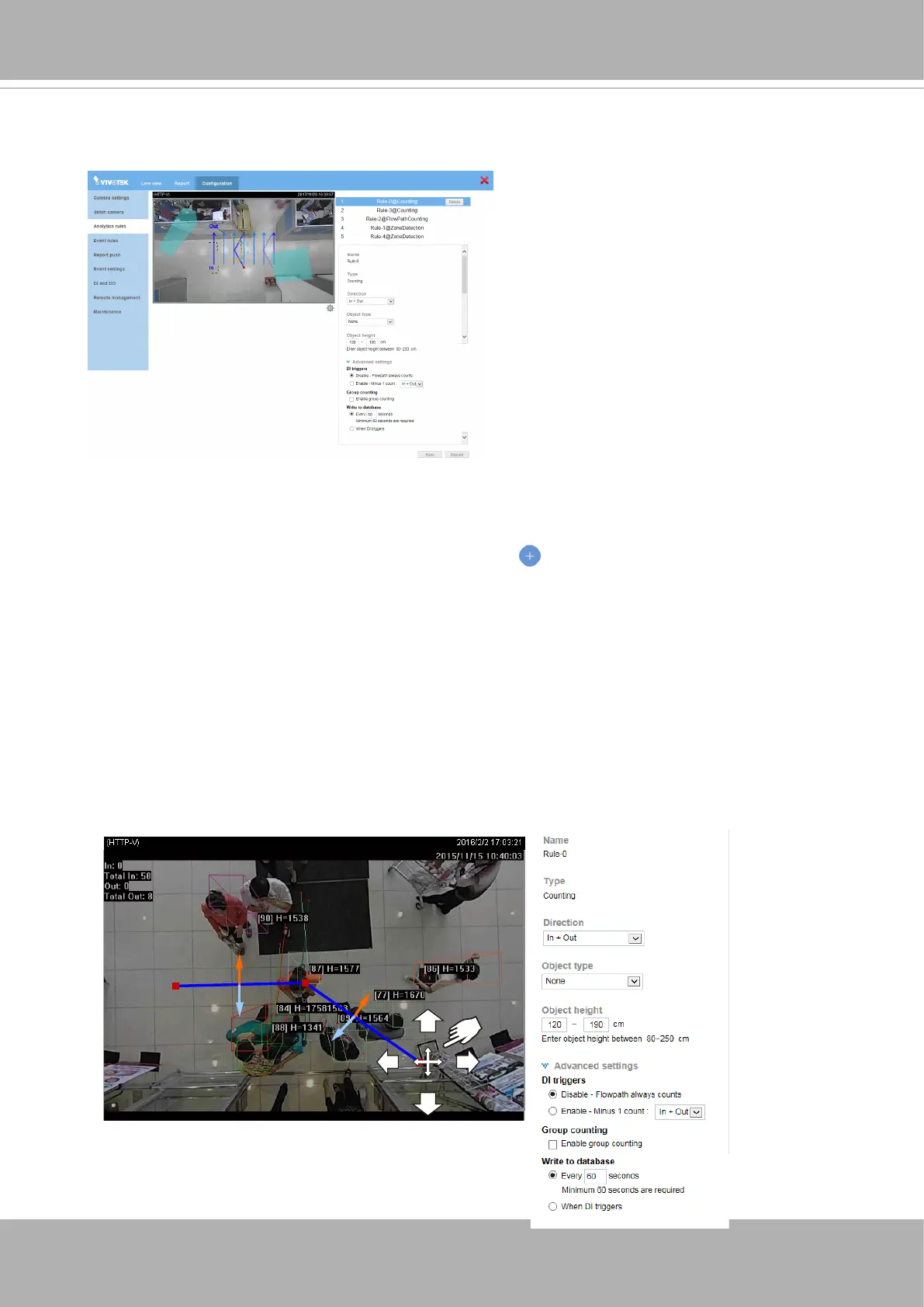
A Configuration window will prompt. Click on the
Add new rule
button to start the
conguration. A detection line or ow path will appear on screen. Depending on the eld of
view at your installation site, click and drag the middle and end points on the line to change
their positions. Place your detection line to a preferred position on the screen, e.g., at an
entrance of a building.
Note that the
In
and
Out
directions are changed by turning the detection line 180 degrees.
Make sure you leave enough room for an object to be detected before it moves aross the
line. Draw the line as if it lays on the oor.
The maximum number of lines for an analytics rule is 3.
A maximum of 5 rules can be created. You should return to the previous page to create a
new rule.
Click on the
Add
button to create a new rule.
Click on
Congurations
>
Analytics rules
to open the Analytics conguration window.
3-3-1. Analytics rules - Counting (1st type)
3-3. Conguration - Analytics rules













 To Next Page