VIVOTEK
116 - User's Manual
3-11. Remote Management
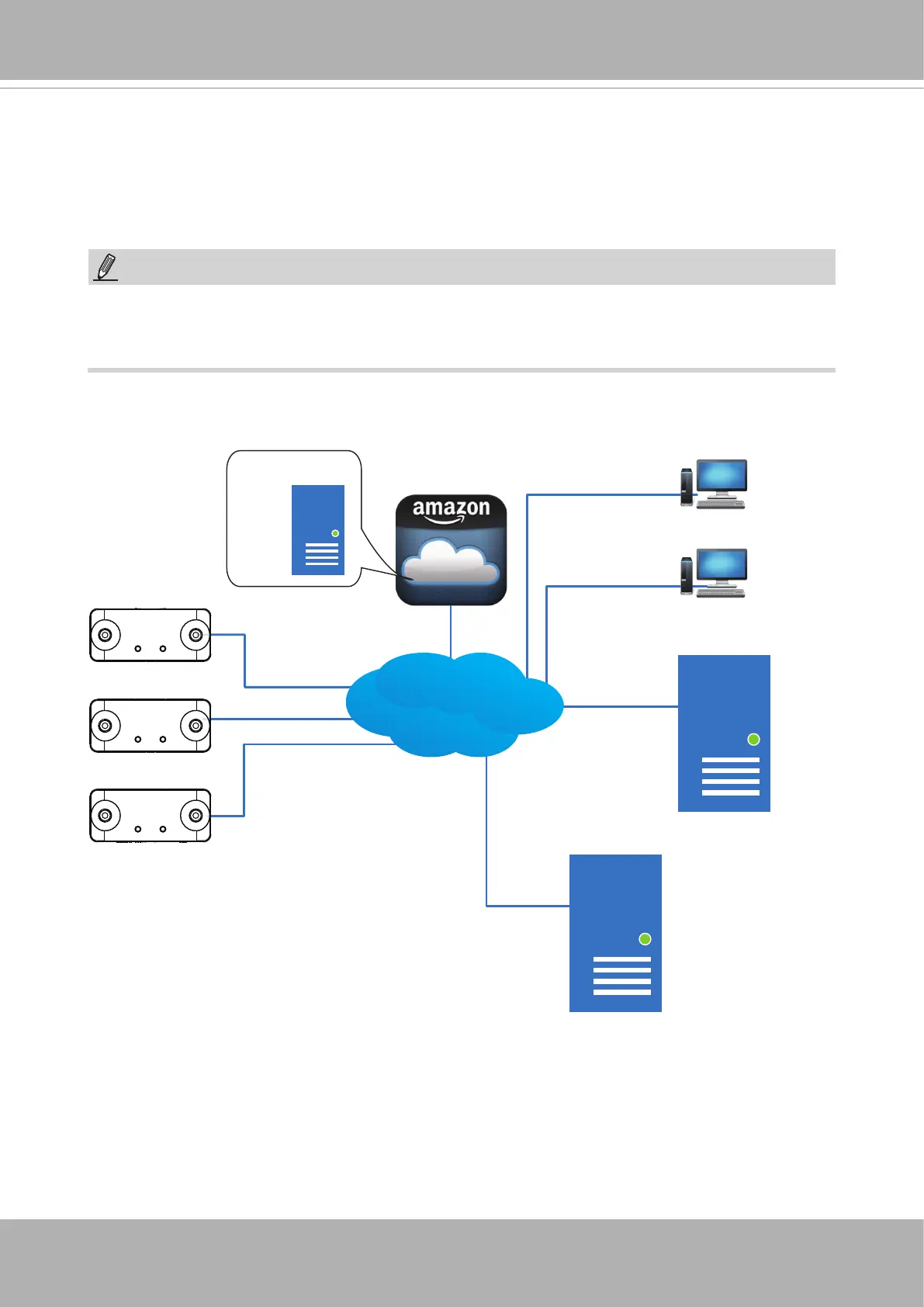
Remote Management is available by installing a remote management server instance on a
Linux server that is located across the Internet. For bandwidth and latency concerns, video
streaming and snapshot can be made via a cloud service, e.g., Amazon Cloud.
Chrome, Firefox, and Safari on Windows, Mac, or Android devices can be used to access
the remote management portal. Use of IE is not recommended for the lack of streaming
service. Management and snapshot are still supported on IE.
NOTE:
Remote Mamt. Server
OpenVPN
Client
Remote Log Server
Client
LAN/WAN
Remote Mamt.
Server
Remote Portal Server
A remote portal server is built on one running Ubuntu 14.04 TLS 54-bit (or 15.04). The
ability to access the Internet from your server is a must.
You can then install the “mvaas_ezinstall.tar.gz onto your machine. Open a terminal and
locate the installation le. Untar the package: tar -zxf mvaas_ezinstall.tar.gz.
Please contact VIVOTEK’s technical support for the server package.
3-11-1. Conguration













 To Next Page