VIVOTEK
User's Manual - 121
3-11-2. Open the Remote Portal
To access the Remote Portal:
1. Open a Chrome or Firefox browser and enter the Remote Portal server’s IP address in
the URL eld.
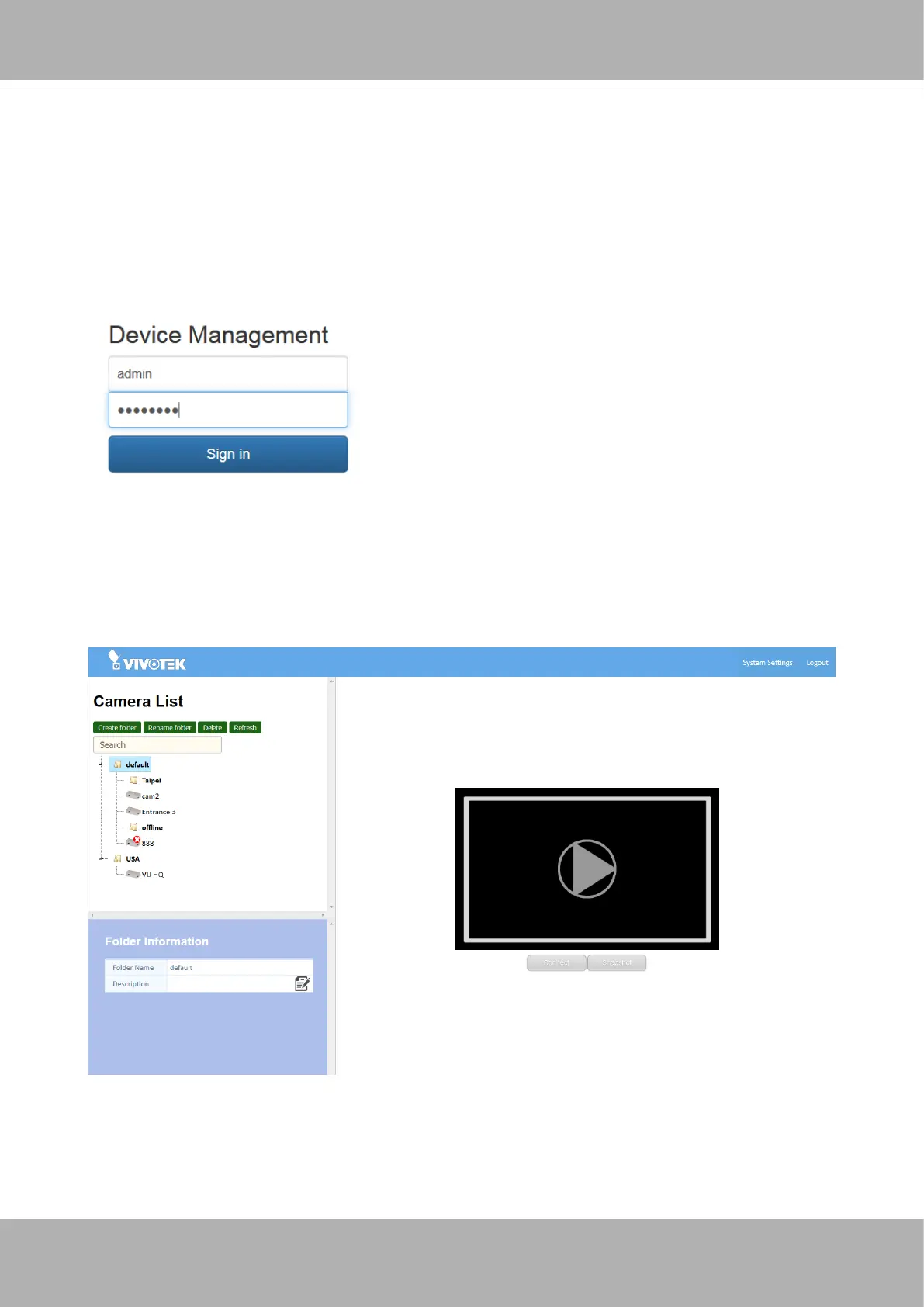
2. Enter the default user name and password as: amin / 12345678. You can change the
user name and password later.
3. The portal main page displays. You can now start creating virtual folders on the device
tree. Use the Create folder, Rename folder, Delete, and Refresh buttons to create a tree
structure that best reects your camera delpoyment.
4. By default, all registered cameras will be placed under the default folder. When folders
are created, you can click and drag cameras to different folders.













 To Next Page