VIVOTEK
User's Manual - 81
Queue analysis delay:
Start analysis after seconds: This threshold applies when 1 person is already
standing in the Service zone, and the other enters the Queue area.
Stop analysis after seconds: The threshold applies when one leaves the Queue or
Service zone. The threshold avoids mis-calculation when someone abruptly leaves
and re-enters the area.
Queue forming delay:
Add 1 person after enter queue for seconds: These thresholds dene how an
effective count starts after a time buffer.
Minus 1 person after leaving queue for seconds: These thresholds dene how an
effective count starts after a time buffer.
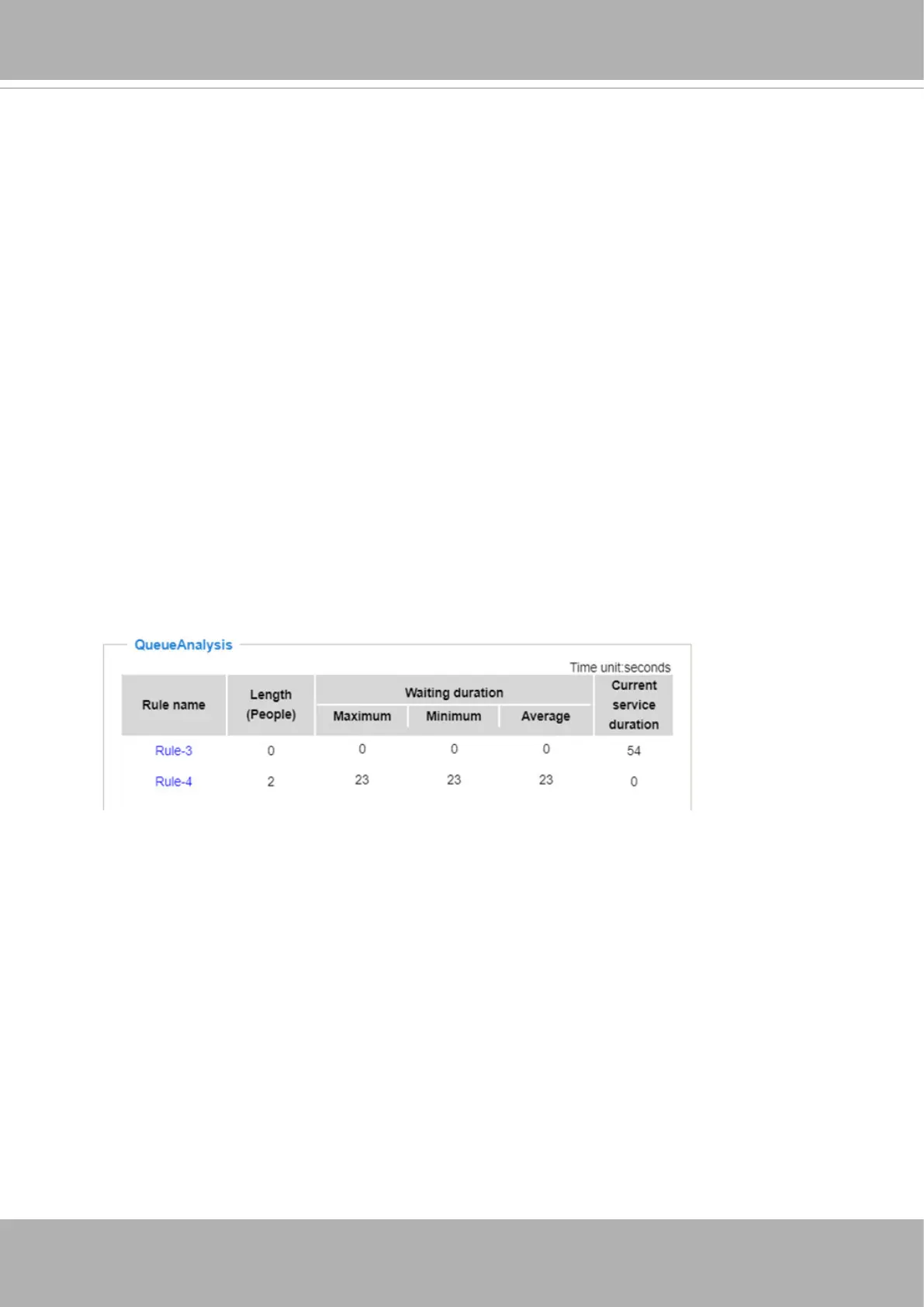
Shown below is a sample screen for Queue Analysis data.
Length (People)
: indicates how many people are waiting in line. This number does not
include one that is standing in the Service zone and currently being serviced.
Maximum
: The Maximum duration of time of any person in line spent waiting.
Minimum
: The Minimum duration of time of any person in line spent waiting, often of
the person who newly joined the line.
Average
: The Average duration of time spent waiting.
Current service duration
: This number appears and disappears. It indicates the time
spent in the Service zone by the person who is currently being serviced. When another
person enters the Service zone, the counting restarts.
When the conguration is done, click the
Save
button, and move to the
Live view
to
observe the counting results in the real scene. You can come back to Conguration >
Analytics rules to make adjustments if necessary.













 To Next Page