VIVOTEK
User's Manual - 203
Local storage > Content management
This section explains how to manage the content of recorded videos on the Network Camera. Here you
can search and view the records and view the searched results.
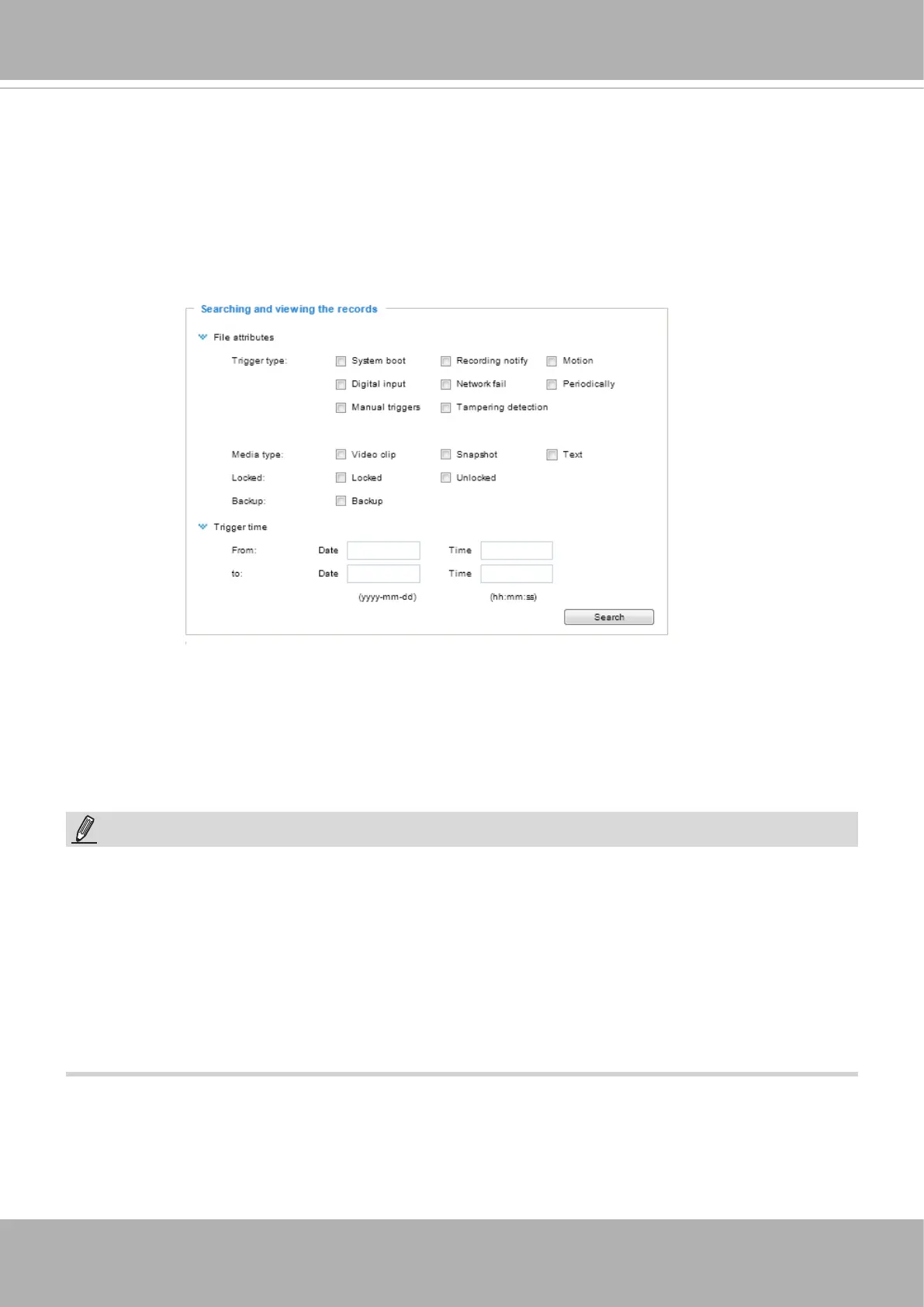
Searching and Viewing the Records
This column allows the user to set up search criteria for recorded data. If you do not select any criteria
and click
Search
button, all recorded data will be listed in the
Search Results
column.
■ File attributes: Select one or more items as your search criteria.
■ Trigger time: Manually enter the time range you want to search for contents created at a specic point
in time.
Click
Search
and the recorded data corresponding to the search criteria will be listed in
Search Results
window.
NOTE:
• It is recommended to turn OFF the recording activity before you remove an SD card from the
camera.
• The lifespan of an SD card is limited. Regular replacement of the SD card can be necessary.
• Camera lesystem takes up several megabytes of memory space. The storage space cannot
be used for recording.
• Using an SD card that already contains data recorded by another device should not be used
in this camera.
• Please do not modify or change the folder names in the SD card. That may result in camera
malfunctions.













 To Next Page