VIVOTEK
User's Manual - 61
• When to consider decreasing Depth noise lter level?
If camera installation height is higher, the effective area of a person moving in the depth
map will be smaller.
If camera installation is higher than 3.3 meters, it is recommended to revise the
following settings to minimize the possibility of losing objects' tracks.
In this case, you can decrease the Depth noise filter level in order to preserve more
depth information.
You can increase the sensitivity level to keep good track of objects with their depth
information.
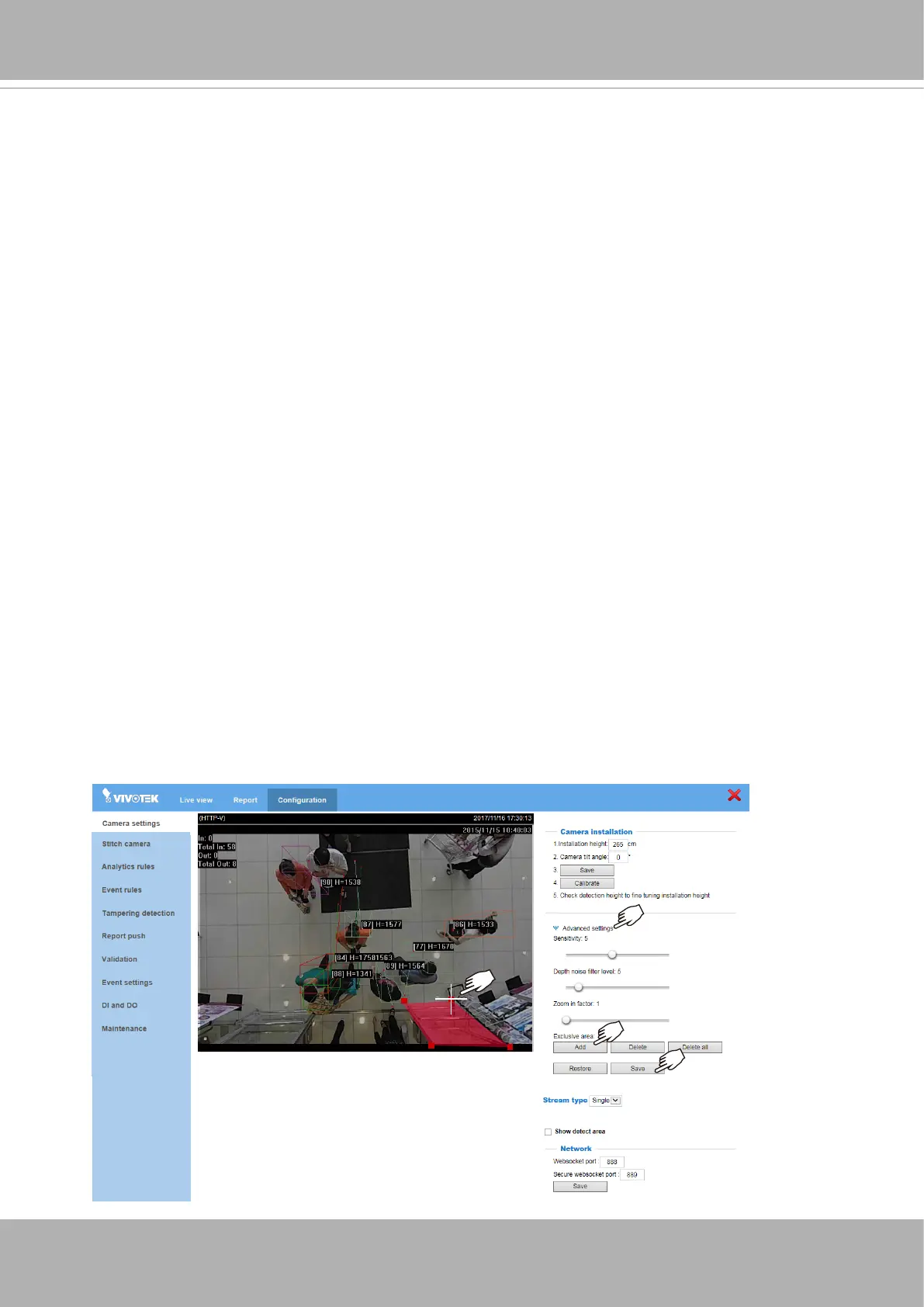
• Zoom-in factor
: The digital zoom-in applies when the camera installation height is
higher than 3.6 meters. The tradeoff is that you may lose some of the eld of view.
• Exclusive area settings
: This allows you to exclude certain areas in your eld of view
from tracking detection: such as a table, a mono-color wall, a surface of a different
height, mirror, objects that are reective, glass door, and shadows. The Exclusive area
should not cover the oor.
Up to 8 polygon "exclusive" windows can be created using multiple mouse clicks on the
screen (create peripheral points). Click on the peripherals of the target area (polygon).
At least 3 clicks are required, and up to 20 clicks can be applied to dene an exclusive
area. Conclude the exclusive area by clicking on the initial point the second time. You
can create multiple exclusive areas. Double-click on the last corner point to complete
an exclusive window.
Click
Add
if you need more exclusive windows. Click
Save
to preserve your
conguration every time you created an exclusive window.
If necessary, repeat the process to create more exclusive windows.













 To Next Page