VIVOTEK
User's Manual - 79
3-3-4. Queue Analysis (5th type)
Queue Analysis rovides a count of people waiting in line and the duration of time of their
wait.
To congure the Queue Analysis:
1. Enter a comprehensive name for the conguration, such as Queue_detect1.
2. Select the
rule type
as "Queue Analysis."
3. Select a scenario:
3-1. Queue + Service Zone
3-2. Queue only
3-3. Service Zone only
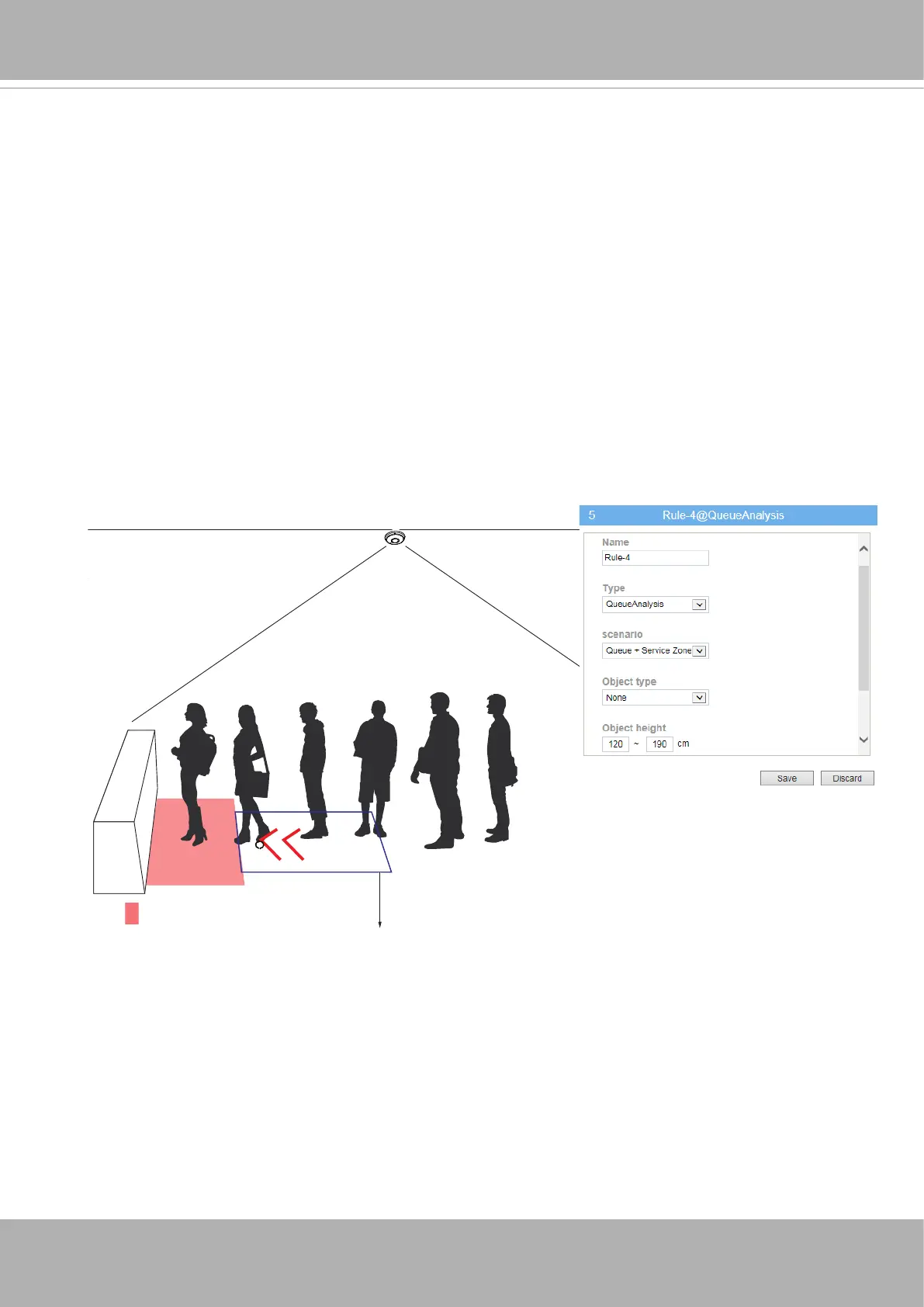
Service zone
Queue direction box
Below is a scenario using both the Service zone and Queue direction box. If you select
the "Queue only" scenario, the Service zone will not be available.
The
Service zone
is used to detect service throughput, e.g., how much time is needed
to service a customer, and the utilization rate of a service counter.
The
Queue direction box
is drawn to detect how many people are waiting in line.
NOTE:
Those who standing behind and outside the box will still be counted by camera
rmware. The box is used to designate the possible waiting line direction.













 To Next Page