VIVOTEK
User's Manual - 51
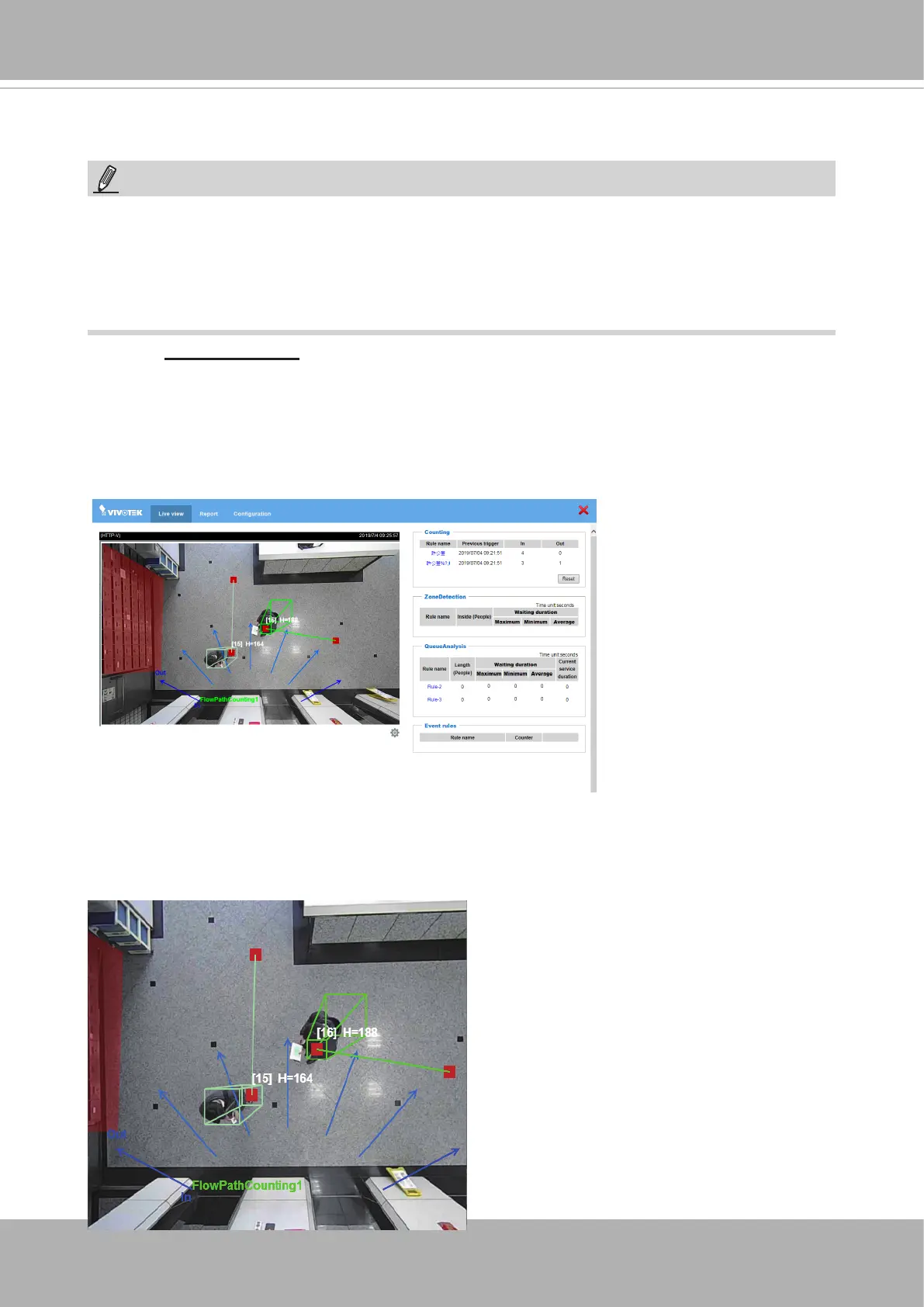
By default, the Single eye view displays. With people passing the scene, the color cubic
rectangle will display to highlight a moving object. The start and end points will be linked to
indicate the direction of the movement. An index number as well as the approximate height
of the object will also display.
Click on
Stereo Tracker
to start the embedded module in the
Application
>
Package
management
page. The shortcut is also available on the main page.
You will be defaulted to the
Liveview.
See below for the information on the Liveview.
NOTE:
• For the design and conguration rules, please refer to page 13.
• For a management session across a rewall or router (over the Internet), it is necessary
to open a
Websocket port 888
(or secure port 889) on your router using the NAT
traversal method for transferring metadata for counting. The default Websocket port
can be changed in the Network port setting page.
1. Live View.
Stereo Tracker













 To Next Page