VIVOTEK
User's Manual - 63
3-2. Conguration - Stitch camera
Video Stitching can be used to bring up to 7 SC8131s together to provide video analytics
over a large and wide oor plan. Count lines can then be be applied individually or across
the FOVs of multiple cameras to cover a wide area.
1
3
4
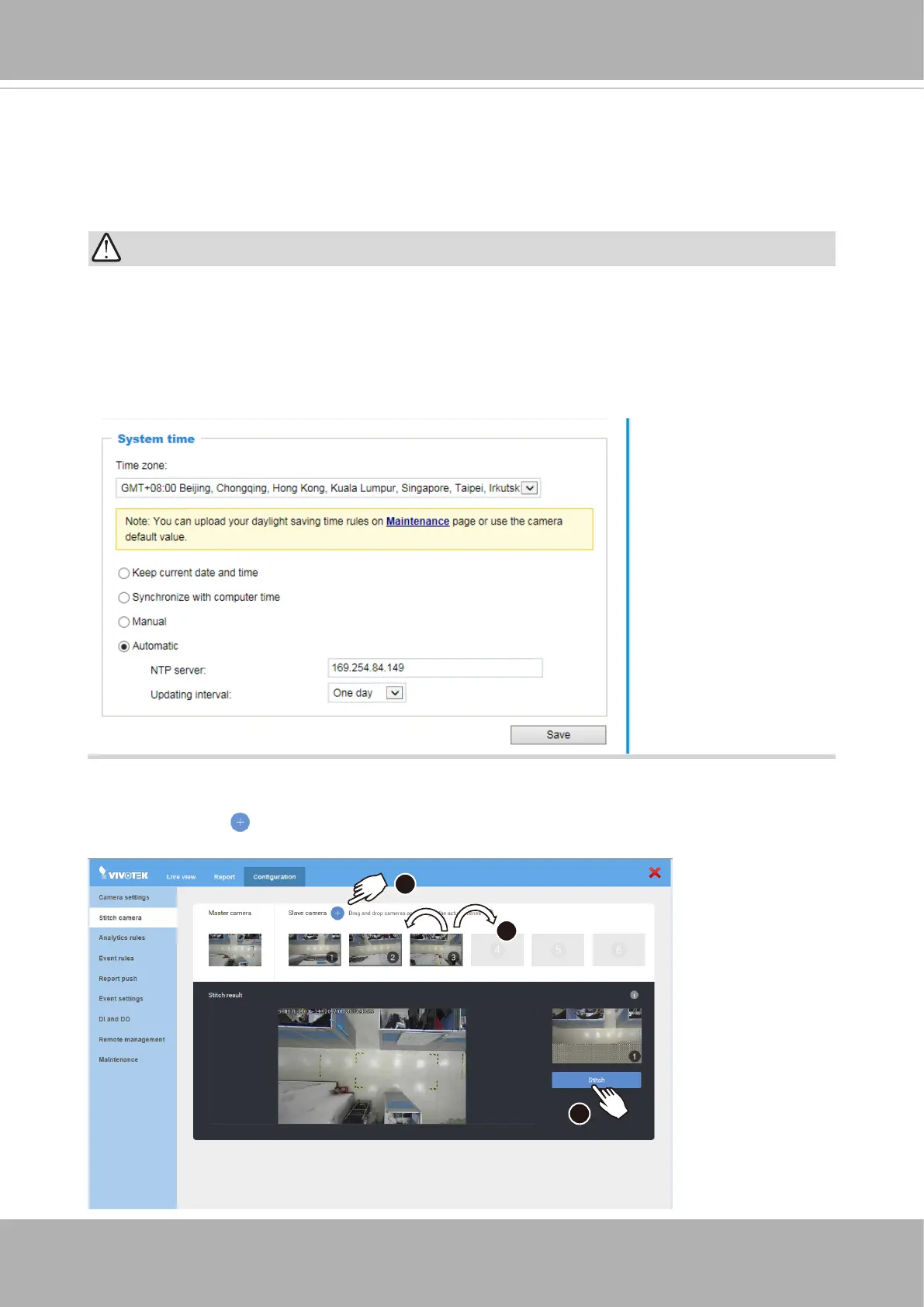
To stitch up cameras in a Stitching conguration,
1. Click on the Add button.
IMPORTANT:
It is very important that all cameras in a stitched view configuration have an identical
time
,
time zone
, and
DST
conguration. Without an identical time and time zone settings,
problems will occur with the statistics report.
It is highly recommended that all cameras be congured to be listening to an NTP (Network
Time Protocol) server.













 To Next Page