VIVOTEK
64 - User's Manual
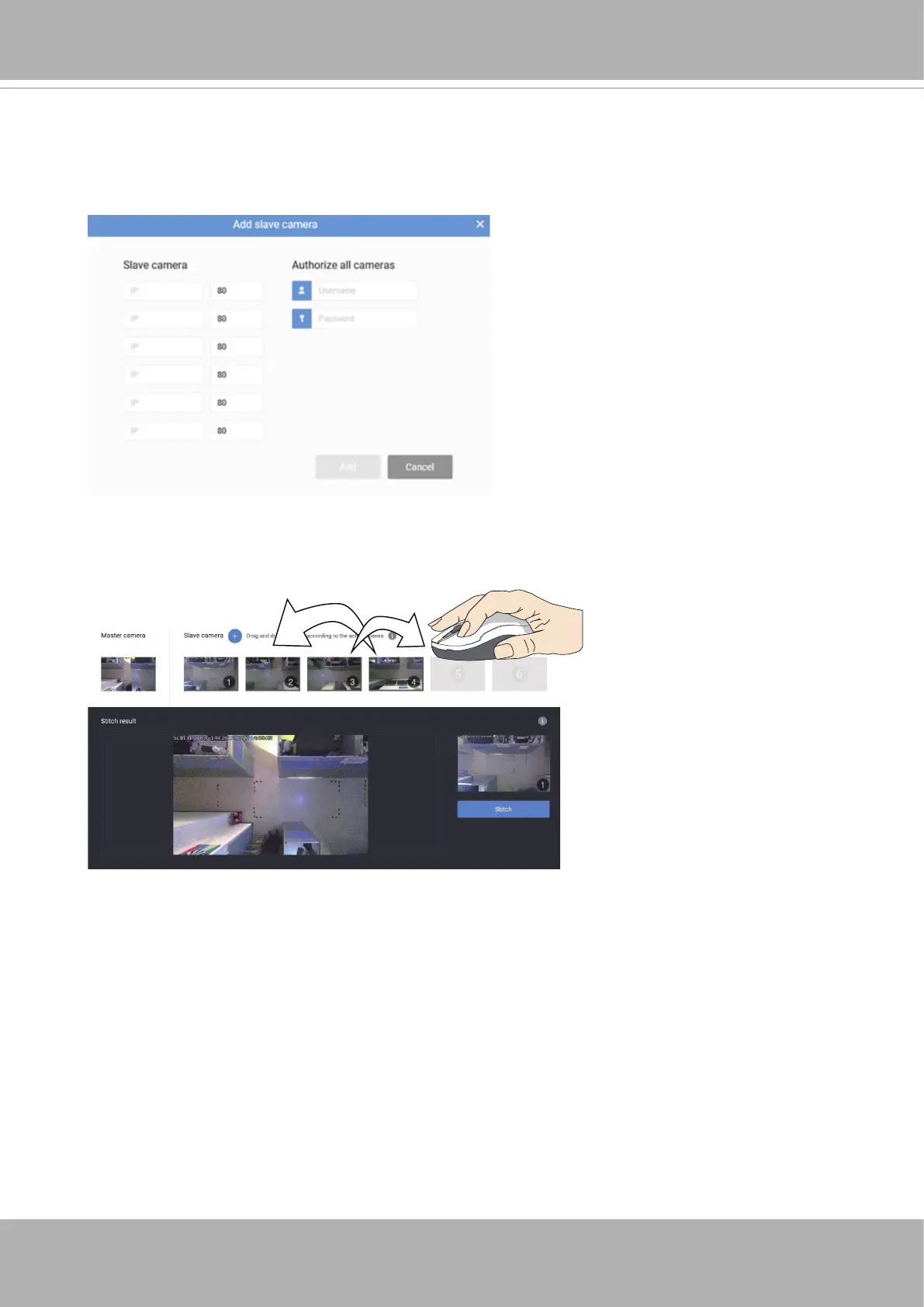
2. Enter the IP addresses of the cameras that will serve as the Slave cameras. Enter the
credentials if they all use the same credentials.
It is recommended that you congure a static IP for all Master and Slave cameras.
3. The stitching order on screen must coincide the physical locations of Slave cameras.
Observe the screenshots, and click and drag the cameras into the correct positions.













 To Next Page