VIVOTEK
54 - User's Manual
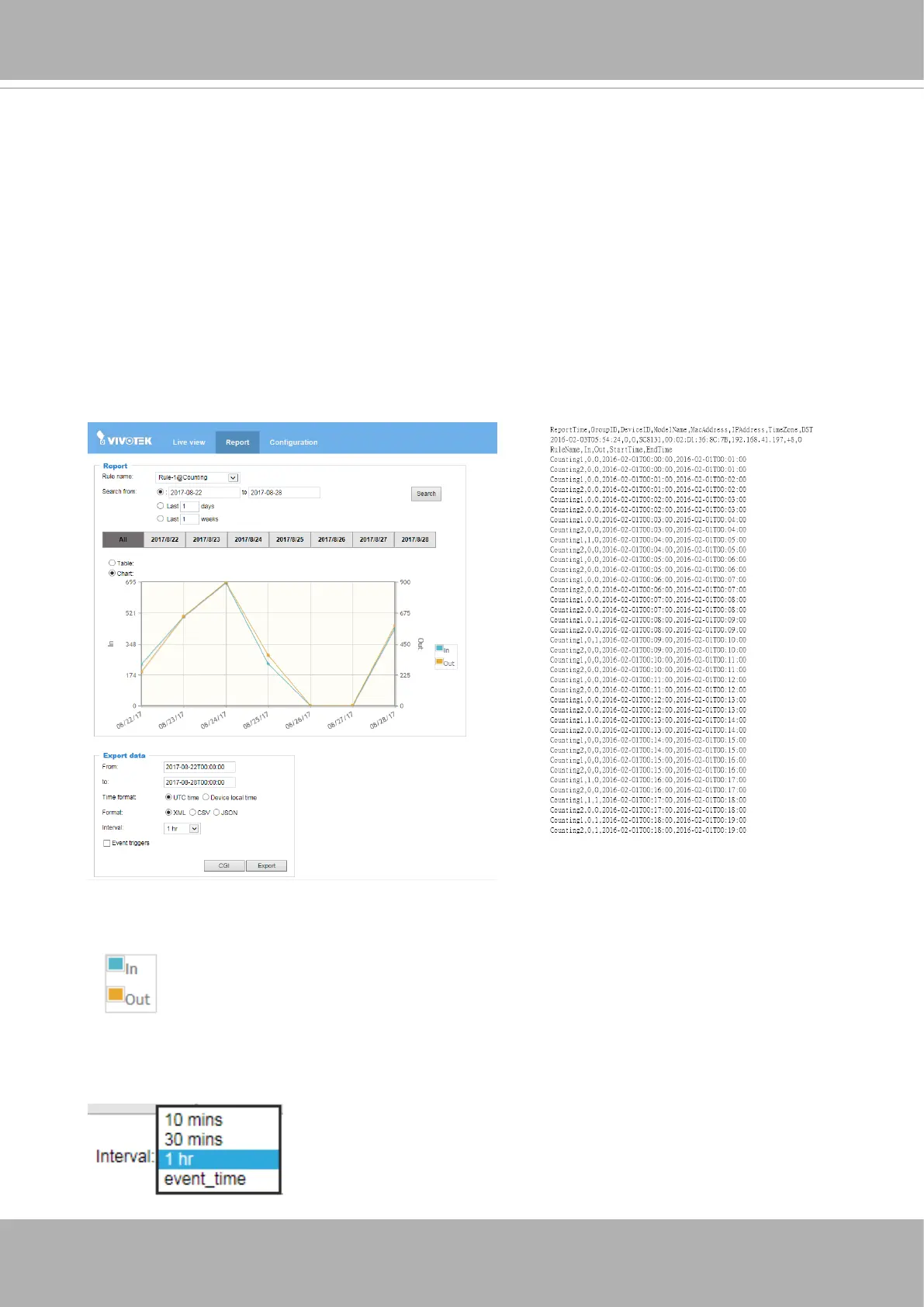
Select a congured rule to review the collected metrics accumulated by the camera.
1. Rule name: Selects a congured rule.
2. Search from: Species the span of days. Click to open a calendar. When done, click on
the
Search
button.
The span of days will be listed on screen. You can click on any of them to view the count
data. The count results will be listed in the Table or Chart view.
2. Report
Note that you can click on the
In
/
Out
buttons to disable either the In or Out counts on
chart. The disabled count will be indicated by a cross-out.
When in a single day and in the Chart view, you can use the Interval menu to select a
different time interval. The interval serves as a scaled time axis. When choosing rougher
granularities, the data collected during that span of time will be combined.
The Report page displays an instant graph showing the activivities in a day's span. You
can also export the collected data using the
Export data
pane below. Select the time span,
UTC time (Coordinated Universal Time), le format, and interval. Note that polling the data
from camera may take several minutes.













 To Next Page