VIVOTEK
96 - User's Manual
Functional Items:
Before using this utility, acquaint yourself with the following:
Item Description
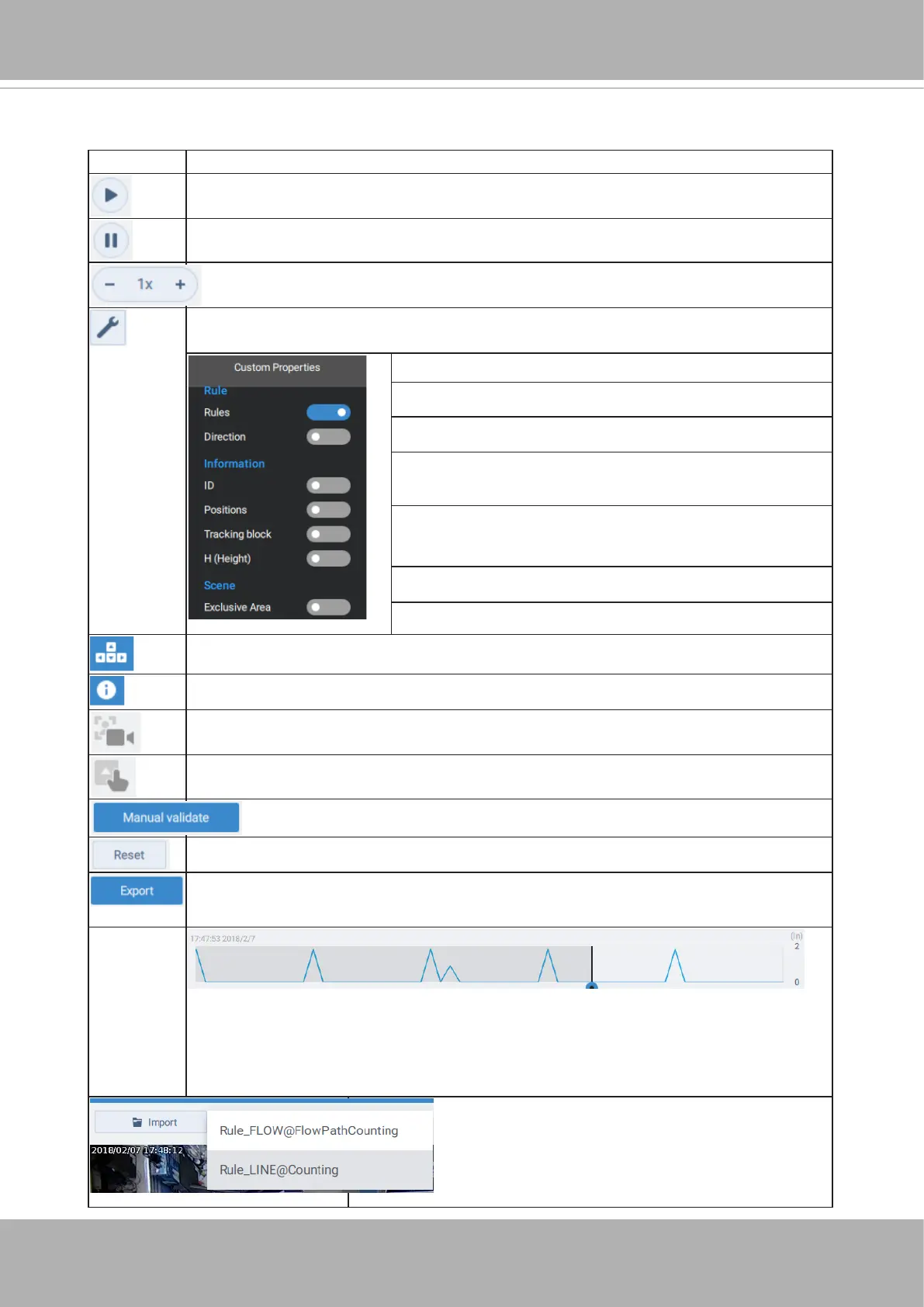
Plays a selected validation recording.
Pauses the playback of a recording.
Increases or decreases the playback speed.
Clicks to change the display elements on screen. Click again to close the
menu.
Rule: Counting line or ow path.
Direction: the In / Out direction.
ID: the identier number.
Positions: the start and end points of detected
objects.
Tracking block: the bounding box shown around the
detected objects.
Height: the height of the detected objects.
Exclusive area: the exclusive, non-effective area.
Displays the available hot keys.
Displays software revision information.
This row displays the machine counts.
This row displays the counts you manually make.
Click to start your manual count.
Resets your manual counts to 0.
Exports your validation results to a csv report le. The comparison between
machine counts and manual counts will be listed.
The activity chart roughly matches the occurrences of events (objects'
appearance) in the recordings being played. The timeline indicates the
objects' positions during the recording. The (In) count on the upper right
indicates the number of people still staying in the In area.
Selects a count rule (line or owpath), if there
are more than one rule.













 To Next Page