2-140 Directory Dial
Features and Operation
STARPLUS STSe - Programming & Operations Manual August 2005
Programming Steps
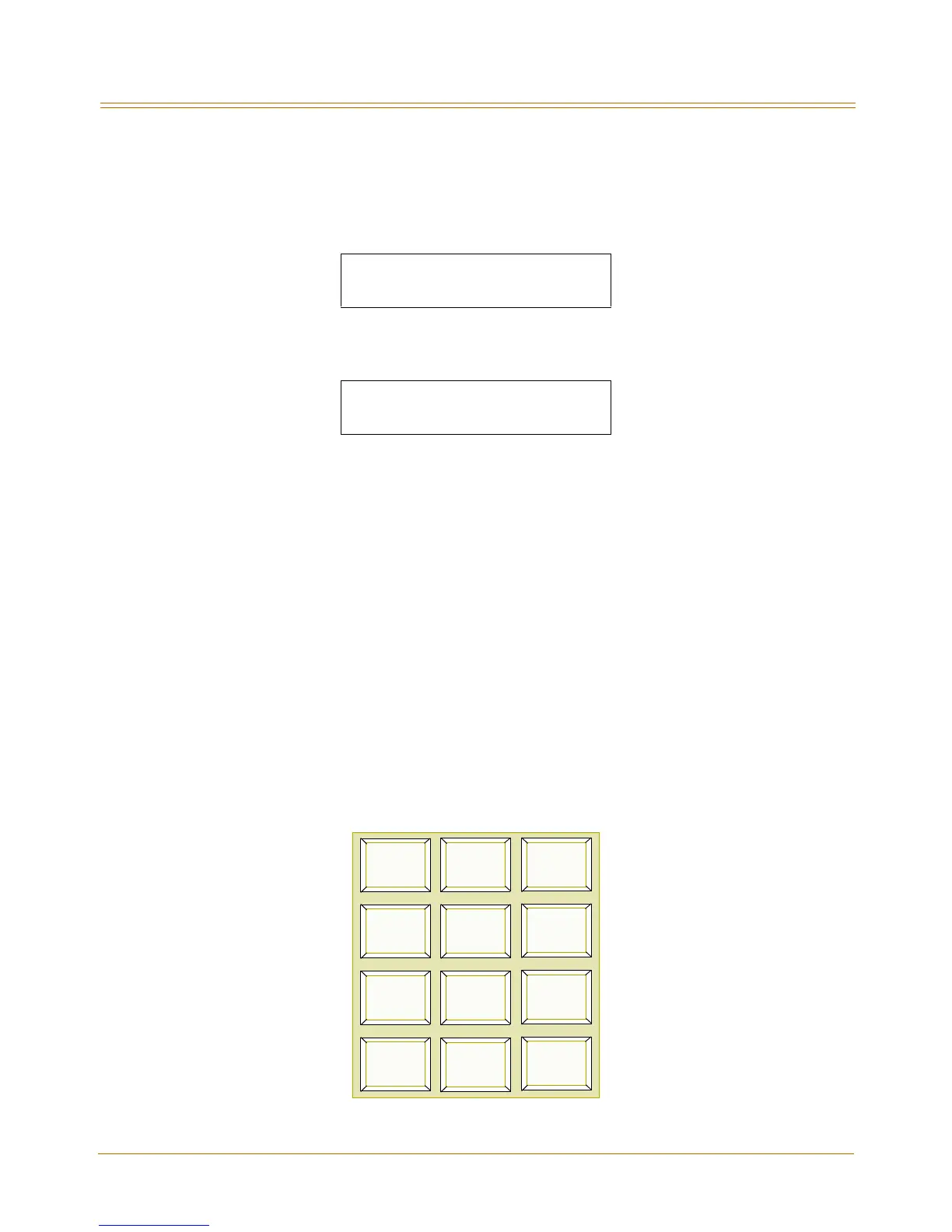
1. Press the DIRECTORY DIAL TABLE flexible button (FLASH 85, Button #10). The following
message displays:
2. To print the Directory Dialing Table parameters, press the HOLD button. The following
message displays:
When the system finishes sending the requested information to the printer, a
confirmation tone sounds.
Dial-By-Name
Description
The system allows station users to dial extension numbers, or speed bins, by entering the
name of a person that has been programmed for that station. The system database allows
entry of a name (alphanumeric) up to 24 characters in length for each station. The
programmed name can be used for dial-by-name station users and in directory dialing. This
feature should not be confused with the Name In Display feature.
Operation
1. Dial the Dial-By-Name code [6] on the dial pad,
-or-
Press the preprogrammed DIAL-BY-NAME flexible button.
2. Dial person’s last name on the keypad as shown:
Figure 2-10: Dial-By-Name Keypad Map
PRINT DIR - DIAL
PRESS HOLD
PRINTING DIR - DIAL
1
A-2
B-2
C-2
D-3
E-3
F-3
G-4
H-4
I-4
J-5
K-5
L-5
M-6
N-6
O-6
P-7
R-7
S-7
T-8
U-8
V-8
*
OPER
#
0
Q-7
W-9
X-9
Y-9
Z-9


 To Next Page