Name In Display 2-231
Features and Operation
STARPLUS STSe - Programming & Operations Manual August 2005
Name In Display
Description
The Name in Display feature allows every extension (digital/SLT) the capability to program
the users name for that station, so that people using display telephones see the name instead
of the station number on their display. The name is programmed at each station by the user
and may be up to seven letters in length.
Operation
To create your name:
1. Dial [690] on the dial pad.
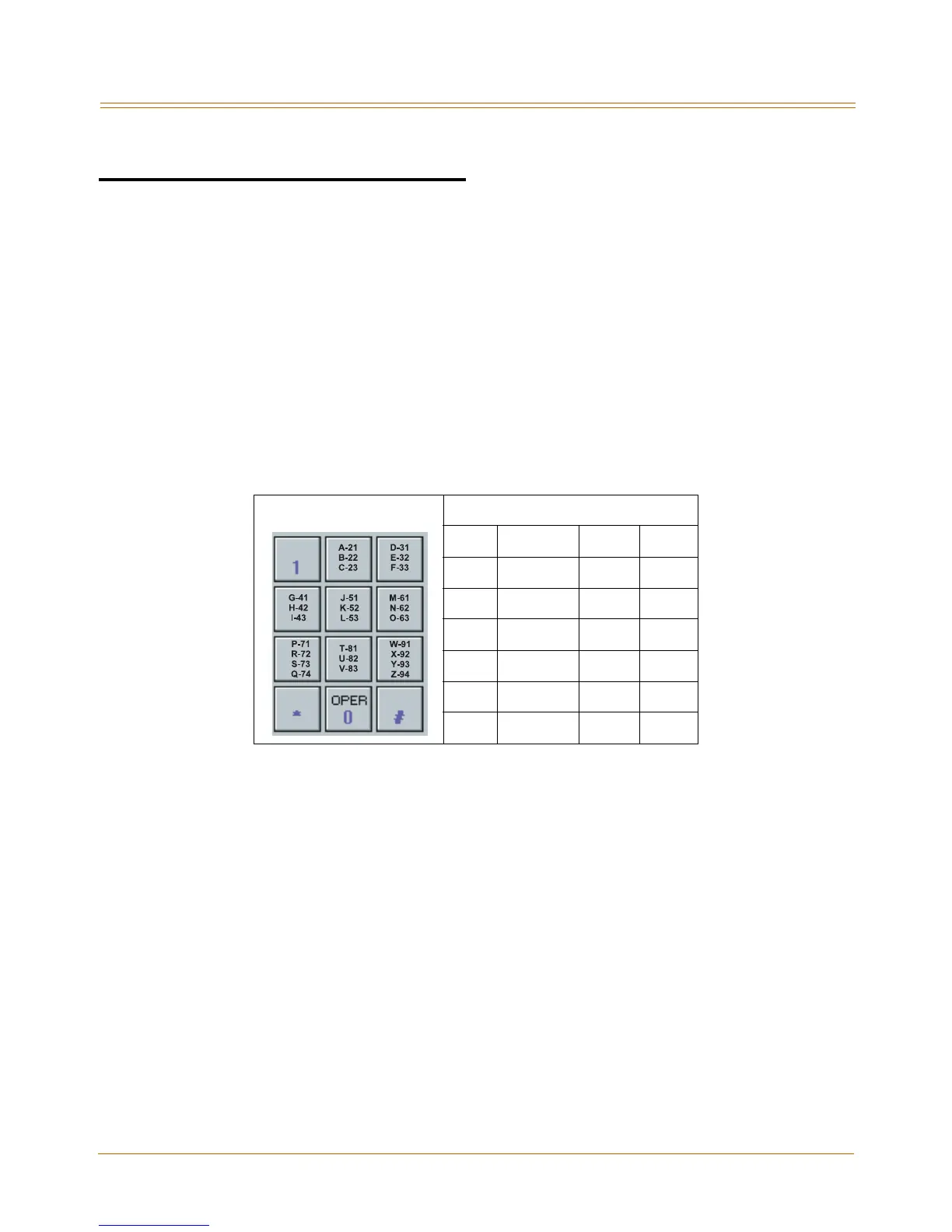
2. Enter the name (up to 7 characters may be entered) by using keys on the dial pad.
Figure 2-19: Name In Display Keypad Map
3. Press the SPEED button to complete the programming process.
To erase your name:
1. Dial [690] on the dial pad.
2. Press the SPEED button to complete the erasing process.
SINGLE LINE TELEPHONE
To create your name:
1. Dial [690] on the dial pad.
2. Enter the name (up to 7 characters may be entered) by using keys on the dial pad.
3. Press the FLASH button to complete the programming process.
To erase your name:
1. Dial [690] on the dial pad.
2. Press the FLASH button to complete the erasing process.
Other Codes
1 = 1# 8 = 8# “ = 01 * = *#
2 = 2# 9 = 9# , = 02 ( = #1
3 = 3# 0 = 0# ? = 03 ) = #2
4 = 4# Space = 11 / = 04 + = #3
5 = 5# : = 12 ! = *1 = = #4
6 = 6# - = 13 $ = *2 # = ##
7 = 7# ‘ = 14 & = *4 . = 24



 To Next Page