C-26 Programming the Voice Mail System
Flash-Based Voice Mail
STARPLUS STSe - Programming & Operations Manual August 2005
System Clock Adjustments
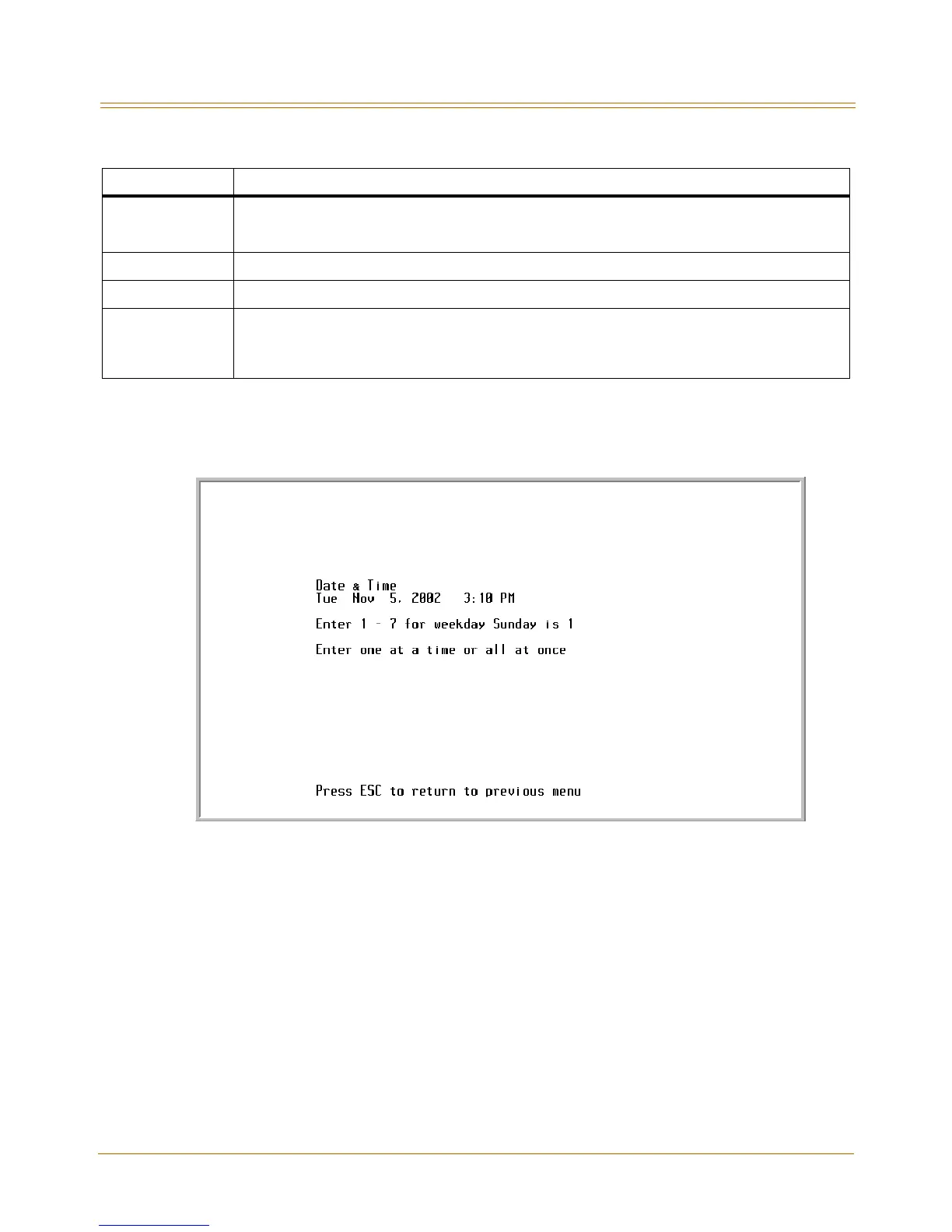
This screen is used to adjust the Real Time Clock settings of the Flash-based Voice Mail. Use
the arrow keys to navigate left and right, then make the desired changes.
Figure C-11: Date & Time Screen
To enter a new date and time:
1. Enter a value of 1-7 to identify the day of the week.
1 = Sunday 5 = Thursday
2 = Monday 6 = Friday
3 = Tuesday 7 = Saturday
4 = Wednesday
2. Press the right arrow key or press the <ENTER> key.
3. Enter a value of 1-12 to indicate the month.
4. Press the right arrow key or press the <ENTER> key.
5. Enter a four-digit value to indicate the year.
6. Press the right arrow key or press the <ENTER> key.
Field Description
TEMP GRT ON
If this field is set to Y, the programmed TEMP GREETING message will be played to a caller.
If this field is set to N, the programmed GREETING NO. message will be played.
This message may be changed from any telephone - internal or external.
TEMP GREETING If Temp Greeting is active (Y), this is the greeting that plays when this port answers.
NOANSGREETING Future option - not currently active
AUTOATT START
If this option is set to Y, the system goes off-hook on an incoming call and waits for integration digits.
NOTE -- This is the default setting and it should not be changed unless necessary.
If this option is set to N, the system goes off-hook on an incoming call and immediately plays the
programmed greeting according to the Open & Close Schedule, but does not respond to DTMF tones.


 To Next Page