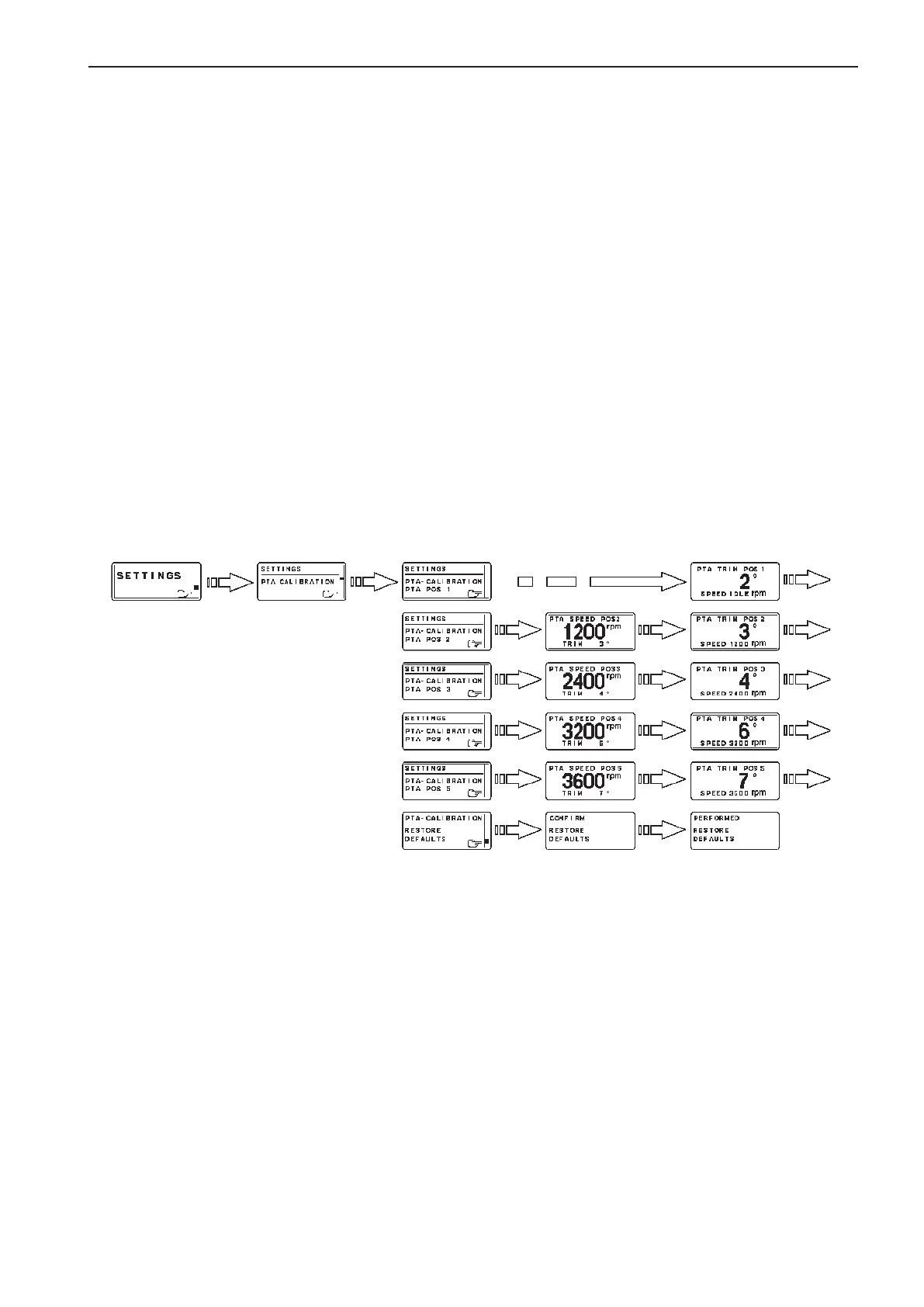
Powertrim Assistance, PTA
D4, D6 (option)
The Powertrim Assistant adjust trim angle automati-
cally according to engine speed (rpm). It is possible
to set five trim angles at five different engine speeds
(Idle speed included).
PTA calibration
1. Activate helm station by pushing the ACTIVE
STATION BUTTON.
2. Select SETTINGS from MAIN MENU by turn-
ing NAVIGATION WHEEL. Push NAVIGATION
WHEEL to enter SETTINGS MENU.
3. Select PTA CALIBRATION and push NAVIGA-
TION WHEEL.
4. Select PTA CALIBRATION POSITION (1-5) by
turning NAVIGATION WHEEL. Push NAVIGA-
TION WHEEL to enter selected PTA CALIBRA-
TION POSITION.
5. Set RPM for PTA CALIBRATION POSITION by
turning NAVIGATION WHEEL and confirm by
pushing NAVIGATION WHEEL.
NOTE! RPM can not be set for PTA CALIBRATION
POSITION 1, idling speed.
6. Set TRIM ANGLE for selected PTA CALIBRA-
TION POSITION by turning NAVIGATION
WHEEL and confirm by pushing NAVIGATION
WHEEL.
Use the same procedure for all PTA CALIBRATION
POSITIONs (1-5). Push BACK BUTTON to return to
SETTINGS MENU.
Default values for D4 and D6 engines
Step Engine rpm Drive angle degree
1 Idle–2499 - 3
2 2500–2999 0
3 3000–3199 +1
4 3200–3499 +1
5 3500–WOT +1
93
EVC-C Calibration and settings



 To Next Page