PT?
Auto configuration is the EVC system self-identifica-
tion. Auto configuration should be performed when
the system is started for the first time or after system
updates.
NOTE! A twin installation requires one auto configu-
ration to each engine. Start with port engine.
NOTE! In an twin installation when using both EVC
system tachometer and EVC system display, please
refer to section Auto configuration - EVC system
display before auto configuration is performed.
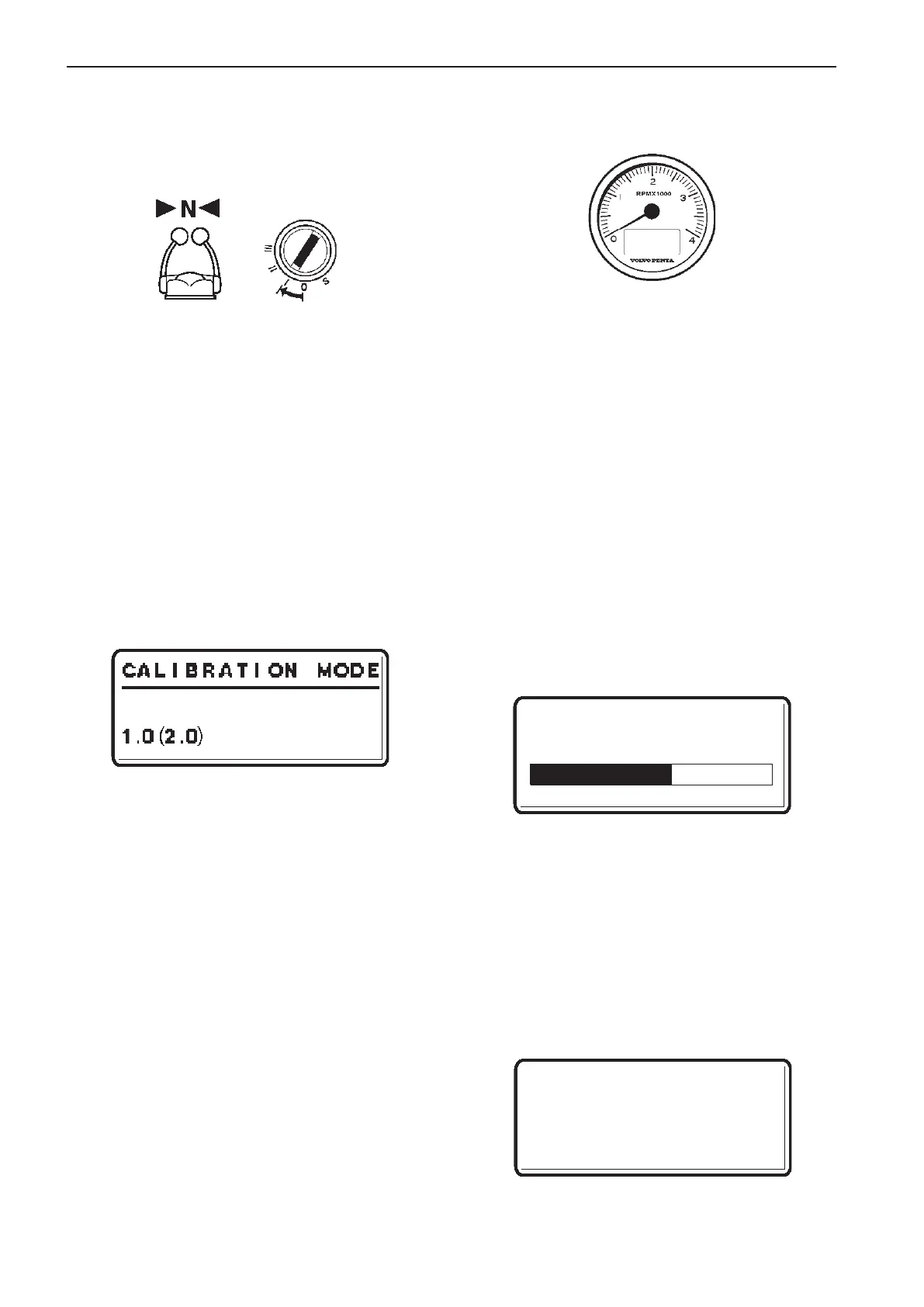
1. Turn starter key to position I (ignition on).
Twin installation: Start with port engine (star-
board engine - ignition off).
2. Enter calibration mode.
3. Push and hold BACK BUTTON and MULTI-
FUNCTION BUTTON until buzzer signal and
LEDs light up.
Release buttons.
4. Self identification and software download starts.
The procedure may take several minutes de-
pending on software download to the tachometer
display/EVC system display.
NOTE! The EVC system starts to download software
to all tachometers followed by the EVC system dis-
plays. When downloading software no information will
be presented in the displays and all LEDs are off. If
the tachometer has never been used status bars will
be shown on the tachometer display. First the “SOFT-
WARE” status bar will be shown and afterwards the
“ICON” status bar.
SOFTWARE (ICON)
Calibration mode
Preparations
– Turn main switch(s) on.
– Turn starter key(s) to position I.
– Control lever(s) in neutral position.
Enter calibration mode
Procedure is the same for single/twin installations
and for main/secondary helm respectively.
1. Push and hold NAVIGATION WHEEL and BACK
BUTTON until a signal from buzzer is heard and
calibration mode pop-up screen is shown in ta-
chometer display/EVC system display.
Release buttons.
2. Calibration mode is indicated with Neutral LED/
LEDs flashing and pop-up screen in tachometer
display/EVC system display.
NOTE! When entering calibration mode in an
EVC
EC
-C system with a never before used EVC sys-
tem display, the text “CALIBRATION MODE” will not
appear on the display. The text “INCORRECT DATA-
BASE” will be shown on the EVC system display.
NOTE! The first digit varies depending on system
configuration.
1.0 indicates a single lever control.
2.0 indicates separate throttle/gear or additional troll-
ing levers.
NOTE! The system exits from calibration mode after
45 seconds if no actions occur.
Auto configuration
EVC system tachometer
Wait until PT? appears and follow intructions in
step 5–7 or 8–10.
84
Calibration and settings EVC-C



 To Next Page