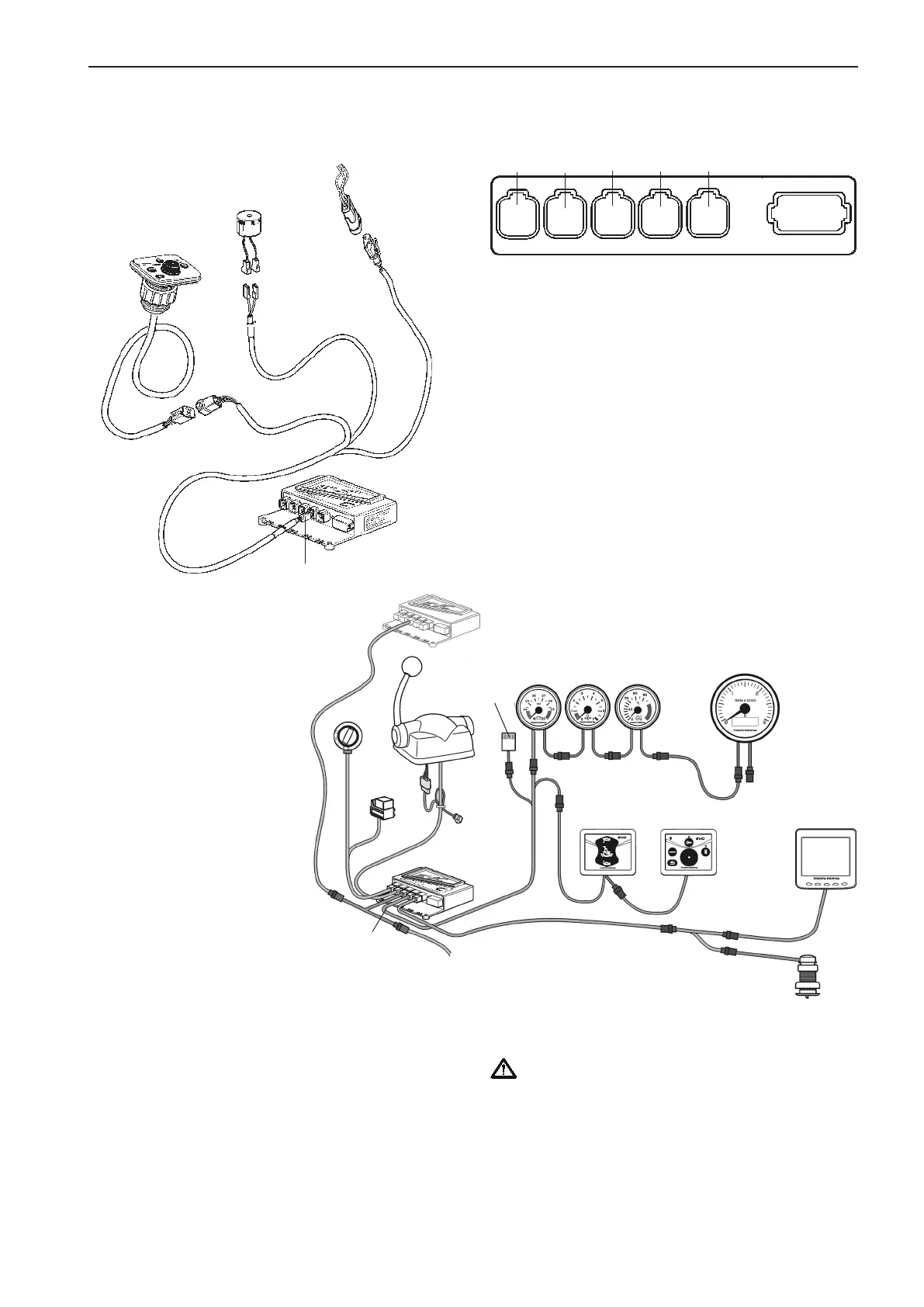
Instrument, panels and
auxiliary cable, 6-pin (option)
The instrument cable is connected to the HCU X3:
AUX connector (pink).
BUZZER
AUXILIARY BUS
GAUGES
CONN X3
Pink
EVC control
panel
Instruments
Buzzer
Tachometer
(early type)
Instrument
cable
Instruments
Buzzer
EVC control
panel
EVC system
display
HCU
HCU
secondary
helm station
AUXILIARY
BUS
Multisensor
BUZZER
CONN X3
Pink
GAUGES
This cable is optional. It is used when an EVC sys-
tem display is installed and an additional buzzer is
required.
The cable can also be used for an additional buzzer
when the EVC system includes an EVC system ta-
chometer.
The instrument serial bus can also be used.
IMPORTANT! In a twin installation, when using
one combined EVC system display, the display
must be configured as a “TWIN” before auto con-
figuration is performed.
In a twin installation. when using two EVC sys-
tem displays, the displays must be configured as
“PORT” resp. “STARBOARD” before auto con-
figuration is performed.
X5:MULTILINKX2:DATALINK X3:AUX
X4:KEY
Green Yellow
Pink
Gray Blue
X7:CONTROLS
X8:NOT USED
59
EVC-C Installation procedure, helm



 To Next Page