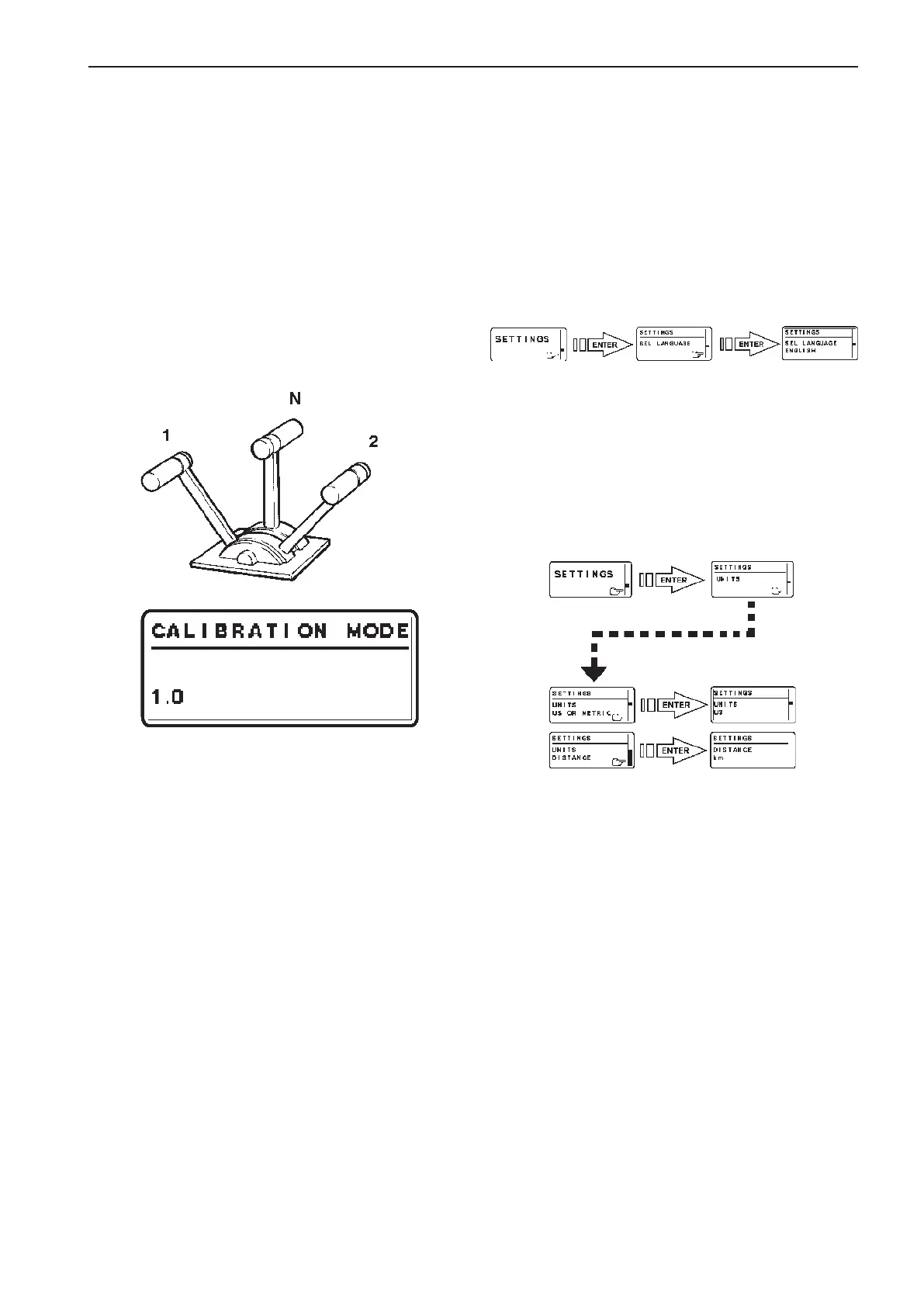
Mechanical two lever control.
Single and twin installations.
Electrical throttle and
mechanically shifted reverse
gear
NOTE! If the controls for two engines are calibrated,
both levers should be calibrated at the same time, to
give the same lever travel/positions for both engines.
Preparations:
Gear shift lever in neutral N position. (Neutral switch
is closed.)
1. Enter calibration mode
1.0 is shown on the tachometer display.
NOTE! 2.0 indicates a twin lever control.
2. Move the throttle lever to the position for full
throttle forwards WOT (1).
Release the lever and confirm the position by
pushing NEUTRAL BUTTON.
1.1 is shown on the tachometer display.
3. Move the throttle lever to the idling position IDLE
(2).
Release the lever and confirm the position by
pushing NEUTRAL BUTTON.
1.2 is shown on the tachometer display.
4. Push NEUTRAL BUTTON to exit lever calibra-
tion. The green LED(s) by the neutral button
will show steady light and the system returns to
MAIN MENU.
WOT
IDLE
Select language and units
NOTE! Language and unit settings must be per-
formed in all EVC system tachometers and EVC sys-
tem displays.
1. Activate helm station by pushing the ACTIVE
STATION BUTTON on the EVC panel.
2. Select and enter SETTINGS from MAIN MENU.
Language
3. Select and enter SEL LANGUAGE.
4. Select and confirm the appropriate language.
Units
5. Select and enter UNITS.
Select UNITS US OR METRIC.
6. Select and confirm the appropriate unit (US or
metric).
7. Select and enter UNITS DISTANCE.
8. Select and confirm the appropriate unit for dis-
tance (km, NM, MILES).
9. Push BACK BUTTON twice to return to MAIN
MENU.
91
EVC-C Calibration and settings



 To Next Page