Fuel tank calibration
Full tank calibration
NOTE! A FULL TANK CALIBRATION requires that
FUEL TANK EMPTY has been set.
When FULL TANK CALIBRATION is selected, the
fuel level sender is calibrated in two steps. Empty and
full. This only gives a very rough estimation of the fuel
level. Therefore all trip data concerning and based
on, remaining fuel volume should be recognized as
approximated values only.
1. Activate helm station by pushing the ACTIVE
STATION BUTTON.
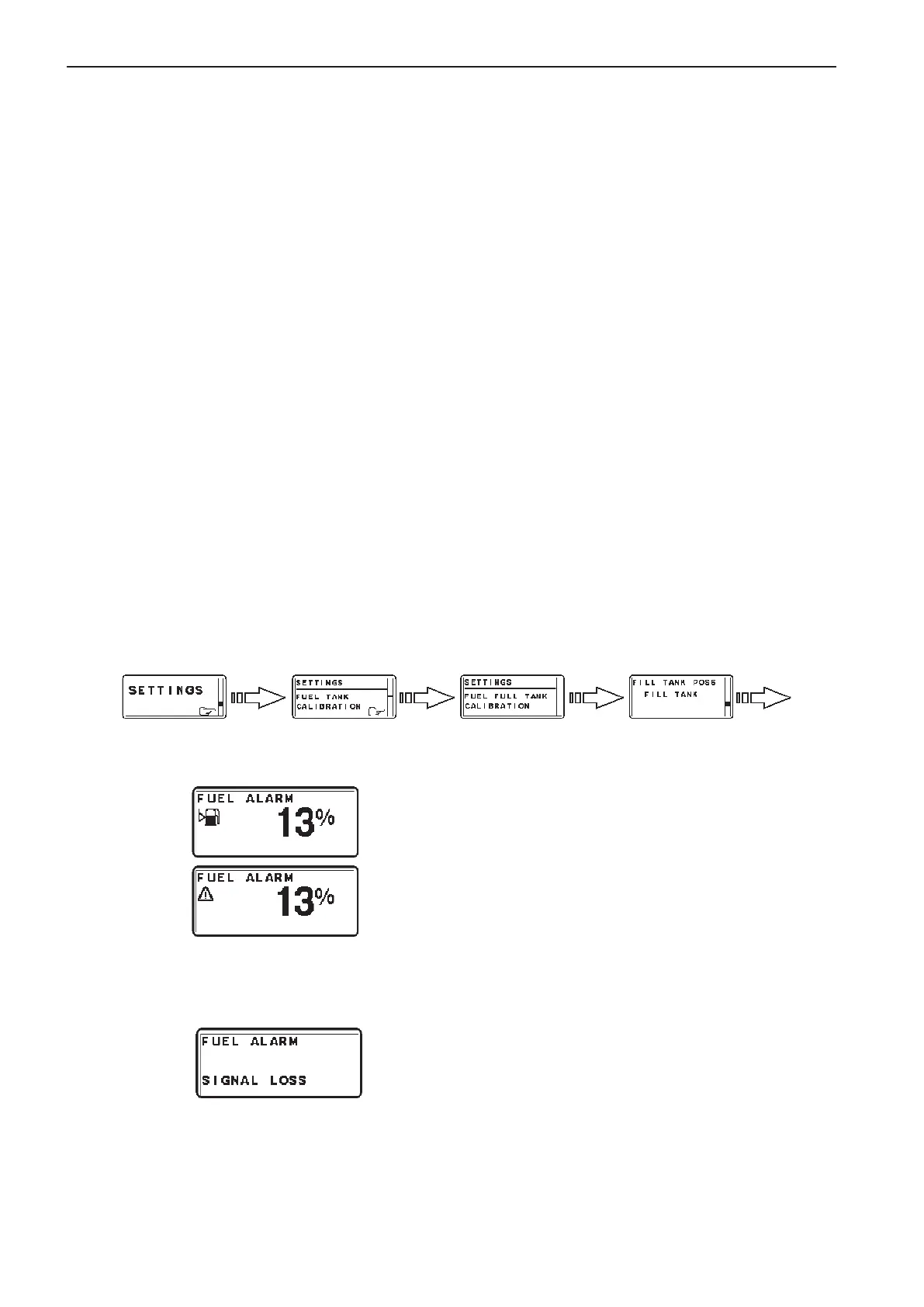
1. Select SETTINGS from MAIN MENU by turn-
ing NAVIGATION WHEEL. Push NAVIGATION
WHEEL to enter SETTINGS MENU.
2. Select FUEL TANK CALIBRATION and push
NAVIGATION WHEEL.
3. Select FULL TANK CALIBRATION by turn-
ing NAVIGATION WHEEL. Push NAVIGATION
WHEEL to enter FULL TANK CALIBRATION.
4. Fill fuel tank and push NAVIGATION WHEEL.
Push BACK BUTTON to return to SETTINGS MENU.
Fuel alarm pop-up
The fuel level alarm pop-up will appear when the fuel
level is lower than fuel alarm setpoint. The pop-up
shows the percentage of fuel remaining.
Acknowledge fuel alarm by pushing NAVIGATION
WHEEL.
Fuel level alarm pop-up will re-appear every 10
minutes until the fuel level in tank is higher than fuel
alarm setpoint.
Fuel level signal loss
If the fuel level has been set and the fuel level signal
is lost, for instance in the case of sensor malfunction,
the fuel level alarm signal loss pop-up will appear.
98
Calibration and settings EVC-C



 To Next Page