Lever calibration
Electronic lever control – top and
side mounted
Single and twin installations
NOTE! The following description applies to Volvo
Penta’s electronic controls.
NOTE! If the controls for two engines are calibrated,
both levers should be calibrated at the same time, to
give the same lever travel/positions for both engines.
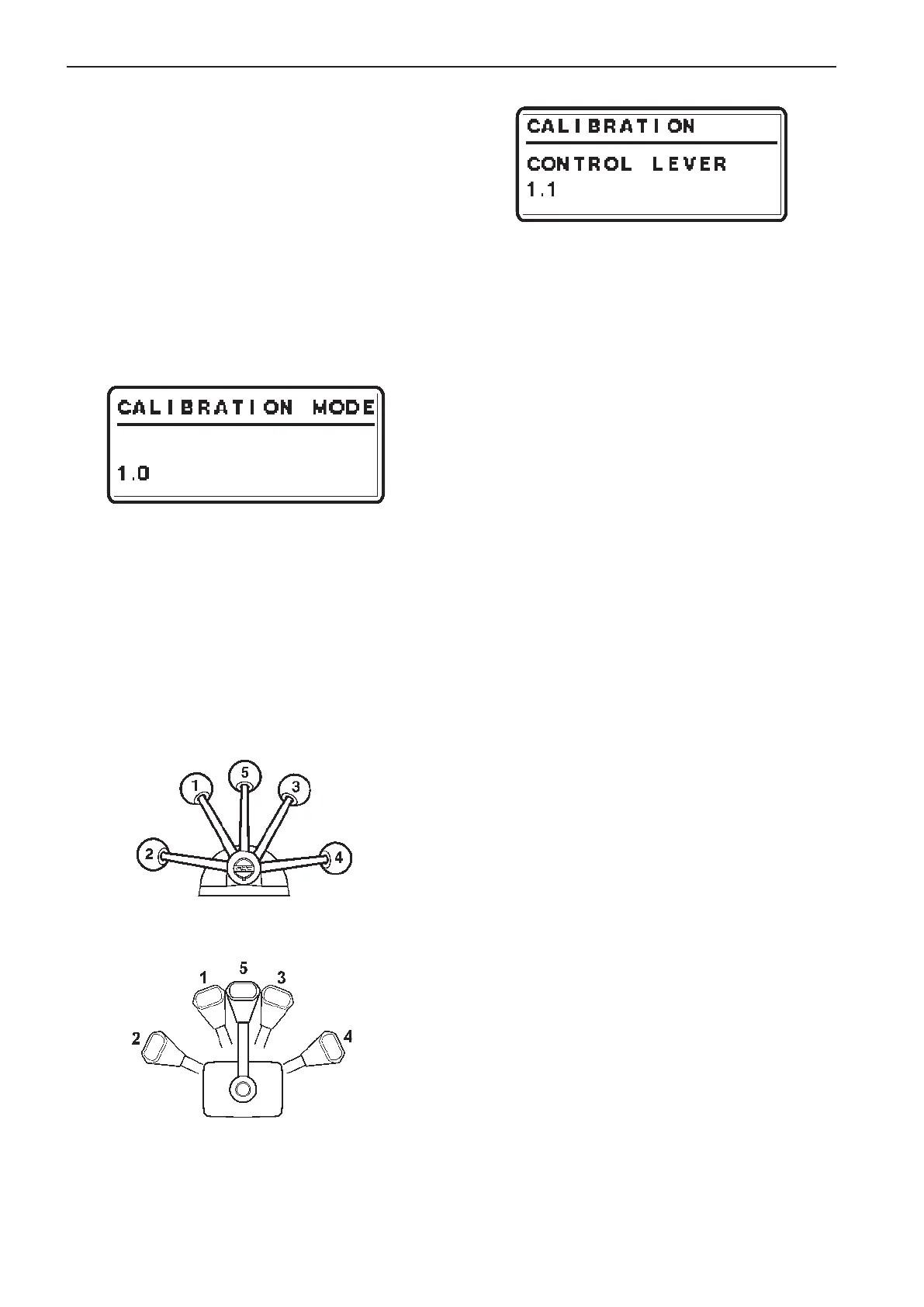
1. Enter calibration mode
1.0 is shown on the tachometer display.
NOTE! 1.0 indicates a single lever control.
2. Move the lever to the forward idling (1).
Release the lever and confirm the position by
pushing NEUTRAL BUTTON.
1.1 is shown on the tachometer display.
3. Move the lever to the position for full throttle for-
ward (2).
Release the lever and confirm the position by
pushing NEUTRAL BUTTON.
1.2 is shown on the tachometer display.
4. Move the lever to the reverse idle position (3).
Release the lever and confirm the position by
pushing NEUTRAL BUTTON.
1.3 is shown on the tachometer display.
5. Move the lever to the reverse full throttle position
(4).
Release the lever and confirm the position by
pushing NEUTRAL BUTTON.
1.4 is shown on the tachometer display.
6. Move the control lever to neutral position (5).
Release the lever and confirm the position by
pushing NEUTRAL BUTTON.
1.5 is shown on the tachometer display.
7. Push NEUTRAL BUTTON to exit lever calibra-
tion. The green LED(s) by the neutral button
will show steady light and the system returns to
MAIN MENU.
N
Idling
FORWARDS
Idling
REVERSE
Idling
REVERSE
Full throttle
FORWARDS
Full throttle
88
Calibration and settings EVC-C



 To Next Page