Side mounted electronic control
with Powertrim buttons
Single installations
NOTE! The following description applies to Volvo
Penta’s electronic controls.
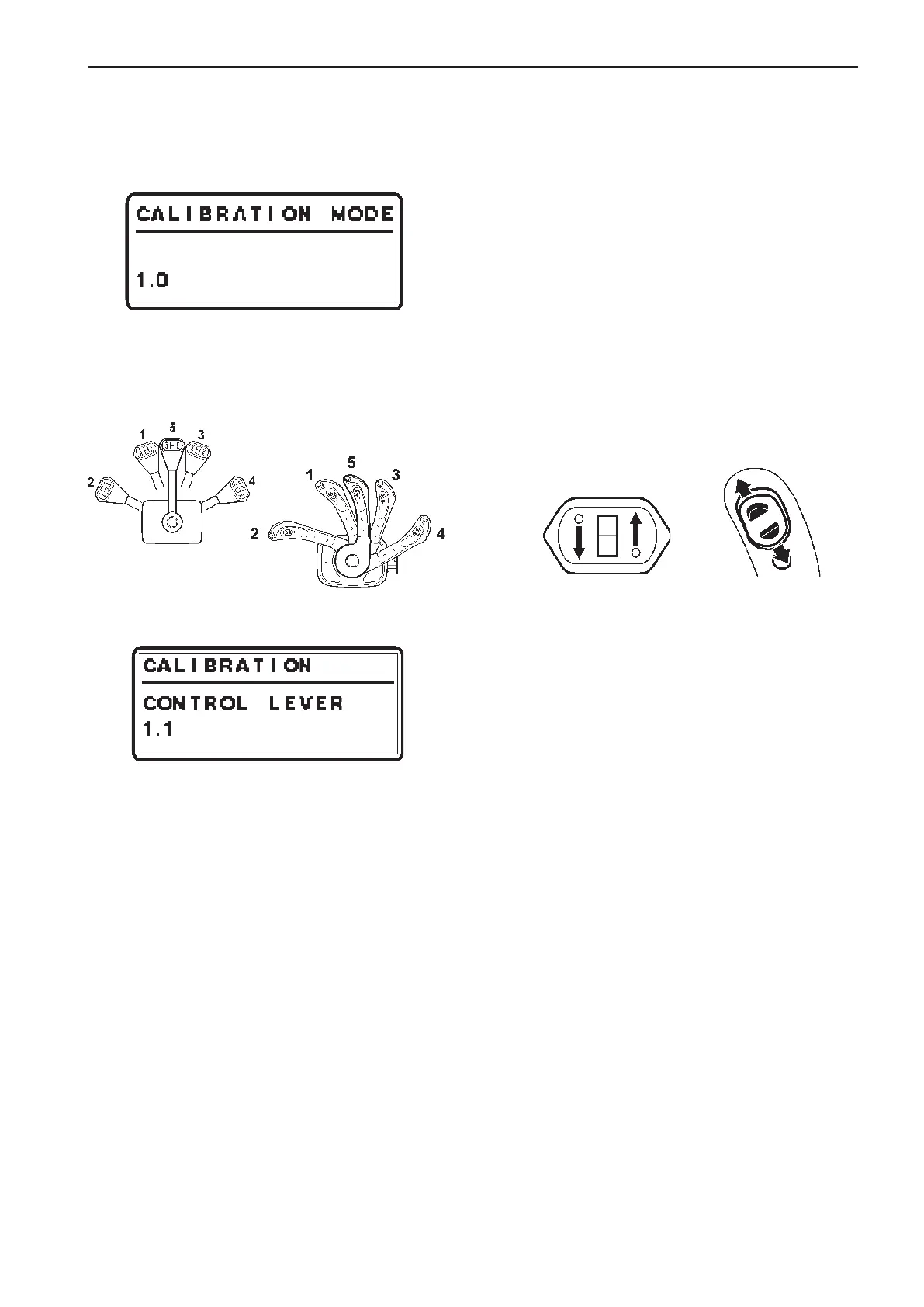
1. Enter calibration mode
1.0 is shown on the tachometer display.
NOTE! 1.0 indicates a single lever control.
2. Move the lever to the forward idling (1).
Release the lever and confirm the position by
pushing NEUTRAL BUTTON.
1.1 is shown on the tachometer display.
3. Move the lever to the position for full throttle for-
ward (2).
Release the lever and confirm the position by
pushing NEUTRAL BUTTON.
1.2 is shown on the tachometer display.
4. Move the lever to the reverse idle position (3).
Release the lever and confirm the position by
pushing NEUTRAL BUTTON.
1.3 is shown on the tachometer display.
5. Move the lever to the reverse full throttle position
(4).
Release the lever and confirm the position by
pushing NEUTRAL BUTTON.
1.4 is shown on the tachometer display.
6. Move the lever to neutral position (5).
Release the lever and confirm the position by
pushing NEUTRAL BUTTON.
1.5 is shown on the tachometer display.
Up
Down
Up
Down
7. Continue calibration by pressing the UP button
for the Powertrim.
Keep the button depressed and confirm by
pressing the neutral button N. Release the UP
button.
1.6 is shown on the tachometer display.
8. Continue calibration by pressing the DOWN but-
ton for the Powertrim.
Keep the button depressed and confirm by
pressing the neutral button N. Release the
DOWN button.
1.7 is shown on the tachometer display.
9. Lever calibration is completed. The green LED(s)
by the neutral button will show steady light and
the system returns to MAIN MENU.
89
EVC-C Calibration and settings



 To Next Page