Optional glass capillary sprayer 4-11
To optimize the glass capillary sprayer
1. Set the NanoFlow gas pressure to 0.3 bar and the cone gas to 40 L/h.
2. Ascertain that sample is flowing by observing a droplet on the tip.
Tip: If you cannot observe a droplet, increase the pressure briefly, up to
a maximum of 1.5 bar, and then return the pressure to 0.3 bar.
3. If you observe a droplet, continue the procedure at step 9.
Requirement: If you do not observe a droplet, in the MassLynx Tune
window, ensure the Capillary parameter is set to 0 V, and follow step 4
through step 8.
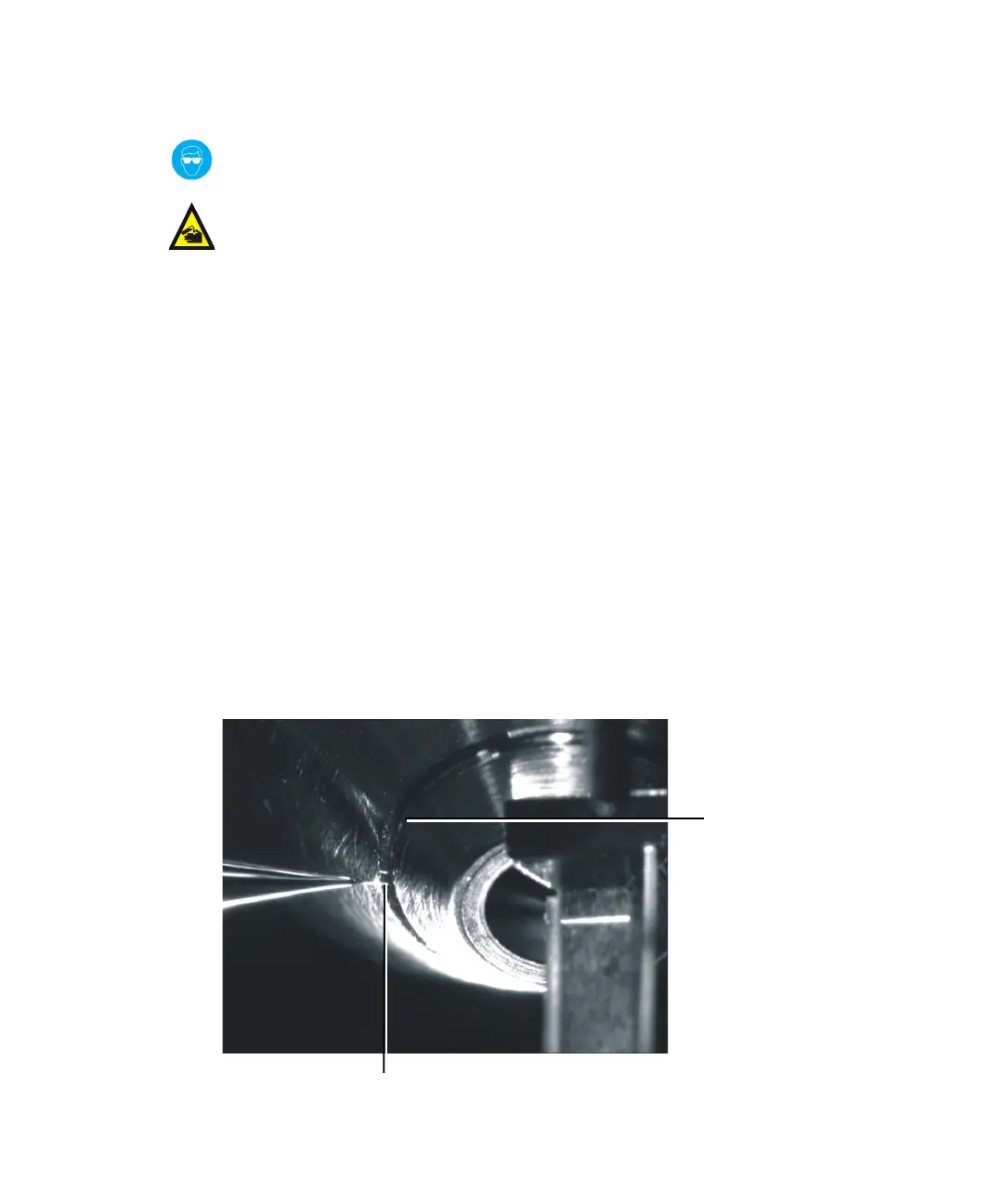
4. Move the sprayer back and to the left-hand side until the tip aligns with
the groove on the cone.
Tip: Aligning is best done while viewing from the front of the source.
5. While watching the camera image, carefully move the tip forward
toward the groove, until it touches, and a small piece of the glass
capillary shears off.
Warning: To avoid eye injuries, always wear eye protection when cutting
fused silica.
Warning: To avoid injury from trace chemicals on the probe, always
wear chemical-resistant, powder-free gloves.
Groove
Glass capillary













 To Next Page