Operation 4–30
Press Enter to confirm the selection.
The measurement conditions (such as frequency and level) should be set up in the normal way
using the Set pull-down menu.
It is possible to make measurements in Set Mode by pressing the Trigger key. The
measurement and resultant bin number will be displayed on the screen. This must be done if the
Save Res(ult) feature is going to be used when setting percentage limits.
The measurements displayed on the screen will be truncated and rounded versions of the actual
measurements made by the instrument. The actual measurements are used to sort into bins. This
can produce a situation where a repeat of the same displayed measurement appears to give
different bins.
The Count feature is disabled in Set mode, and a message is shown on the screen next to the
Bin Type.
4.4.24.1 Binning – Setting One Term Limits
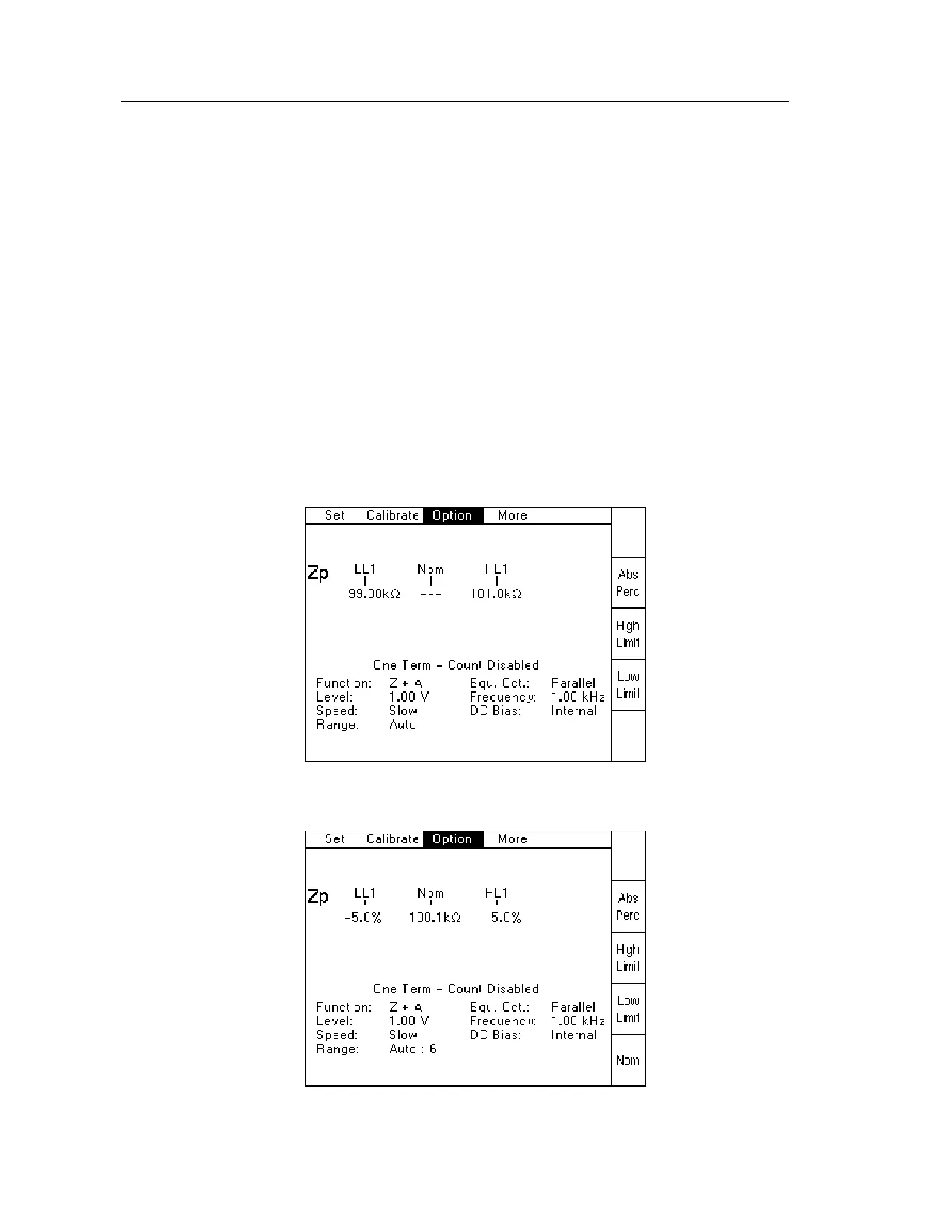
One of two screens will be displayed when the One Term Binning Type has been selected,
depending on whether the last limits used were Absolute or Percentage:
Figure 4-42 One Term Absolute limits screen
Figure 4-43 One Term Percentage Limits screen



 To Next Page