Operation 4–35
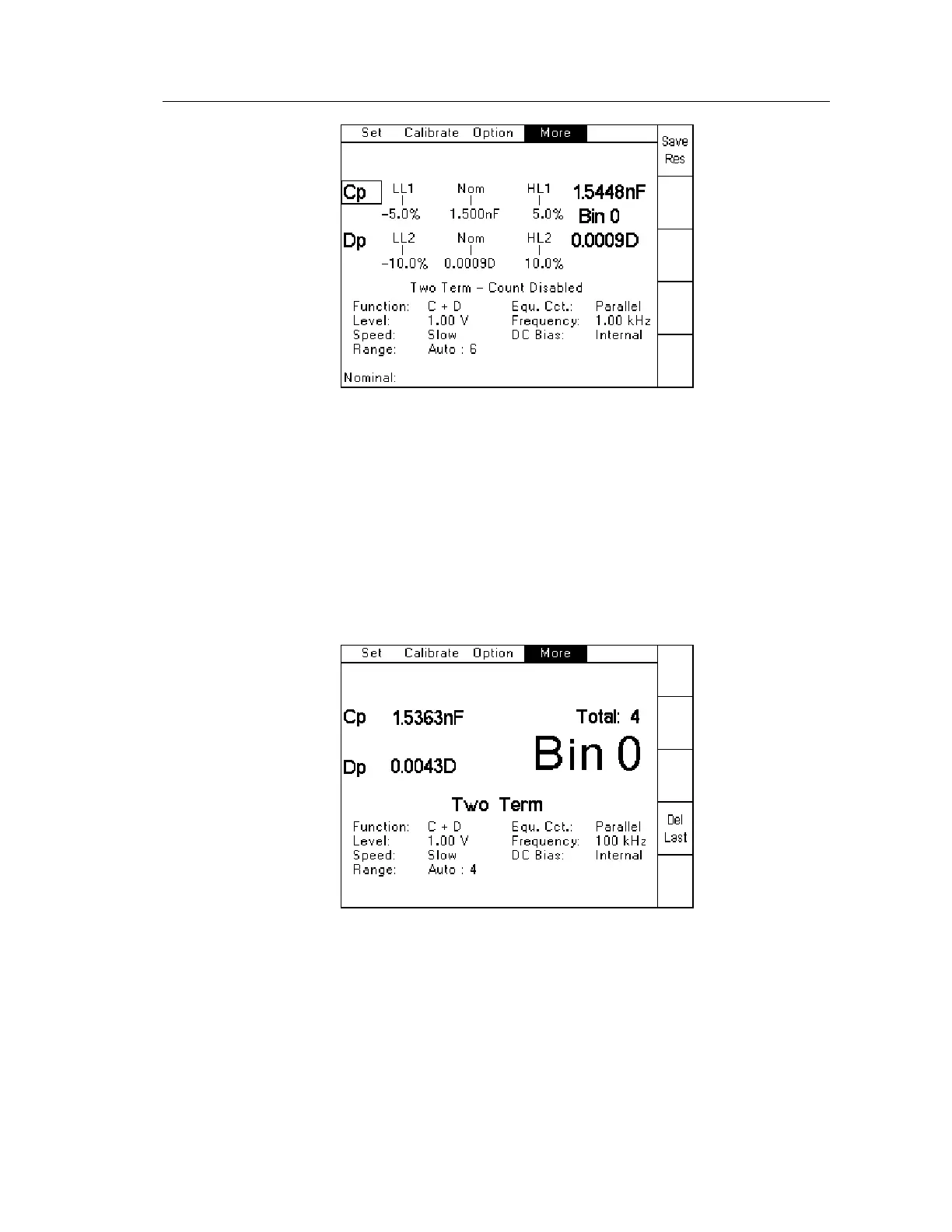
Figure 4-50 Two Term Save Result screen
4.4.25 Binning – Sort
This section is used in order to trigger a measurement and then display the measurement result
and appropriate bin (based on the result). It is accessed by selecting Sort from the Binning
screen of the More pull down menu (see 4.4.23).
The measurement can be triggered using either the Trigger key in the front panel, the remote
trigger input on the rear panel or a GPIB trigger command. After the measurement and binning,
the screen shows the measurement, resulting bin and total count:
Figure 4-51 Sort screen example
The Del Last soft key (Delete Last) can be used to reduce the total count by 1. This can be
useful if a known bad measurement (due to a poor connection for example) is made, and it
needs to be removed from the counts. This can only be done once after each trigger.



 To Next Page