BINNING 6–9
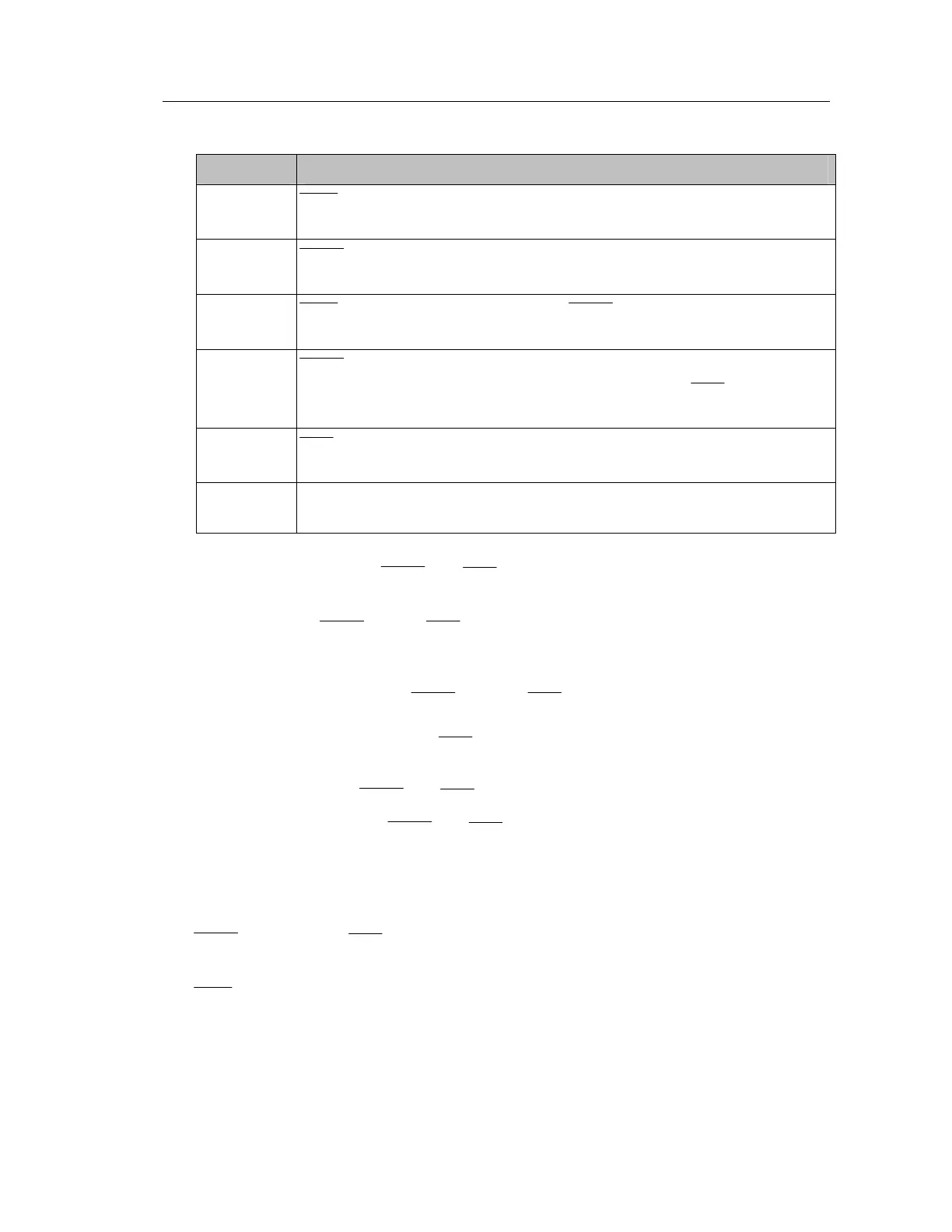
Event
1
TRIG
goes LO to indicate that the DUT is in position and ready for a binning
2
BUSY goes LO to acknowledge Event 1 and also to indicate the DUT is being
3
TRIG goes HI to acknowledge Event 2. BUSY stays LO to indicate the DUT is
4
BUSY goes HI at the end of the measuring period to indicate that the DUT can
be removed from the handler and the next DUT attached.
goes HI at the
period to indicate that the BIN lines are invalid
5
goes LO to indicate that the result of the Maths period is now available on
6
TX period is used for the transmission of measurement & results data by remote
l in real time (if required by user). Otherwise TX period can be ignored.
The two output signal lines, BUSY and
will at any time assume one of the four following
different states:
1. Null State. BUSY LO and
HI in this state. The 4300 enters this state at power-up.
When the Null State is detected by external hardware, it must be assumed that the signals
on the BIN lines are invalid and should be ignored.
2. Ready For Trigger State. BUSY is HI and
is LO in this state. All BIN lines will be
unchanged. If the previous state was Null State, then all BIN lines will be LO, meaning no
bin selected, even though the
line suggests that valid bin data is present. When the
4300 receives a trigger, it will respond by entering the Busy State.
3. Busy State. Both BUSY and
lines are LO in this state.
4. Not Busy State. Both BUSY and
are HI and all BIN lines are LO in this state. The
4300 has finished measuring the DUT and it may be removed and replaced by the next
DUT. However the 4300 still has perform the Maths period so all the BIN lines are made
invalid.
At power up, the 4300 recognizes if the B1 or B2 Bin Handler option is fitted, and takes the
BUSY line LO and the
and all BIN lines HI.
Measurements may be triggered by pressing the Trigger key on the front panel or taking the
TRIG line LO. If a measurement is in progress when the 4300 is triggered, the measurement is
aborted and a new measurement started.



 To Next Page