Tech. Dok. / L23 880 02 / 01.00.02 © MICHAEL WEINIG AG
Basic setting
4-8 Profimat 23 E
0070 0
0100 0
100
70
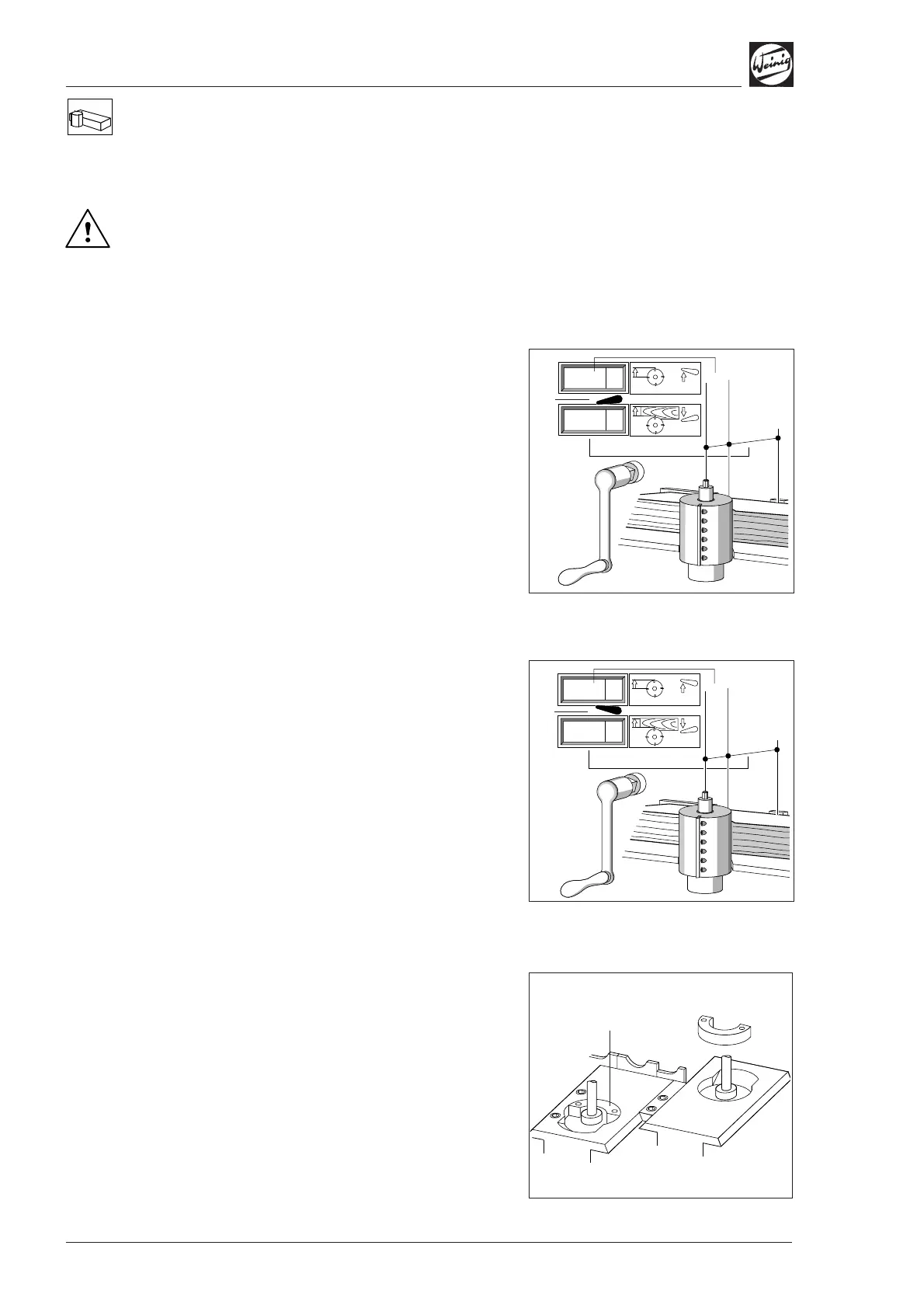
Set timber width, change tool radius
(optional)
The adjusting spindle must not be turned
when changing lever (1) from radius to width
or height indication! This applies for both
motor-driven and manual adjustment.
Set timber width
Example:
Timber width 100 mm (3.94 in), tool radius
62.5 mm (2.46 in).
• Lever (1) down:
Set required workpiece width (100 mm
(3.94 in) in this case) by means of the crank
handle.
Change tool radius
Example:
Change tool radius from 62.5 mm (2.46 in) to
70 mm (2.756 in)
• Lever (2) up:
Set new tool radius of 70 mm (2.756 in) by
means of the crank handle.
• Lever (1) down:
The required workpiece width can be set
immediately.
• Set the pressure elements before and after of the
spindle to the new tool radius.
Table plate
• Use insert (1) (optional) for small tool cutting
circles; remove insert for large tool cutting
circles.
(2)
(1)
(1)
0062 5
0100 0
100
62,5


 To Next Page